 Tool
Toggl Track
A deliberately non-surveillance time tracker that charges a premium for team reporting and will not say how large its free tier is.
Scored on the published rubric, from documentation, pricing and verified user reports.
Best for: Small professional teams that bill by the hour, want timesheets their own staff will not resent, and can justify a premium rate for clean reporting.
Verdict
Toggl Track is the one product in this category that sells the absence of a feature. The pricing page strip reads no screenshots, no surveillance, and the vendor describes an anti-surveillance stance in the same block as its uptime claim. That position earns the highest ease sub-score in the category, 4.6, because nothing in the product needs defending to the people being tracked. It costs money, though: Starter is $9 per user per month billed annually and Premium $16, which is roughly twice the per-seat rate of the cheapest graded rival for a comparable feature set. Two documentation problems hold the value and support sub-scores down. The free tier is described only as free for a limited number of users, with no figure on the pricing page or in the help-centre article on payment plans. And the same pricing page states 99.9 percent uptime with SOC 2 Type 1 in one block and 99.99 percent uptime with SOC Type 2 in another. This is a documentation review built from the vendor's pricing page, plan comparison, help centre and terms of service; no first-hand testing was run and none is claimed.
Visit Toggl Track
We have no affiliate relationship with this vendor. Link goes to the official site.
Where it is strong
- Timesheet approvals, labor cost and profitability reporting and project dashboards all arrive together at Premium, $16 per user per month billed annually
- Desktop activity tracking is opt-in by design: the plan comparison states the user controls which recorded activities become time entries
- Annual billing is listed at 33.3 percent below monthly, the largest annual discount of the four trackers graded here
- Capacity planning, draft projects and a timeline view make it a planning tool as well as a timer, which is unusual at this size
- Single sign-on is included in Premium rather than held back for a contact-sales tier
Where it falls short
- The free tier's user limit is not published: the pricing page says free for a limited number of users and the help-centre article on payment plans repeats the same phrase without a number
- Starter at $9 and Premium at $16 per user per month billed annually are the highest published rates in this category on our rubric
- Capacity Management is a paid add-on at $5 per user per month billed annually, and Time Off Pro another $2, so the headline rate understates a planning setup
- The pricing page carries two different uptime figures and two different SOC descriptions, read on the same day
- Billable rates, the feature most hourly businesses buy a tracker for, are not in the free tier at all
At a glance
| Starting price | $9 per user per month billed annually (Starter) |
|---|---|
| Free plan | Yes, user limit not published |
| Seat minimum | None published |
| Trial | 30-day trial on Starter and Premium, described on the page as having no strings attached |
| Support channels | Help centre and in-product contact; dedicated customer success manager at Enterprise only |
| Top tier extras | Personalised onboarding, dedicated success manager, custom roles, custom integrations |
What the product actually is
Toggl Track is a time tracker that has been extended backwards into planning. The core object is still a time entry with a project, a task, tags and a billable flag, created by a real-time timer, a manual entry, a calendar event or a keyword rule.
What sits around it is unusual. Tasks, boards and estimates are in the product from the free tier upward, so the same tool holds both the plan and the record. A timeline view lays work out over time and can be grouped by person, project or tag. Draft projects let a firm model work it has not won yet.
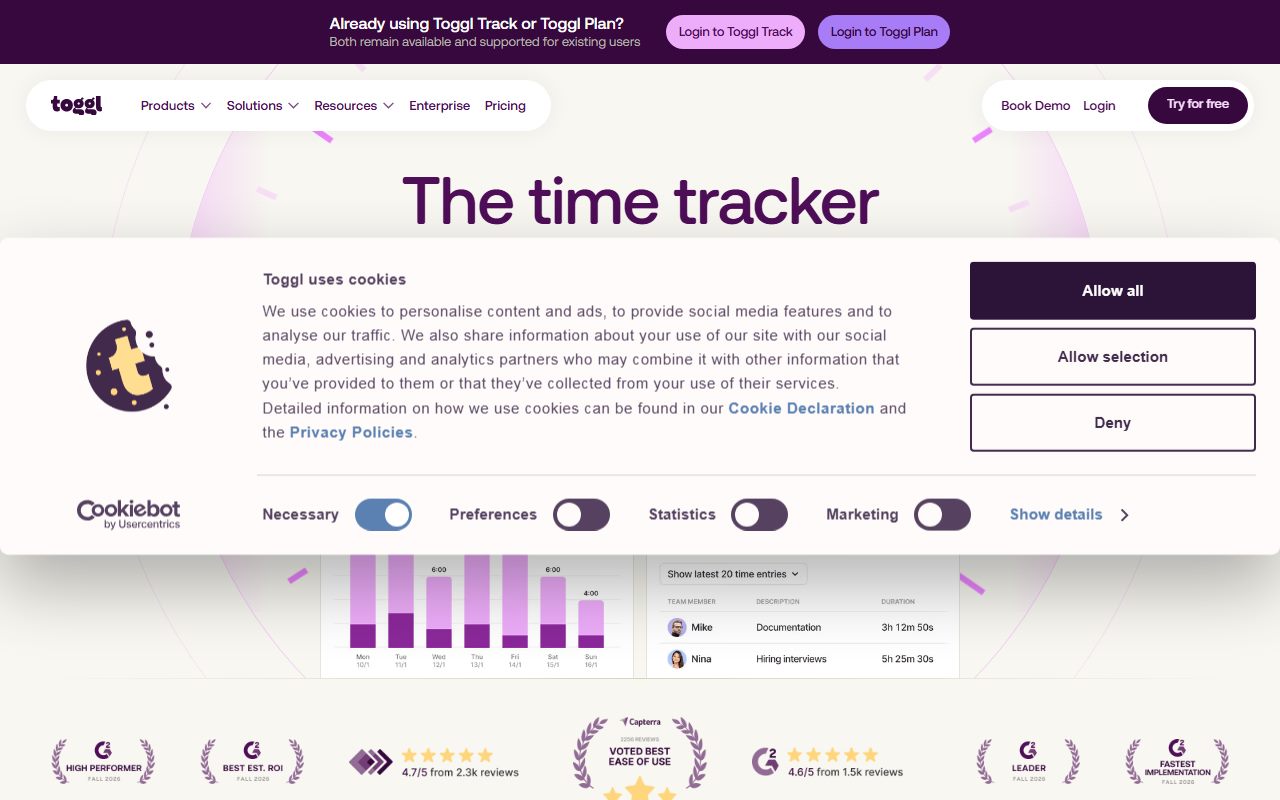
The second unusual thing is a deliberate hole. The pricing page strip reads no screenshots, no surveillance, and the vendor describes an anti-surveillance stance in the same section as its compliance claims. Desktop activity tracking exists, recording apps and windows used for over ten seconds, but the plan comparison states that the data stays private and the user chooses which activities turn into time entries.
The contracting entity depends on where the customer is. Per the terms of service read October 12, 2026, non-US customers contract with Toggl OU, an Estonian private limited company, registered number 11346813, at Tornimae 5, Tallinn. US customers contract with Toggl Inc, a Delaware corporation, file number 5675394, in Wilmington.
Who it is for, and who should skip it
The fit is a professional services team whose staff are the kind of people who read what the software does to them.
- Design, legal, consulting and engineering teams billing by the hour who need defensible timesheets
- Firms where resistance to monitoring is a real adoption risk and a surveillance-free tracker removes the argument
- Teams that want capacity planning and tracking from one vendor rather than stitching two together
- Managers who need labor cost and profitability per project rather than just hours per person
- Companies that want single sign-on without moving to a contact-sales tier
Two groups should look elsewhere. A buyer whose constraint is the per-seat line will find this the most expensive of the four trackers graded on this site, by a wide margin. And a buyer who needs proof-of-work evidence, screenshots or silent background tracking, is asking for the one thing this vendor has decided not to build.
There is a third case, less obvious. A team that already pays for a project tool with native time tracking may be buying the same planning layer twice. ClickUp and Asana both carry task structures that overlap with what Toggl's boards and estimates provide, and both are graded separately on this site.
How the pricing is structured
Figures below were read from the Toggl pricing page on October 12, 2026, in US dollars, per user per month. The first figure is annual, the second month-to-month.
- Free: $0, described on the page as free for a limited number of users. Manual and real-time timers, focus mode, calendar integrations, tasks, boards, task estimates and personal reports
- Starter: $9 annually, $12 monthly. Adds billable rates, team productivity and revenue reports, timeline views, tags, milestones, PTO, public holidays, flexible hours and team visibility
- Premium: $16 annually, $24 monthly, badged best value. Adds labor costs and profitability reports, fixed fee projects, project dashboards, timesheet approvals, data accuracy features, Jira and Asana integrations and single sign-on
- Enterprise: contact us. Adds personalised onboarding, a dedicated customer success manager, custom solutions and custom roles
- Time Off Pro add-on: $2 per user per month, for approvals, balances and policies
- Capacity Management add-on: $5 per user per month annually, $6 monthly, for forward capacity, team grouping on the timeline and draft projects
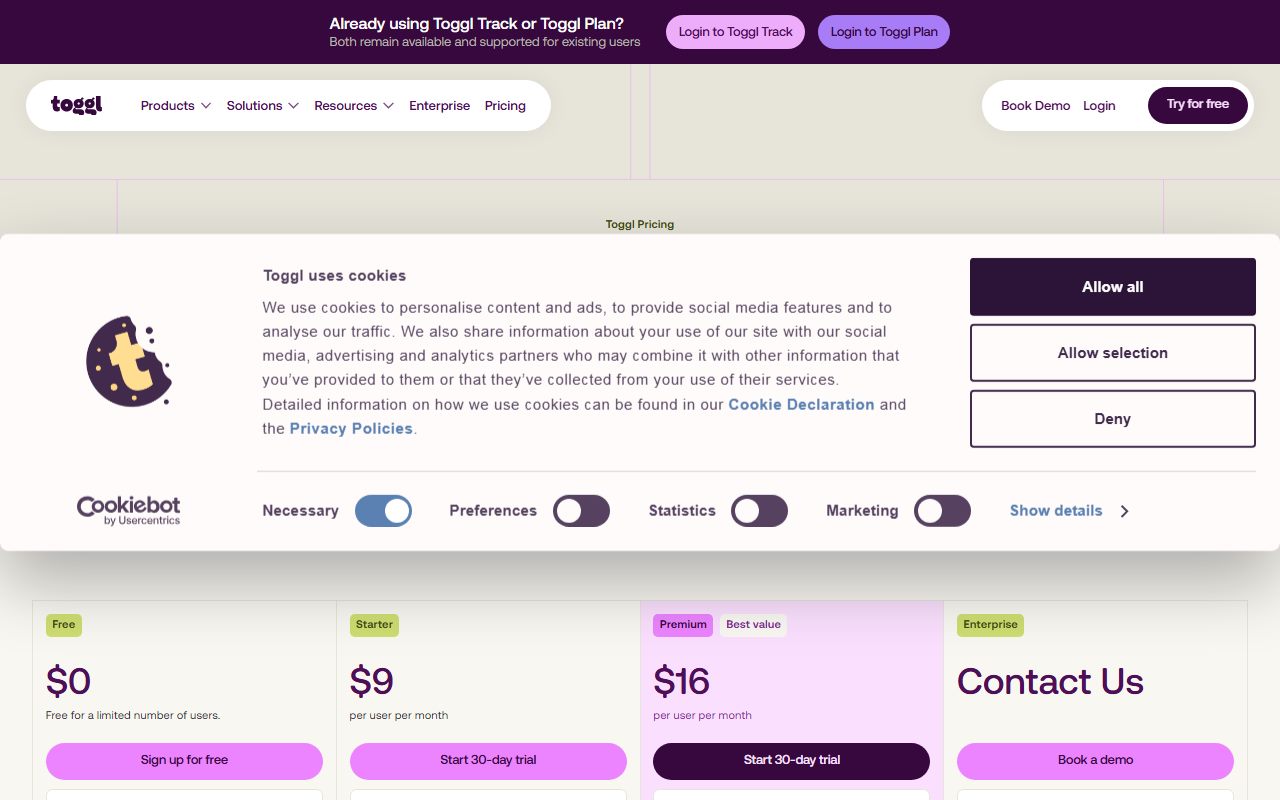
The annual discount is the largest in this category. The page labels it as a 33.3 percent saving, and a separate badge advertises four months free, which is consistent with the Starter figures of $9 against $12. Our note on annual against monthly SaaS billing sets out when that trade is worth taking.
The add-ons deserve more attention than the tiers. A team that wants real capacity planning needs Capacity Management on top of its plan, and a team that wants leave approvals needs Time Off Pro. Adding both to Starter costs $16 per user per month, exactly the Premium rate, without any of the Premium reporting.
That is the trap in this price sheet, and it is the sort of thing our note on how to read a per-seat pricing page is written to catch.
No seat minimum is published on the page we read.
The free tier, and the figure that is missing
This is the clearest documentation gap in the category, and it affects the grade.
The pricing page states the free plan costs $0 and is free for a limited number of users. It lists what the tier contains: manual and real-time timers, focus mode, calendar integrations with Google and Outlook, tasks, boards, task estimates and personal-level reports. It also states that the free plan is free forever.
What it does not state is the limit. The help-centre article on payment plans, read the same day, says a user can add a limited number of users to track time for free, repeating the phrase without a number. We could not read the figure on either page.
We are not saying the vendor has no limit, and we are not saying the vendor refuses to publish one. We are saying that two official pages describe the cap in words and neither prints the number, so a buyer cannot size the free tier before signing up.
On this site that costs a vendor value points, because the free tier is the first thing a small team evaluates. Our note on what free tiers are actually for explains why an unstated cap is worse than a small one.
The second substantive omission is commercial rather than numerical. Billable rates are a Starter feature, so the free tier cannot answer the question an hourly business is asking.
Ease of use: what the score is built from
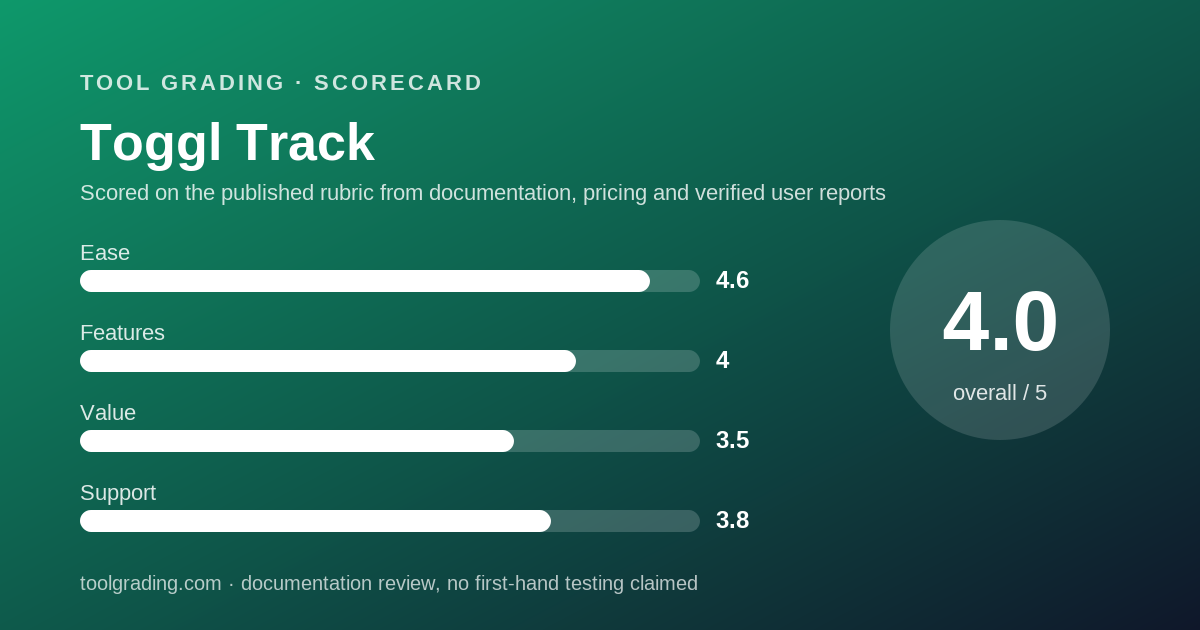
The ease sub-score measures time to deploy and time to competence without outside help. Toggl Track scores 4.6, the highest in this category on our rubric.
Two things earn it. The first is adoption politics. A tracker that takes no screenshots and lets the user decide which recorded activity becomes a time entry is far easier to roll out than one that does not, and that is a deployment fact rather than a feelings one.
The second is the number of surfaces. Web, mobile, desktop and a browser extension all create the same entry, with real-time, manual and duration-only modes, plus calendar, list and board views. A pomodoro timer, idle detection and tracking reminders cover the case everyone actually has, which is forgetting.
It is not a 5.0 because the planning side adds concepts a pure timer does not have, and because capacity, the thing most likely to interest a manager, lives behind an add-on and therefore behind a second purchase decision.
Feature depth: what the score is built from
The features sub-score is 4.0. The product is broad across tracking and planning and deliberately narrow on monitoring, and the rubric scores presence by tier, not intent.
Tracking is complete. Automated calendar-event tracking, browser-extension page tracking with a configurable delay, keyword-triggered notifications and idle detection are all documented in the plan comparison.
Money reporting is strong but late. Billable rates arrive at Starter; labor costs, profitability, fixed fee projects and project dashboards comparing actuals to estimates all wait for Premium.
Governance is thin until Premium as well. Timesheet approvals, required fields, data accuracy features and audit log sit in the compliance group, and the useful ones are Premium features. Alerts on estimate and budget thresholds are the exception.
What is absent by design is proof-of-work evidence: no screenshots, no silent agent, no GPS. For some buyers that is the reason to choose this product and for others it is disqualifying, which is why the sub-score sits mid-range rather than at either extreme. Our page on how the Tool Grading rubric works explains why we do not reward or punish that choice.
Value at a realistic team size
Take a ten-person team and use the figures read October 12, 2026. The totals are our arithmetic from the published per-user rates.
Starter annually costs $1,080 a year. Premium annually costs $1,920. Billed monthly those become $1,440 and $2,880.
Add Capacity Management and Time Off Pro to Starter and the annual bill reaches $1,920, identical to Premium. A buyer who wants planning and approvals should therefore compare Premium against Starter plus add-ons feature by feature rather than by price, because the price is the same.
The value sub-score is 3.5, the lowest of the four trackers graded here, and the reason is comparative rather than absolute. A ten-person team can buy invoicing and approvals elsewhere in this category for under $700 a year. Paying $1,920 for a surveillance-free product with better planning is a defensible choice, but it is a choice with a price tag attached, and the rubric prices it.
The counterweight is real. Single sign-on is in Premium rather than in a contact-sales tier, which is the opposite of how most of this category is packaged, and a team that would otherwise pay a top-rung rate for SSO alone should put that in the sum. Teams working through that calculation may also want our grade of 1Password Business.
Support, trust claims and one contradiction
The support sub-score is 3.8. The help centre is the main channel for paying customers below Enterprise, and it is well organised: plan contents, feature definitions and billing mechanics are all documented at article level rather than only in marketing copy.
What is not published is a response commitment. Personalised onboarding, a dedicated customer success manager and priority support are Enterprise features, and Enterprise is a contact-us tier, so no small team can see what it would get.
The trust claims on the pricing page need recording because they do not agree with each other. One block states the product is ISO-certified and SOC 2 Type 1 compliant with 99.9 percent uptime. A trust strip further down the same page states 99.99 percent uptime, SOC Type 2 and ISO 27001. Both were read on October 12, 2026.
Those are not the same claim. A 99.9 percent and a 99.99 percent availability target differ by roughly eight hours of annual downtime, and a SOC 2 Type 1 report describes controls at a point in time while a Type 2 report tests them over a period.
We are not asserting which is correct. We are recording that the vendor's own pricing page says both, which is a reason for a buyer to ask for the report rather than trust the strip. Our note on what priority support actually means makes the same argument about support promises.
Other vendor claims on the page, cited as vendor claims: more than 70,000 companies, and a stated return on investment in 2.4 months. Neither is independently verifiable from the page.
Alternatives on this site
Choose a cheaper per-seat tracker if the budget is the deciding factor and your team has no objection to monitoring features existing in the product. Otherwise choose Toggl Track if adoption without argument is worth the premium.
Choose a monitoring-first tracker if you need screenshots, app and URL evidence or location data for client billing or compliance. Otherwise choose Toggl Track if you specifically want those capabilities absent.
Choose your invoicing software's own timesheet if hours exist only to produce an invoice. FreshBooks is graded separately on this site and carries tracking beside billing. Otherwise choose Toggl Track if profitability per project, not just the invoice, is the output you need.
Bottom line
Toggl Track is the most expensive tracker graded on this site and the easiest to roll out, and those two facts are connected. A product that refuses to take screenshots does not have to be sold to the people it tracks.
The grade is held back by documentation rather than by the software. An unpublished free-tier limit and two conflicting trust claims on one page are both things a buyer has to resolve by asking, and asking takes time that cheaper rivals do not cost.
For a ten-person professional services firm that bills by the hour and wants planning in the same tool, Premium at $1,920 a year is a coherent purchase. For a team that needs invoicing and approvals and nothing more, this is roughly three times the necessary spend.
Buy it if
- Your staff would resist screenshots or silent monitoring and you want a tracker you can defend in a team meeting
- You need timesheet approvals, labor costs and profitability in one tier and will pay $16 per user per month for it
- You want capacity planning and time tracking from one vendor and have budgeted for the add-ons
- Single sign-on matters and you do not want to negotiate for it
Skip it if
- The per-seat budget is the binding constraint, because two graded rivals do the billing job for less than half this rate
- You intend to run a whole team on the free tier, since its size is not published anywhere we could read
- You need proof-of-work evidence such as screenshots, which this vendor deliberately does not sell
Frequently asked
How many people can use Toggl Track for free?
The vendor does not print a number. The pricing page read October 12, 2026 says free for a limited number of users, and the help-centre article on payment plans repeats that you can add a limited number of users to track time for free. Neither page we read states the figure.
How much does Toggl Track cost for a team of ten?
At the annual rates read October 12, 2026, ten users cost $1,080 a year on Starter and $1,920 on Premium. Billed monthly the same team costs $1,440 and $2,880. Those totals are our arithmetic from the published per-user rates.
Does Toggl Track take screenshots?
No. The pricing page states no screenshots, no surveillance and describes an anti-surveillance stance. Desktop activity tracking records apps and websites used for over ten seconds into a private timeline, and the plan comparison states the user controls which of those entries become time entries.
Which tier has timesheet approvals?
Premium, at $16 per user per month billed annually or $24 monthly, per the pricing page. Premium also carries labor costs and profitability reports, fixed fee projects, project dashboards, data accuracy features, the Jira and Asana integrations and single sign-on.
What do the add-ons cost?
Time Off Pro is $2 per user per month. Capacity Management is $5 per user per month on annual billing and $6 on monthly, per the pricing page read October 12, 2026. A ten-person team adding both to Starter pays $1,920 a year by our arithmetic, the same as Premium alone.
Is the 30-day trial a card-first trial?
The pricing page states that the free plan is free forever and that the 30-day trial has no strings attached, with Start 30-day trial buttons on Starter and Premium. The page does not say whether a payment card is required, so we are not claiming either way.
Sources
- Toggl pricing page and full plan comparison - checked October 12, 2026
- Payment plans at Toggl Track, help centre - checked October 12, 2026
- Toggl Track terms of service - checked October 12, 2026
Visit Toggl Track
We have no affiliate relationship with this vendor. Link goes to the official site.