 Tool
Tool
1Password Business
A shared-vault password manager whose Business tier buys single sign-on, policies and an audit trail at $8.99 per user per month.
Scored on the published rubric, from documentation, pricing and verified user reports.
Best for: Companies of five to fifty that share logins, API keys and card details across staff and need to revoke access the day someone leaves.
Verdict
1Password Business is a vault system with an administration layer, and the administration layer is the product. The documentation describes thirteen vault permission levels, custom groups by department, an audit trail with timestamps and IP addresses, account policies that enforce password strength and two-factor authentication, and sign-in through Okta, Microsoft Entra ID, OneLogin and Duo. Per the pricing page (checked October 7, 2026), that costs $8.99 per user per month billed yearly with no minimum seat count, and a Teams Starter Pack at $2.49 per user per month covers 10 to 20 users without the SSO, policies and reporting. The value score is the highest in this batch because the Business tier bundles what competitors sell as add-ons and includes a free Families membership for every employee. The ease score reflects that rollout is technically simple but behaviourally hard: the product only works if every person uses it for every login, and the documentation is honest that this is the real work. This grade comes from vendor documentation, pricing structure and verified user reports, against the published rubric; it is a documentation review, no first-hand testing was run and none is claimed.
Visit 1Password Business
We have no affiliate relationship with this vendor. Link goes to the official site.
Where it is strong
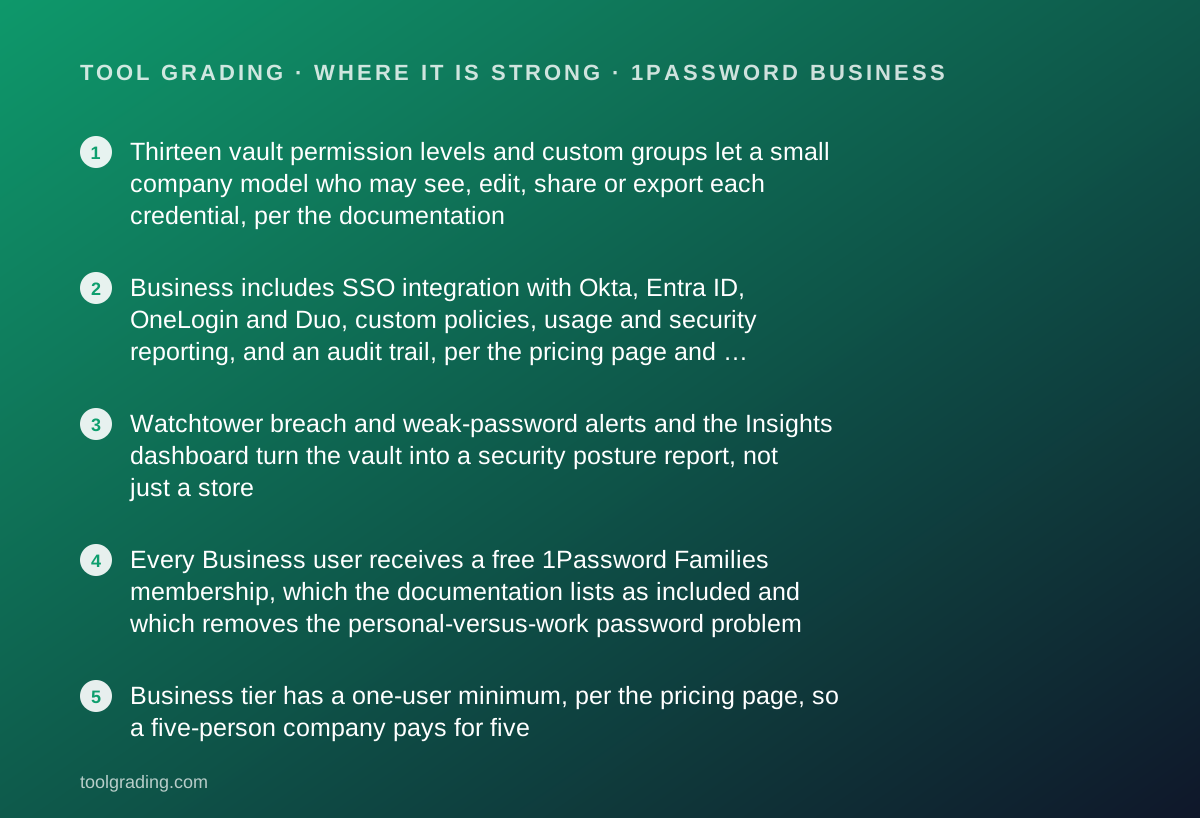
- Thirteen vault permission levels and custom groups let a small company model who may see, edit, share or export each credential, per the documentation
- Business includes SSO integration with Okta, Entra ID, OneLogin and Duo, custom policies, usage and security reporting, and an audit trail, per the pricing page and documentation
- Watchtower breach and weak-password alerts and the Insights dashboard turn the vault into a security posture report, not just a store
- Every Business user receives a free 1Password Families membership, which the documentation lists as included and which removes the personal-versus-work password problem
- Business tier has a one-user minimum, per the pricing page, so a five-person company pays for five
Where it falls short
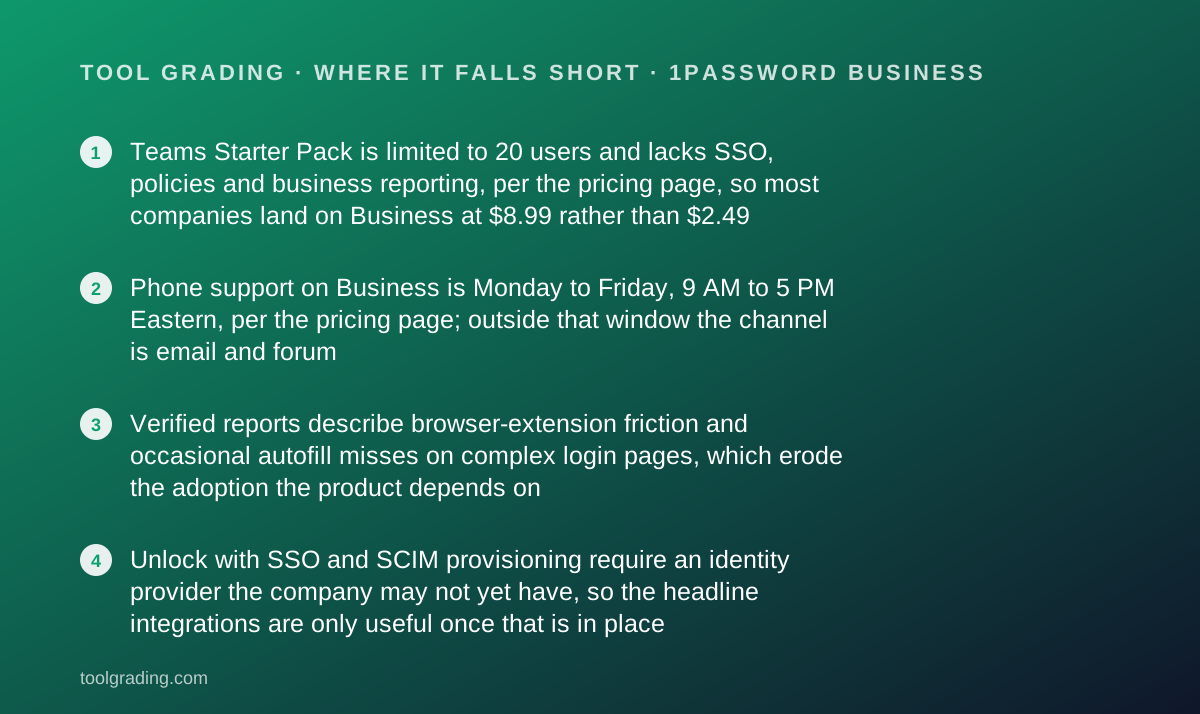
- Teams Starter Pack is limited to 20 users and lacks SSO, policies and business reporting, per the pricing page, so most companies land on Business at $8.99 rather than $2.49
- Phone support on Business is Monday to Friday, 9 AM to 5 PM Eastern, per the pricing page; outside that window the channel is email and forum
- Verified reports describe browser-extension friction and occasional autofill misses on complex login pages, which erode the adoption the product depends on
- Unlock with SSO and SCIM provisioning require an identity provider the company may not yet have, so the headline integrations are only useful once that is in place
What the product actually is
1Password Business is an encrypted item store with an access-control layer. The core object is the item: a login, a credit card, a secure note, an API credential, an SSH key, a document. Items live in vaults. A vault has members, and a member has a permission level for that vault; the documentation describes thirteen distinct permissions covering whether a person can view, edit, create, export, share, or reveal passwords. People belong to groups, groups can be granted vault access, and an administrator manages all of it from a web console.
The second object is the account policy. The documentation describes administrator-set rules for account password strength, mandatory two-factor authentication, and restrictions by location, IP address and application version. Those are what turn a shared password tool into a security control.
The third object is the audit trail: an automatic log of user additions, item deletions, permission changes and similar actions, each with a timestamp and IP address. Together with the usage and security reports, this is what lets a company answer the question an auditor or a departing employee's manager will ask: who had access to what, and when did that change.
The mental model to hold: it is a database of secrets with a permissions schema, and the business tier sells the schema, the policies and the log. The vault itself is the same one individuals use.
Who it is for, and who it is not
The company this fits best is five to fifty people who share credentials they should not be sharing by chat: the social media logins, the bank portal, the cloud console, the API keys in the deployment script, the company card. The common property is that access is shared, staff turnover happens, and revoking a departing person's access to every one of those today is currently a manual chore nobody finishes.
It also fits companies that have, or are about to adopt, an identity provider. The Business tier's integration with Okta, Microsoft Entra ID, OneLogin and Duo, and provisioning through the SCIM Bridge described in the documentation, mean that adding a person to the directory can add them to the right vaults and removing them can remove them. For a company already paying for a directory, that automation is most of the value.
Two companies it does not fit. A company of fewer than ten with no shared credentials and no turnover, for which individual accounts or the Families plan are proportionate and the Business tier is overhead. And a company whose staff will not adopt a browser extension and an app on every device, because a password manager with partial adoption is a false sense of security, and the documentation's own usage reports exist precisely to find the people who have not adopted it.
A company between 10 and 20 people with no need for SSO or policies should price the Teams Starter Pack first.
How the pricing is structured
Figures below were read from the 1Password business pricing page on October 7, 2026, in US dollars, billed yearly. The structure is the durable part; check the current page before buying.
There are three business tiers. Teams Starter Pack is $2.49 per user per month billed yearly, with a 10-user minimum and a 20-user cap, the page noting that up to 10 additional seats can be added to the base pack. It includes shared vaults, role-based access, security alerts, developer tools including SSH key signing, five guest accounts per user, and email and forum support. Business is $8.99 per user per month billed yearly, which the page states as $107.88 per user per year, with a one-user minimum and no stated cap. It adds integration with Okta, Entra ID, OneLogin, Duo and others, Watchtower alerts, enhanced vault permissions, custom policies and monitoring, business reporting on usage and activity, phone support on weekdays, and a free 1Password Families membership for each user. Enterprise is quoted by sales on volume.
The variable that drives the bill is headcount, since every person who needs a vault needs a seat. The second is whether SSO, policies or reporting are required, because any one of them forces Business. The third is the 20-user ceiling on the Starter Pack, which turns a growing company's twenty-first hire into a tier change.
- Teams Starter Pack: $2.49/user/mo billed yearly, 10-user minimum, 20-user cap, 5 guests per user, email and forum support (as of October 2026)
- Business: $8.99/user/mo billed yearly ($107.88/user/yr), 1-user minimum; SSO integrations, policies, reporting, audit trail, weekday phone support, free Families membership
- Enterprise: custom volume pricing, contact sales
Ease of use: what the score is built from
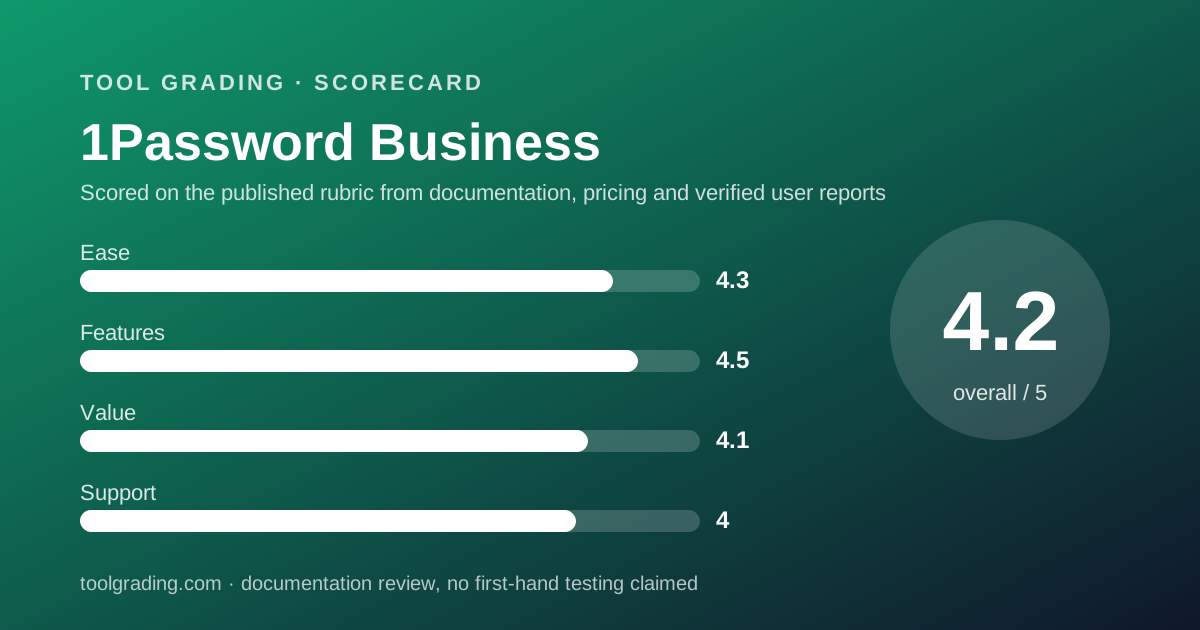
The ease sub-score measures time to deploy and time to competence for a small company without a consultant. 1Password Business scores 4.3, and the score is split between an administrator's experience, which is good, and an adoption problem, which is the product's main risk.
For the administrator, deployment is an account, a few vaults, a few groups and an invitation list. The documentation on the business pages walks through vault design by department, group delegation for recovery and billing, and policy settings, in that order, which is the right order. A company with an identity provider can go further with Unlock with SSO and SCIM provisioning, and the documentation for those is detailed, though it assumes the directory side is already working.
For each employee, the work is installing the app and the browser extension on every device, moving their existing passwords in, and then using it for every login. That last habit is the part no documentation can install. The product's own usage reports, described in the documentation as a way to track adoption and find people who need a nudge, are an acknowledgement that adoption is the real rollout.
The free Families membership helps here more than it looks: an employee who uses the same tool for personal logins uses the work vaults by reflex. The sub-score reflects a simple product with a behavioural dependency the company has to manage.
Feature depth: what the score is built from
Four capabilities carry the feature score of 4.5.
Vaults and permissions. Thirteen permission levels per vault, per the documentation, plus groups and delegated administration. For a small company that means the finance vault, the marketing vault and the engineering vault can each have exactly the right people with exactly the right rights, and a contractor can be a guest with view-only access to one of them. The Starter Pack's five guest accounts per user is a generous allowance for agencies that work with freelancers.
Policies and SSO. Business-tier account policies enforce password strength, two-factor authentication and access restrictions by location, IP and app version. Sign-in through Okta, Entra ID, OneLogin or Duo, and provisioning through the SCIM Bridge, tie the vault to the directory so that joiners and leavers are handled once.
Watchtower and Insights. Watchtower flags breached, weak and reused passwords; the Insights dashboard, per the documentation, combines breach exposure, password health, developer-secret risk and team usage with recommended actions. That turns a store into a report, and for a company without a security team it is the security team.
Audit trail and reporting. Every administrative and item action logged with timestamp and IP, and usage and security reports for offboarding and compliance.
What is thinner: 1Password is not a privileged-access system for servers, and it is not an identity provider itself; it integrates with one. Device-trust and SaaS-management products are listed on the support site as separate offerings.
Value at a realistic team size
Take a company of ten and use the pricing page figures from October 7, 2026, billed yearly.
On the Teams Starter Pack the bill is 10 users multiplied by $2.49 multiplied by 12 months, which is $298.80 per year. That buys shared vaults, role-based access, guest accounts and alerts, without SSO, policies, business reporting or phone support. For a ten-person company with no identity provider and no compliance obligation, that is a complete product at a price lower than almost anything else on this site.
On Business the bill is 10 multiplied by $107.88, which is $1,078.80 per year. That adds the SSO integrations, custom policies, reporting, the audit trail, weekday phone support and a Families membership for each of the ten people.
The comparison that sets the value sub-score at 4.1, the highest in this batch: the Business tier is the price of a chat tool's Pro tier and it bundles controls that several competitors price as separate add-ons. The ten Families memberships, if an employee would otherwise have bought one, are worth a material fraction of the Business price on their own. The only reason the score is not higher is that the Starter Pack's 20-user cap means a growing company cannot stay on the cheap tier, and a company that needs only the audit trail and not SSO still pays the full Business rate.
The one hidden cost is the identity provider: Unlock with SSO and SCIM are only valuable with a directory already in place, and that is a separate bill.
Support and documentation
The support sub-score covers channels, documented response commitments and the quality of self-service material.
Channels are stated on the pricing page by tier, which is to the vendor's credit. The Starter Pack lists email and forum support. Business lists phone support Monday to Friday, 9 AM to 5 PM Eastern, in addition. Enterprise is handled through sales. A documented first-response time for email tickets was not found in the pages reviewed, and the weekday-only phone window matters for a company in another timezone, which is why the sub-score is 4.0 rather than higher.
Self-service is strong. The support site is organised by audience, with separate sections for businesses, managed service providers, team-member onboarding and the adjacent device-trust and SaaS-management products. The business explorer page reviewed for this entry was specific on permissions, groups, policies, reporting, audit and provisioning, and it is the kind of documentation an administrator can design a rollout from without opening a ticket. The community forum is active and the vendor participates in it.
A public status page exists for service health. What cannot be graded from documentation is real-world ticket quality, and this page will not estimate it. Verified reports describe support as knowledgeable on security and account-recovery questions, which are the ones that matter most for this category, and slower on billing.
What verified users report
Across public review sites the pattern is stable and, for a security product, unusually positive.
The dominant positive is trust in the security model, which is not something reviewers can verify directly but which they consistently cite, backed by the vendor's published design and third-party audits. The second positive is the sharing model: vaults by team, guest access for contractors and the ability to revoke a leaver's access in one place. The third is the Families membership bundled with Business, which reviewers describe as a benefit staff notice.
The dominant complaint is the browser extension and autofill: misses on multi-step or unusual login pages, prompts at the wrong moment, and friction that tempts a user back to the browser's own password store. This is the most important complaint because the product's value depends on adoption, and every autofill miss is a small argument against it. The second complaint is the price step from the Starter Pack to Business for companies that only need one Business feature. The third is that SSO and provisioning require a directory the company may not have.
These reports are weighed as evidence of pattern, not as measurements, and are not converted into a number. They agree with the documentation: the vault and the controls are strong, and the risk is human adoption, which the vendor's own usage reports exist to monitor.
Alternatives on this site
There is no second password manager graded on this site yet, so direct comparison is not yet possible. That is a limitation of this page and will be fixed as the category fills in.
The tools whose credentials a company would keep in 1Password are graded here. Slack and Zoom Workplace both support single sign-on on their higher tiers, and a company that adopts an identity provider for 1Password's Unlock with SSO can extend it to them. Docusign integrations with a CRM depend on API credentials that belong in a vault rather than a shared document. Calendly team accounts and Airtable workspaces are the kind of shared logins that are most often passed around in chat and most often forgotten at offboarding.
The decision rule: if more than one person knows any password, buy a password manager with shared vaults, and the only real question is which tier. Start on the Starter Pack if you are under 20 people with no directory and no compliance obligation. Start on Business if you have either, or if the audit trail is the reason you are buying.
Bottom line
1Password Business earns a high feature grade because the permission model, policies, SSO integrations, Watchtower, Insights and audit trail cover what a small company needs from a credential system, and the highest value grade in this batch because the Business tier at $8.99 per user per month billed yearly, as of October 2026, bundles those controls and a Families membership at a price competitors reserve for a bare vault. The ease grade reflects a simple administrator experience and an adoption problem that no vendor can solve for you. The support grade reflects good documentation and a weekday-only phone window.
A ten-person company should expect roughly $299 a year on the Teams Starter Pack or $1,079 on Business, and should confirm both on the current pricing page before relying on them. Buy Business if you have an identity provider, a compliance obligation or turnover. Buy the Starter Pack if you have none of those and fewer than twenty people. Buy something if any password is shared by chat today. This page earns no commission from the vendor, and the grade would be the same if it did.
Visit 1Password Business
We have no affiliate relationship with this vendor. Link goes to the official site.