 Tool
Tool
Calendly
A booking-link tool whose free tier is one event type and whose team tier sells round-robin routing and CRM hand-off.
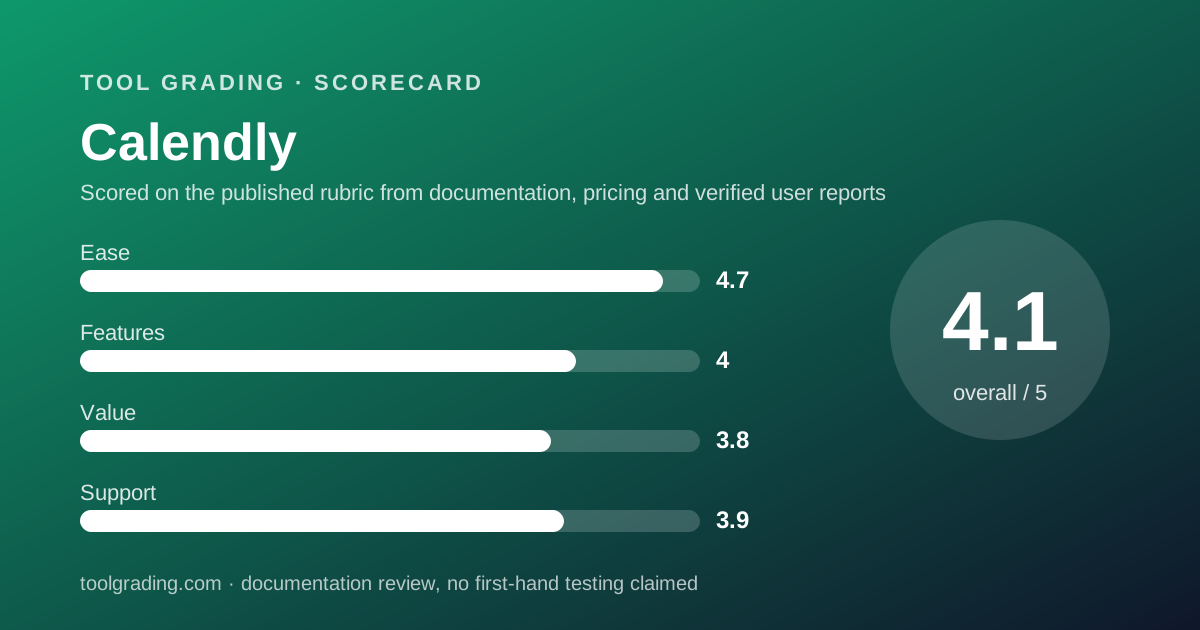
Scored on the published rubric, from documentation, pricing and verified user reports.
Best for: Teams of two to fifty whose revenue or service depends on outside people booking time with them, especially where several people share an inbound queue.
Verdict
Calendly does one job and does it with less friction than almost any other product on this site: it publishes a link, the link shows real availability from a connected calendar, and the person on the other end picks a slot. The free tier is deliberately narrow, one event type and one calendar connection per the pricing page (checked October 7, 2026), and the Standard tier at $10 per seat per month removes those limits for an individual. The step that matters for a business is Teams at $16 per seat per month, which is where round-robin distribution, routing forms and the Salesforce and marketing-automation integrations live. The feature score is held at 4.0 because the product is intentionally narrow, and the value score at 3.8 because the useful business tier costs more than the headline rate suggests once every booking person needs a seat. This grade comes from vendor documentation, pricing structure and verified user reports, against the published rubric; it is a documentation review, no first-hand testing was run and none is claimed.
Visit Calendly
We have no affiliate relationship with this vendor. Link goes to the official site.
Where it is strong
- The booking link is the whole product: a visitor sees real availability and books without an account, which verified reports cite as the main reason conversion improves
- Standard removes the free tier's two hard limits (one event type, one calendar) in a single step, per the pricing page
- Teams adds unlimited round-robin and routing forms, which is the complete inbound-sales scheduling toolkit for a small company
- Conferencing and payment integrations are documented in the help centre: Zoom, Google Meet, Teams, Stripe and PayPal
- 24/7 support by chat and ticket is stated on the help centre for all customers
Where it falls short
- Free is limited to one event type and one calendar connection, per the pricing page, which is enough for a solo demo and not for a business
- Round-robin and routing forms are Teams-only, so a company with a shared inbound queue pays $16 per seat, not $10
- Verified reports describe timezone confusion and double-booking when a user connects fewer calendars than they actually use
- Enterprise starts at $15,000 per year with a 50-seat minimum, per the pricing page, which puts SSO and dedicated support out of reach for most small businesses
What the product actually is
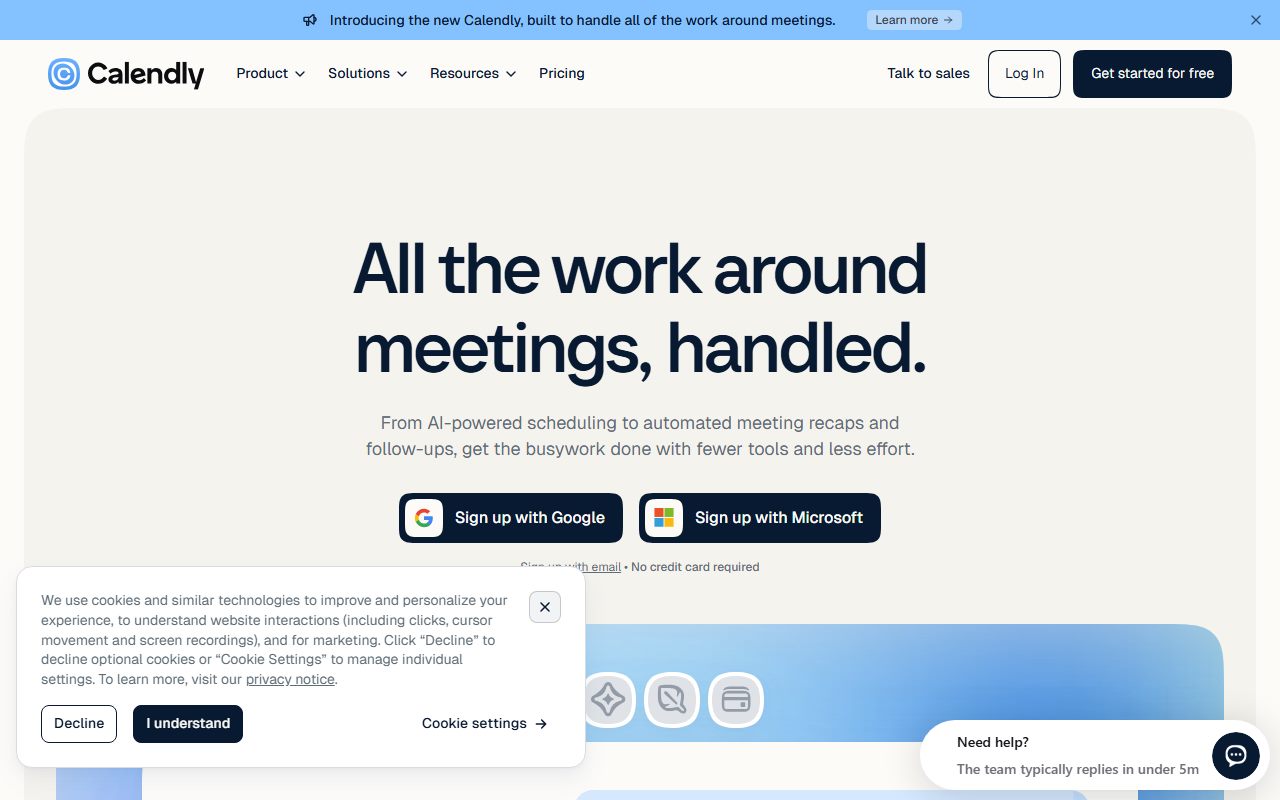
Calendly is an availability engine with a public face. The core object is the event type: a named kind of meeting with a duration, a set of hours during which it may be booked, buffers before and after, a conferencing provider, and a list of questions the booker must answer. Each event type gets a link. The link reads busy time from one or more connected calendars, subtracts it from the allowed hours, and shows the remainder as bookable slots. When someone books, Calendly writes the event to the host's calendar, generates the join link and sends the confirmations and reminders.
That is the entire product for an individual, and it is why the ease sub-score is the highest on this site. There is nothing to configure except the availability and the event types.
The team product adds a layer: an event type can belong to several people, and the engine decides which person gets a booking. Round-robin distributes bookings across a group; collective events require every member to be free; routing forms ask qualifying questions and send the booker to the right event type or the right person. That layer is where the product stops being a convenience and becomes an inbound-sales system, and it is priced accordingly.
Who it is for, and who it is not
The team this fits best is one whose revenue depends on outside people booking time: sales teams taking demo requests, consultancies taking discovery calls, recruiters scheduling interviews, service businesses taking appointments, customer-success teams taking onboarding sessions. The common property is that the person booking is outside the company and should never have to send three emails to find a slot.
It also fits any team with a shared inbound queue, where the question is not only when but who. Round-robin on the Teams tier answers that without a human dispatcher, and the routing forms let a booker self-qualify before they take a slot.
Two teams it does not fit. An internal team that only schedules with itself, because the calendar tool it already owns does that and Calendly adds a seat fee for no new capability. And a solo operator with several distinct meeting kinds who wants to stay on the free tier, because the pricing page is explicit that Free allows one event type; the moment a second kind of meeting is needed, Standard is the real starting point.
A team that needs single sign-on, SCIM provisioning or a named support contact should read the Enterprise terms carefully: the pricing page lists a $15,000-per-year starting price and a 50-seat minimum.
How the pricing is structured
Figures below were read from the Calendly pricing page on October 7, 2026, in US dollars. The structure changes slowly; the figures change more often, so check the current page.
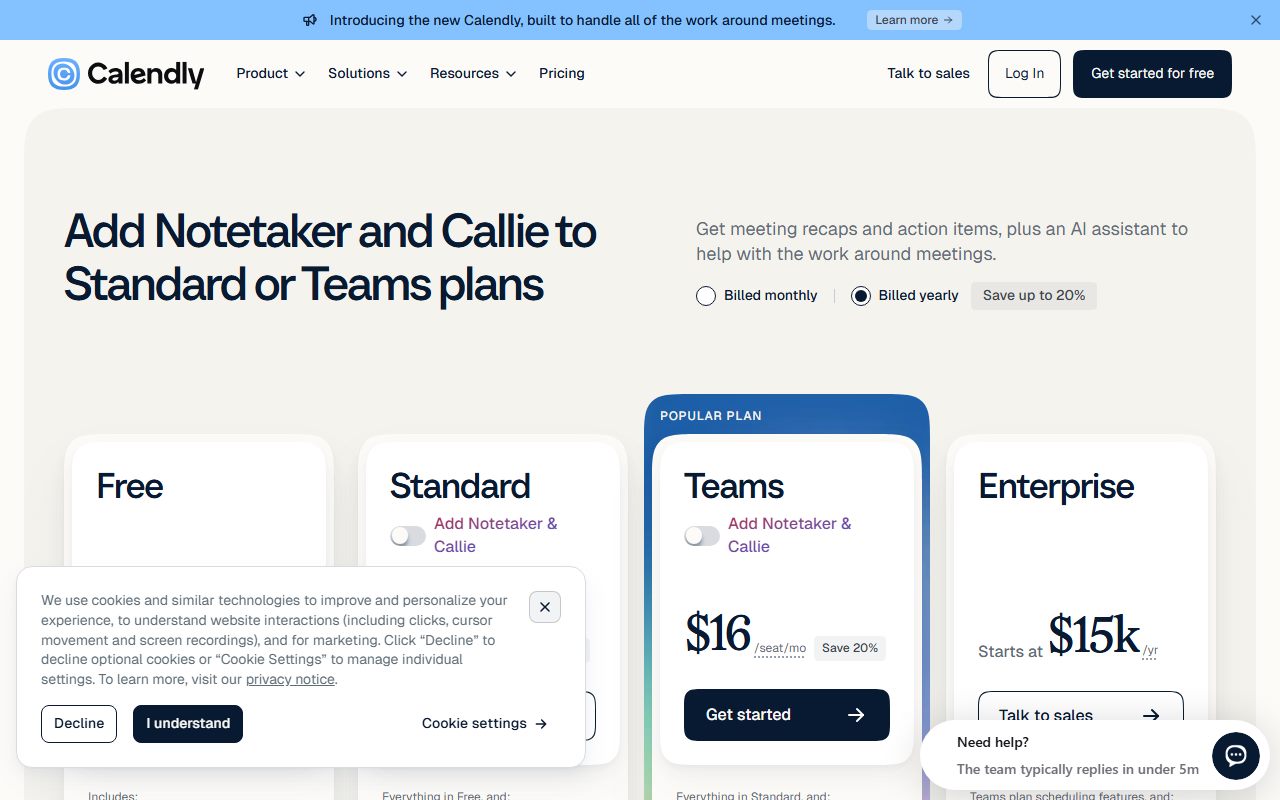
There are four tiers, priced per seat. Free costs nothing and allows one event type and one calendar connection. Standard is $10 per seat per month billed monthly, with the page stating a 17 percent saving on annual billing; it allows unlimited event types, multiple calendar connections, and automations with HubSpot and Mailchimp. Teams is $16 per seat per month billed monthly with a 20 percent annual saving; it adds unlimited round-robin, routing forms, centrally managed event types and the Salesforce, Marketo and Pardot integrations. Enterprise starts at $15,000 per year with a 50-seat minimum and adds unlimited calendar connections, advanced routing, Microsoft Dynamics 365 and dedicated account support.
The variable that drives the bill is the number of people who need their own booking links, because each is a seat. The second variable is whether any shared queue exists, because round-robin forces the Teams tier for everyone in that queue. The third is annual versus monthly billing, a difference of 17 to 20 percent.
- Free: $0, one event type, one calendar connection (as of October 2026)
- Standard: $10/seat/mo billed monthly, 17 percent off annually; unlimited event types, multiple calendars, HubSpot and Mailchimp
- Teams: $16/seat/mo billed monthly, 20 percent off annually; round-robin, routing forms, Salesforce, Marketo, Pardot
- Enterprise: starts at $15,000/yr, 50-seat minimum; SSO, advanced routing, Dynamics 365, dedicated support
Ease of use: what the score is built from
The ease sub-score measures time to deploy and time to competence for a small team without a consultant. Calendly scores 4.7, the highest in the current set, because an individual can be live in minutes and a team can be live in an afternoon.
Deployment for an individual is a sign-up, a calendar connection, an event type and a link. The help centre documents the calendar connections for Google and Outlook, the conferencing connections for Zoom, Google Meet and Microsoft Teams, and the three embed options for a website, inline, pop-up text and pop-up widget. None of those steps needs technical help.
Deployment for a team is the part that needs care, and the care is about calendars, not about Calendly. The product can only avoid double-booking against calendars it can see. The most common failure described in verified reports is a user who connects a work calendar but not a personal one, and gets booked over a dentist appointment. On Standard and Teams the page lists multiple calendar connections per seat; use them.
The second care point is timezone handling, which is automatic for the booker but depends on each host's profile being set correctly. The help centre covers it. The sub-score is not 5.0 because these two configuration points cause real problems when skipped, and the product does not force them.
Feature depth: what the score is built from
Three capabilities carry the feature score, and the score is 4.0 rather than higher because the product is deliberately narrow.
Availability and event types. Durations, date ranges, buffers, daily limits, minimum notice, custom questions and confirmation pages. This is complete for the booking job and it is done the same on every tier above Free.
Team distribution. Round-robin with priority weighting, collective events, and routing forms that qualify a booker and send them to the right person. The pricing page places all of this on Teams. For an inbound sales motion this is the entire mechanism, and the Salesforce, Marketo and Pardot hooks on the same tier mean a booking can create or update a CRM record without anyone retyping it.
Workflows and integrations. Automated reminders, follow-ups and no-show handling; payment collection through Stripe and PayPal; a Notetaker for meeting transcription and an AI assistant the help centre labels as beta. These are adjuncts rather than reasons to buy, and the beta label on the assistant should be read as such.
What is thinner: Calendly does not manage a shared team calendar, does not run the meeting, and does not track what happens after it. It hands off to Zoom Workplace for the call and to a CRM or Asana for the follow-up. That narrowness is a design choice and it is the correct one, but it caps the feature score.
Value at a realistic team size
Take a team of ten and use the pricing page figures from October 7, 2026.
First decide how many people need their own booking link. In a ten-person company it is common for five or six to be customer-facing and the rest not. Suppose six seats.
On Standard billed monthly the bill is 6 seats multiplied by $10 multiplied by 12 months, which is $720 per year; with the stated 17 percent annual saving it is roughly $600. That buys unlimited event types and multiple calendars for each person but no shared queue.
On Teams billed monthly it is 6 multiplied by $16 multiplied by 12, which is $1,152 per year; with the stated 20 percent annual saving it is roughly $920. That buys round-robin, routing forms and the CRM integrations, which is the complete inbound system.
If all ten people need seats on Teams, the monthly-billed figure is $1,920 per year and the annual-billed figure roughly $1,536.
The comparison that sets the value sub-score at 3.8: for a team with a real inbound queue, the Teams tier is cheap relative to the revenue a missed booking costs, and verified reports from sales teams say so. For a team that only wants individual links, Standard is fairly priced but the seat count is easy to over-buy, because people who rarely take external meetings are tempting to license anyway. License the customer-facing people and leave the rest on the free calendar they already have.
Support and documentation
The support sub-score covers channels, documented response commitments and the quality of self-service material.
Channels are stated on the help centre: 24/7 support through chat and tickets, a community forum and developer documentation. The pricing page lists 24/7 email support on Standard and Teams, and dedicated account support and implementation services on Enterprise. A documented first-response time for Standard or Teams customers was not found in the pages reviewed, which is the main reason the sub-score sits at 3.9 rather than higher.
Self-service is good. The help centre is organised by job rather than by feature, which suits a small-business reader: setting availability, connecting calendars and conferencing, embedding on a website, managing a team, and administering SCIM and SAML for Enterprise accounts. The articles reviewed for this entry were current, and the help centre labels beta features as beta, which is a small honesty that not every vendor practises.
One caution: the help centre moved domains and several older article links redirect to unrelated pages. Search from the help centre home rather than from a bookmarked link.
What cannot be graded from documentation is real-world response quality on a Standard account, and this page will not estimate it. Verified reports describe support as responsive for setup and billing questions, which are most of what a scheduling tool generates.
What verified users report
Across public review sites the pattern is stable enough to count as evidence.
The dominant positive is the removal of back-and-forth. Users in sales, recruiting and consulting describe fewer emails per booked meeting and a higher rate of prospects actually booking, which is the whole value proposition and it is consistently confirmed. The second positive is the conferencing hand-off: a booked slot arrives with a join link already attached. The third is the round-robin for teams with an inbound queue.
The dominant complaint is the free tier's one-event-type limit, which is less a product complaint than a pricing one and matches the pricing page exactly. The second is double-booking and timezone confusion, which on inspection is almost always a calendar-connection or profile-setting issue rather than an engine fault, but it costs the user a meeting all the same. The third is the price of Teams for small groups who only need round-robin and nothing else on that tier.
These reports are weighed as evidence of pattern, not as measurements, and are not converted into a number. They are consistent with the documentation: the product is narrow, excellent at its job, and its failures are configuration failures the tool does not prevent.
Alternatives on this site
There is no second scheduling product graded on this site yet, so the comparisons available are adjacent rather than direct. That is a limitation of this page and will be fixed as the category fills in.
The tools Calendly hands off to are graded here. Zoom Workplace includes its own scheduler, which is adequate for a host who only needs one kind of meeting and already pays for Zoom; it does not do round-robin or routing. Slack connects to Calendly through the app directory so that bookings and reminders land in a channel. Asana is where the work that a booked meeting generates should be tracked, since Calendly stops at the calendar event.
The decision rule: if the booker is outside your company, buy a scheduling tool, and Calendly is the reference product. If the booker is inside, the calendar you already own is enough. If several people share one inbound queue, budget for the Teams tier from the start rather than discovering round-robin later.
Bottom line
Calendly earns the highest ease grade in the current set because the product is a link, a calendar connection and an event type, and nothing else is required. It earns a moderate feature grade because it stops at the calendar event by design, and a moderate value grade because the tier that makes it a business tool, Teams, costs $16 per seat per month billed monthly as of October 2026, and seats are easy to over-buy.
A ten-person company with six customer-facing people should expect roughly $920 a year on Teams billed annually, or about $600 on Standard, and should confirm both figures on the current pricing page before relying on them. Buy it if outside people book time with you and especially if several of you share that queue. Skip it if your scheduling is internal. This page earns no commission from the vendor, and the grade would be the same if it did.
Visit Calendly
We have no affiliate relationship with this vendor. Link goes to the official site.