 Tool
Tool
FreshBooks
Invoicing-first accounting for service businesses, priced by how many clients you bill and how many staff you add.
Scored on the published rubric, from documentation, pricing and verified user reports.
Best for: Freelancers and service firms of one to ten people who bill clients for time and projects and want invoicing, time tracking and expenses in one place without learning a ledger.
Verdict
FreshBooks is the most approachable product in the accounting category because it is not, at heart, an accounting product. The invoice is the primary object; time, expenses and projects exist to flow into it, and the double-entry ledger (available from the Plus tier per the pricing page read October 7, 2026) was added behind that workflow rather than in front of it. For a consultant, agency or trades business whose finance function is sending bills and chasing payment, that design is exactly right, and the ease score reflects it. The costs are structural. Pricing is by billable client count on the lower tiers, which is unusual and catches businesses with many small customers. Every team member beyond the owner is $11/mo extra on all but the custom tier, so the bill grows with headcount in a way per-organisation ledgers do not. And the ledger, while real, is shallower than Xero or QuickBooks Online for inventory, dimensions and management reporting. Right tool for a service business of up to ten; wrong tool for a product business or a finance team. This grade comes from vendor documentation, pricing structure and verified user reports, against the published rubric; it is a documentation review, no first-hand testing was run and none is claimed.
Visit FreshBooks
We have no affiliate relationship with this vendor. Link goes to the official site.
Where it is strong
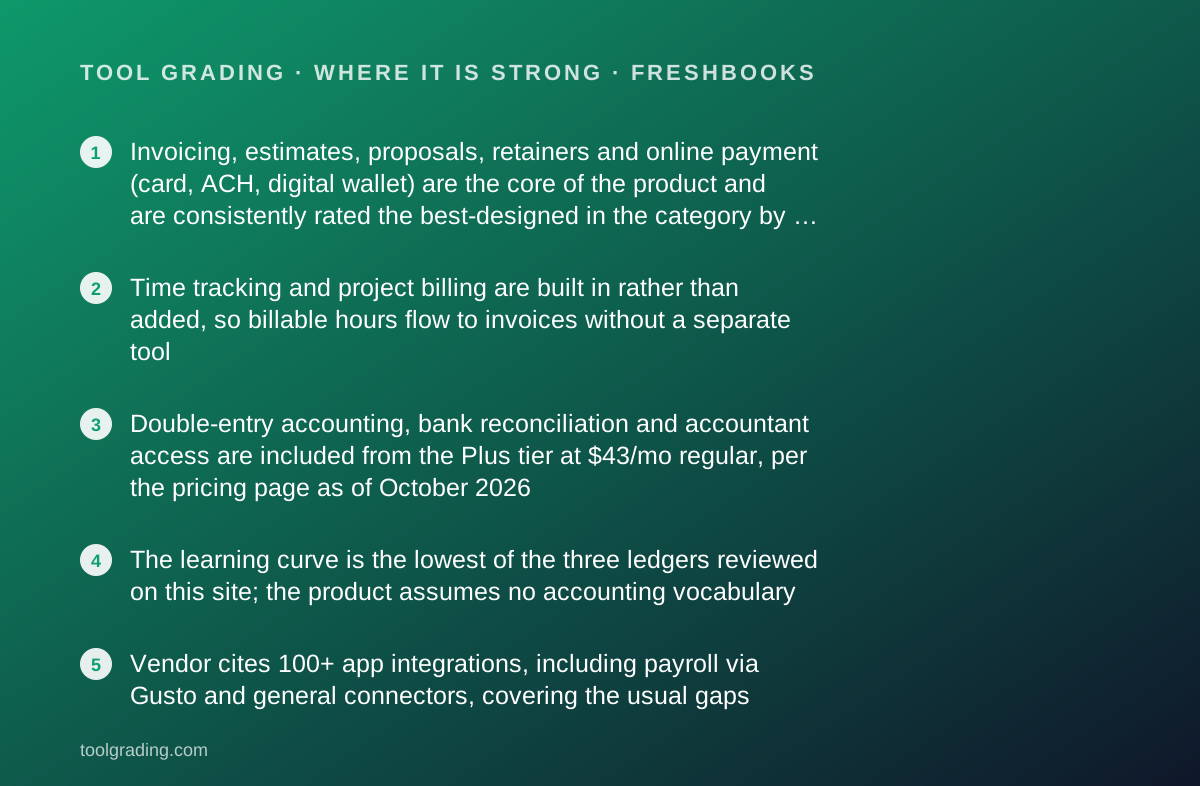
- Invoicing, estimates, proposals, retainers and online payment (card, ACH, digital wallet) are the core of the product and are consistently rated the best-designed in the category by verified users
- Time tracking and project billing are built in rather than added, so billable hours flow to invoices without a separate tool
- Double-entry accounting, bank reconciliation and accountant access are included from the Plus tier at $43/mo regular, per the pricing page as of October 2026
- The learning curve is the lowest of the three ledgers reviewed on this site; the product assumes no accounting vocabulary
- Vendor cites 100+ app integrations, including payroll via Gusto and general connectors, covering the usual gaps
Where it falls short
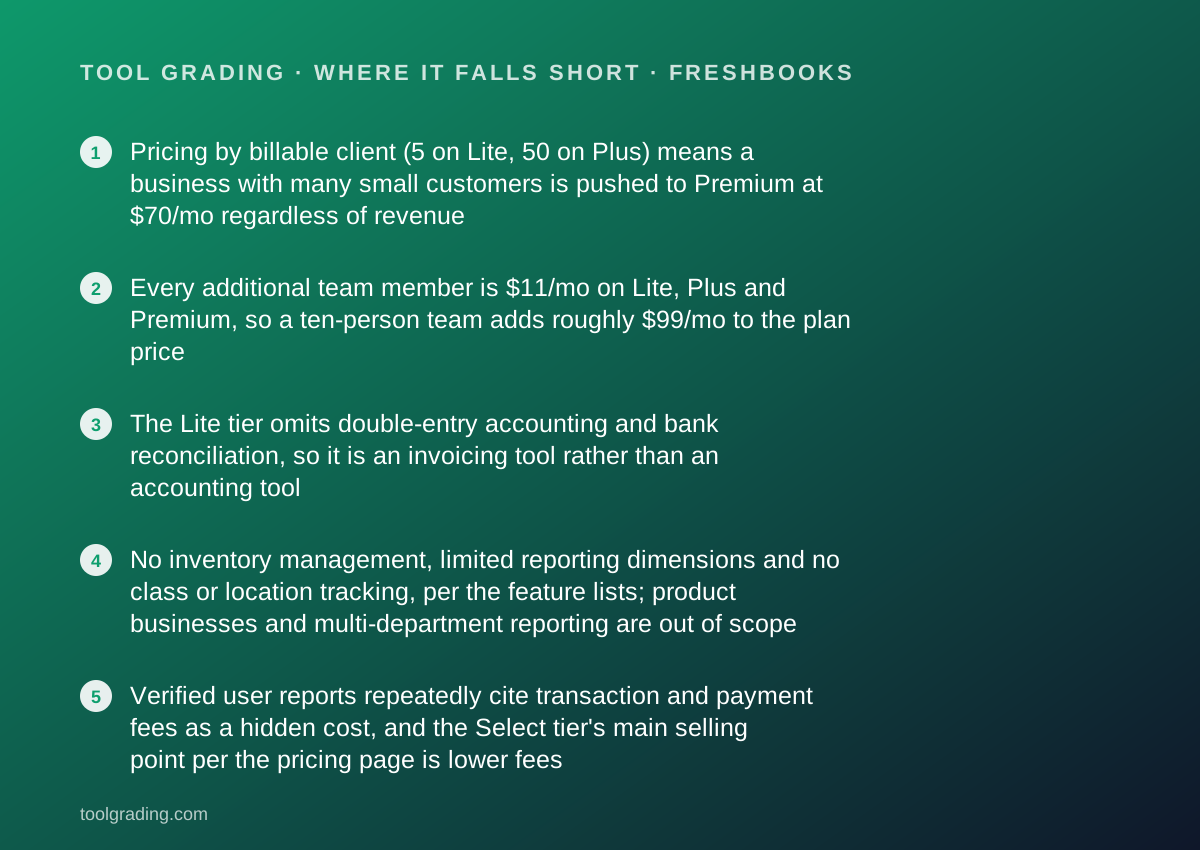
- Pricing by billable client (5 on Lite, 50 on Plus) means a business with many small customers is pushed to Premium at $70/mo regardless of revenue
- Every additional team member is $11/mo on Lite, Plus and Premium, so a ten-person team adds roughly $99/mo to the plan price
- The Lite tier omits double-entry accounting and bank reconciliation, so it is an invoicing tool rather than an accounting tool
- No inventory management, limited reporting dimensions and no class or location tracking, per the feature lists; product businesses and multi-department reporting are out of scope
- Verified user reports repeatedly cite transaction and payment fees as a hidden cost, and the Select tier's main selling point per the pricing page is lower fees
What the product actually is
FreshBooks is an invoicing and client-billing system that grew a general ledger behind it. That sentence is the whole review in miniature, and it is the opposite of how QuickBooks Online and Xero are built. In those products the ledger is the foundation and invoices are one sub-ledger among several. In FreshBooks, per the vendor's own feature documentation, the invoice is the centre: clients, projects, time entries, expenses and estimates all exist to become lines on an invoice, and the accounting layer records what those invoices and the bank say happened.
The data model follows from that. The primary objects are clients, invoices, estimates and proposals, time entries, expenses and projects. A client is a billable relationship, which is why the pricing tiers count billable clients rather than users or transactions. A project groups time and expenses for a client and, on the Premium tier per the pricing page, reports profitability. The double-entry ledger with bank reconciliation and accountant access appears from the Plus tier, and it is a real ledger with a chart of accounts and journal entries, but it is positioned as the thing that makes the invoicing data tax-ready rather than as the product itself.
The practical consequence is that FreshBooks answers one question extremely well: who owes me money, for what, and have they paid? It answers the questions a finance team asks (margin by department, stock on hand, budget versus actual) poorly or not at all. Evaluating it as a ledger misses the point; evaluating it as a billing system is the right frame.
Who it is for, and who it is not
The best fit is a service business of one to about ten people that bills clients for time, projects or retainers: consultants, designers, developers, marketing freelancers, small agencies, trades and contractors who estimate and invoice per job, and professionals such as therapists or coaches with a manageable client list. The common property is that revenue arrives as invoices to named clients, and the operator's main finance pain is producing those invoices and getting them paid.
It also fits a business with no accountant on staff and an owner who does not want to learn accounting vocabulary. The product is designed for that owner, and the support materials are written for them.
Three groups it does not fit. A product business with inventory has no inventory module to use. A business with many small customers (a studio with two hundred members, a shop with walk-in trade) hits the billable-client caps on the lower tiers and is pushed to Premium regardless of revenue. And a business with a finance function that needs departmental reporting, class tracking, budgets or multi-entity consolidation is describing a full ledger, and should read the Xero or QuickBooks Online reviews on this site instead. FreshBooks can be outgrown, and the usual sign is that the accountant starts asking for exports.
How the pricing is structured
The figures below were read from the vendor's pricing page on October 7, 2026. Promotional rates were displayed (80% off for the first three months on Plus and Premium, and a heavily discounted introductory rate on Lite); the regular rates are quoted here and are the ones to compare.
The structure has two axes that are unusual in this category. The first is billable clients: the Lite tier allows 5, Plus allows 50, and Premium and Select are unlimited. A billable client is a customer you invoice, so the tier is determined by the shape of your customer base rather than by revenue or transaction volume. The second axis is team members: Lite, Plus and Premium include no additional team members, and each one added is $11/mo. Only the custom-priced Select tier includes 2 team members. This means the bill scales with headcount in a way that per-organisation ledgers do not.
Features move up the tiers in a logical order. Lite is invoicing, expenses, estimates and payments. Plus adds proposals, retainers, e-signatures, double-entry accounting, bank reconciliation, accountant access and receipt capture, which is to say Plus is where FreshBooks becomes accounting software. Premium adds project profitability, bill receipt scanning with line items, automated client emails and customisable templates. Select adds lower transaction fees, capped ACH fees, dedicated phone support, data migration and removal of FreshBooks branding from emails.
Two add-ons are listed across tiers: Advanced Payments at $20/mo (included on Select) and Payroll at $40/mo plus $6/mo per user. Payment processing fees apply on top and are the cost verified users most often say they underestimated.
- Lite: $23/mo regular, 5 billable clients, 0 team members included, invoicing, expenses, estimates, payments (as of October 2026)
- Plus: $43/mo regular, 50 billable clients, adds proposals, retainers, double-entry accounting, bank reconciliation, accountant access
- Premium: $70/mo regular, unlimited clients, adds project profitability, bill scanning with line items, automated client emails
- Select: custom pricing, unlimited clients, 2 team members included, lower transaction fees, dedicated phone support
- Additional team member: $11/mo each on Lite, Plus and Premium; Advanced Payments $20/mo; Payroll $40/mo plus $6/mo per user
Ease of use: what the score is built from
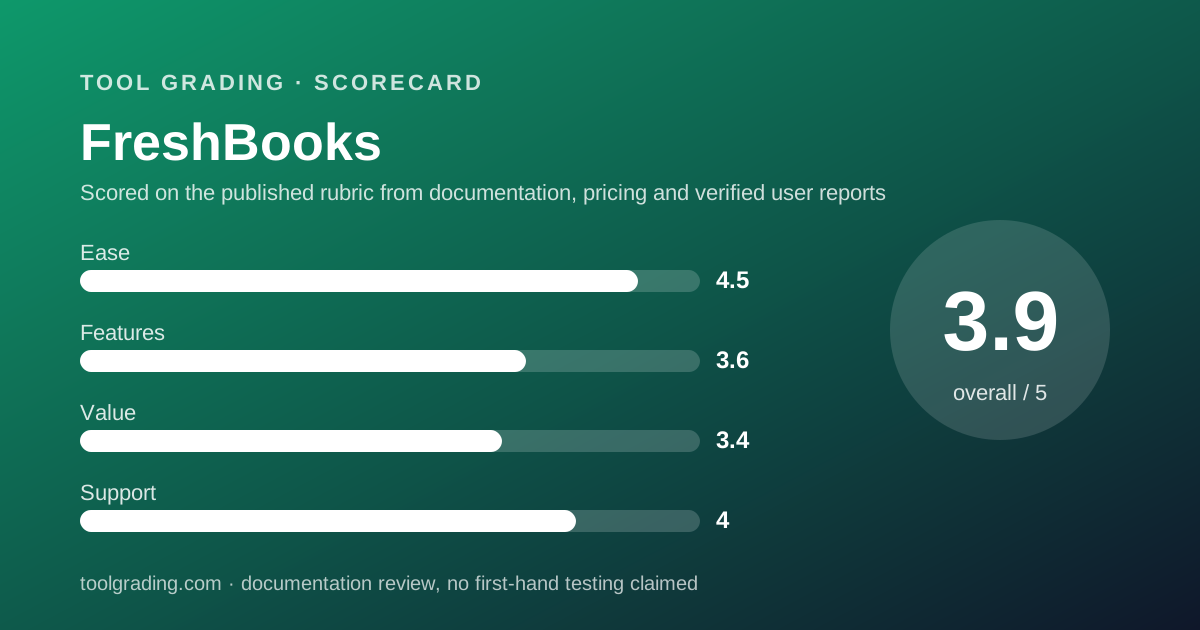
The ease sub-score of 4.5 is the highest of the four and the highest in this category on this site, and it comes from a design decision rather than from polish: the product does not ask the operator to understand accounting.
The documented workflow starts with a client and an invoice. Items, taxes and payment options are attached to the invoice; time entries and expenses marked billable flow onto it; the client receives a link and pays by card, ACH or digital wallet; the payment is recorded against the invoice. Recurring invoices, retainers and late-payment reminders automate the chase. None of that requires knowing what a journal entry is, and the help centre's organisation (categories for invoices, payments, expenses and bank connections, projects and time tracking, reports and accounting) mirrors the operator's jobs rather than the accountant's.
The mobile apps for iOS and Android carry the same workflow, including receipt capture and time tracking, which matters for people who invoice from the field.
Where ease drops. The accounting layer on Plus and above does require some vocabulary once reconciliation and the chart of accounts come into play, and public user questions concentrate there. The client-count and team-member pricing axes are easy to misjudge at signup, which produces a surprise upgrade rather than a usability problem.
Feature depth: what the score is built from
The feature sub-score of 3.6 reflects depth in one area and deliberate shallowness in the rest.
The deep area is client billing. Invoices, estimates, proposals with e-signature, retainers, recurring billing, online payments with multiple methods, automated reminders, and client-facing portals are all present from the lower tiers and are the most complete set in this review. Time tracking is integrated with invoicing and projects rather than bolted on, and project profitability on Premium closes the loop between hours worked and margin earned. For a service business, this is the whole job, and it is done well.
The accounting layer from Plus upward is real: double-entry, a chart of accounts, bank reconciliation, journal entries, balance sheet and profit-and-loss, tax-time reports, and accountant access. It is sufficient for a service business to hand clean books to an external accountant.
What is missing, and it is missing by design rather than by oversight: inventory, classes or locations, budgets, multi-entity, and the management-reporting dimensions a finance lead expects. Payroll is an add-on at $40/mo plus $6 per user, and the vendor's feature page names Gusto among its integrations. The vendor cites 100+ app integrations, which is smaller than the ecosystems around Xero or QuickBooks but covers the usual connectors.
The score sits where it does because the product is excellent at a narrow job and does not attempt the wider one. A reader whose business is the narrow job should weight this score higher than the number suggests.
Value at a realistic team size
Value is calculated here for a ten-person team, and FreshBooks' pricing axes make the arithmetic less favourable at ten than at one.
A ten-person agency billing more than 50 clients is on Premium at $70/mo regular. If all ten need to track time and expenses in the system, which is the point of having time tracking, nine additional team members at $11/mo each add $99/mo, for $169/mo before payroll or payment fees. A ten-person firm with fewer than 50 clients can sit on Plus at $43/mo plus the same $99/mo in team members, for $142/mo.
Compare that with Xero, where the Growing tier at $59/mo regular carries the whole team with no per-user charge on the plans as published, or the Established tier at $97/mo with projects and expense claims included. For ten people, FreshBooks is the more expensive of the two for a less capable ledger, and the value sub-score of 3.4 reflects that.
The calculation reverses at small sizes. A solo consultant with under 50 clients on Plus at $43/mo gets a better invoicing and time-tracking experience than either full ledger offers, with no team-member fees at all. FreshBooks is good value for one to three people and progressively less so as the team grows, the opposite of the per-organisation ledgers.
Payment processing fees sit outside all of these figures and are, per verified user reports, the cost most often underestimated. The Select tier's lower and capped fees are the vendor's own acknowledgement of that.
Support and documentation
The support sub-score of 4.0 reflects a help centre that is well organised for its audience and an assisted channel whose terms vary by tier.
The support centre, read on October 7, 2026, is organised into eight primary categories (changes and updates, what clients view, dashboard and settings, invoices, payments, expenses and bank connections, projects and time tracking, reports and accounting) plus payroll, integrations, clients, estimates and mobile. The articles are written for an operator rather than an accountant, which is consistent with the product's design. The page as read directs users to a contact option but does not publish support hours, channels or response commitments on that page; the vendor should be asked for current terms before relying on any channel.
The pricing page does state one tier difference: Select includes dedicated phone support, which implies that lower tiers do not have a dedicated line. The vendor's feature page displays a support rating of 4.8 out of 5 across 120,000-plus reviews; that is a vendor-displayed figure and is noted here as a claim rather than verified.
Verified user reports on public sites are, unusually for this category, more positive about FreshBooks support than about its competitors', and friendliness and responsiveness are mentioned more often than the reverse. That is pattern, not measurement, and this site does not estimate response time. The documentation is adequate for the product's scope; a business that needs deep accounting guidance will not find it here, because the product does not do deep accounting.
What verified users report
Across public review sites, the pattern for FreshBooks is consistent and closely matched to its design.
The dominant positive is invoicing: the appearance of the invoices, the speed of creating them, the online payment experience for clients, and the automated reminders. Users describe getting paid faster, which the vendor also claims; the pattern is corroborated by user reports without being measured here.
The second positive is ease for non-accountants, and the third is the mobile app and receipt capture. The fourth, less common in this category, is support quality.
The dominant complaint is cost at scale: the per-team-member fee, the billable-client caps on lower tiers, and payment processing fees that users say were not clear at signup. The second complaint is accounting depth: accountants who receive FreshBooks books describe them as adequate but limited, and businesses that have grown report needing to migrate. The third is that some reports and features that users expected on Plus are on Premium.
These reports are weighed as pattern rather than measurement and are not converted into a number. They are consistent with the vendor's own positioning and explain why the ease score is high and the value and feature scores are moderate.
Alternatives on this site
Xero is the alternative for a service business that has grown past ten people or needs projects, expense claims and a full ledger with no per-user charge. Its Established tier covers most of what FreshBooks Premium does on the billing side, with a far deeper ledger behind it, though its invoicing experience is plainer.
QuickBooks Online is the alternative when the business has inventory, needs class and location tracking, or has an accountant who works in QuickBooks. It is heavier to learn and its user caps shape its price, but it is the deeper ledger.
For payroll, FreshBooks lists its own add-on and names Gusto among its integrations; Gusto is reviewed separately on this site for a business that wants payroll and HR beyond a basic add-on.
Bottom line
FreshBooks is the right choice when the finance function of a business is, in practice, sending invoices and getting paid, and the person doing it does not want to learn accounting. For a freelancer, consultant or small agency of one to a few people with a manageable client list, nothing reviewed on this site does that job as cleanly, and the Plus tier at $43/mo regular, per the pricing page read October 7, 2026, is where the product becomes real accounting software.
It is the wrong choice for a product business, for a business with many small customers, and for a team of ten or more where every member needs a login, because each of those collides with the pricing axes or the ledger's limits. At ten people, the per-team-member fee alone makes a per-organisation ledger cheaper and more capable.
Price the regular rate, count your billable clients and team members honestly, and add payment processing fees before comparing. If the result is a small service business, buy it. If it is a growing company, start on Xero and skip the migration. Check the current pricing page before deciding; the figures here are a snapshot.
Visit FreshBooks
We have no affiliate relationship with this vendor. Link goes to the official site.