 Tool
Tool
QuickBooks Online
The default US small-business ledger, priced per company rather than per seat, with hard user caps that decide which tier you actually buy.
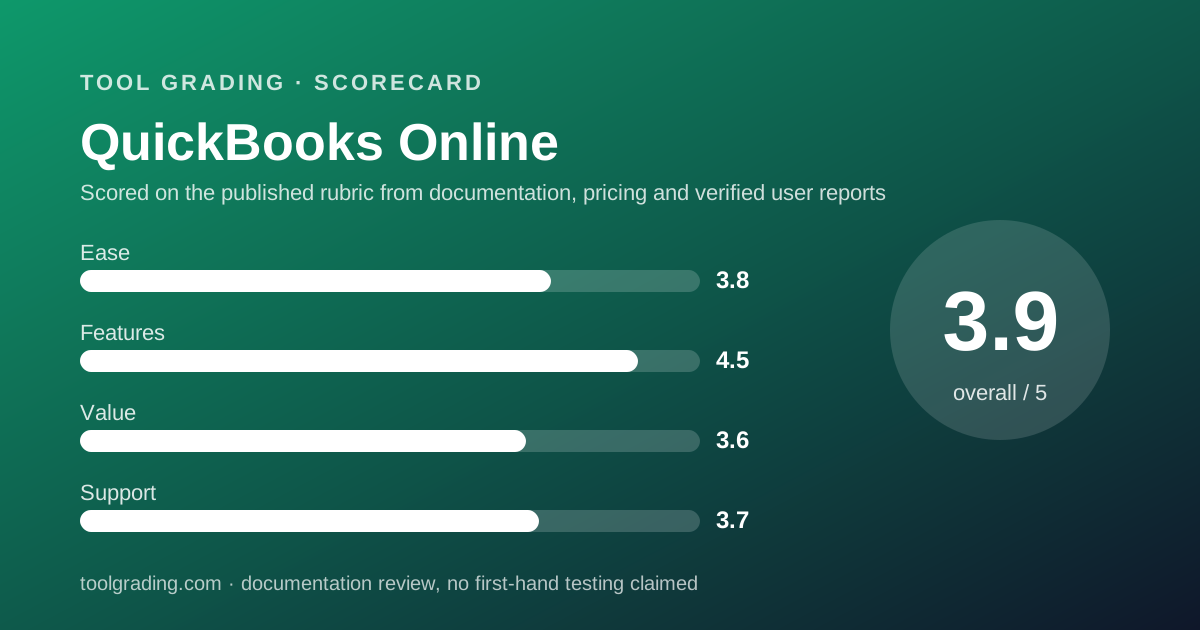
Scored on the published rubric, from documentation, pricing and verified user reports.
Best for: US businesses of five to fifty people whose accountant already works in QuickBooks and who need inventory, project profitability or class tracking inside the general ledger.
Verdict
QuickBooks Online is the deepest general-ledger product in the small-business tier, and it is priced by company rather than by seat, which is the single most important thing to understand before comparing it with anything else. The ledger, the reporting and the accountant ecosystem are the strongest in the category, and the Plus tier in particular covers inventory, projects and class tracking that competitors either lack or charge extra for. The costs are two. First, the user caps per tier (1, 3, 5, 25 as of October 2026) mean a growing team buys the next tier for seats rather than for features, which is where the bill jumps. Second, the interface carries two decades of accumulated features, and verified user reports repeatedly describe support as the weakest part of the package. For a US business whose accountant lives in QuickBooks, it is still the safe choice; for a business that needs many logins and little accounting depth, it is an expensive one. This grade comes from vendor documentation, pricing structure and verified user reports, against the published rubric; it is a documentation review, no first-hand testing was run and none is claimed.
Visit QuickBooks Online
We have no affiliate relationship with this vendor. Link goes to the official site.
Where it is strong
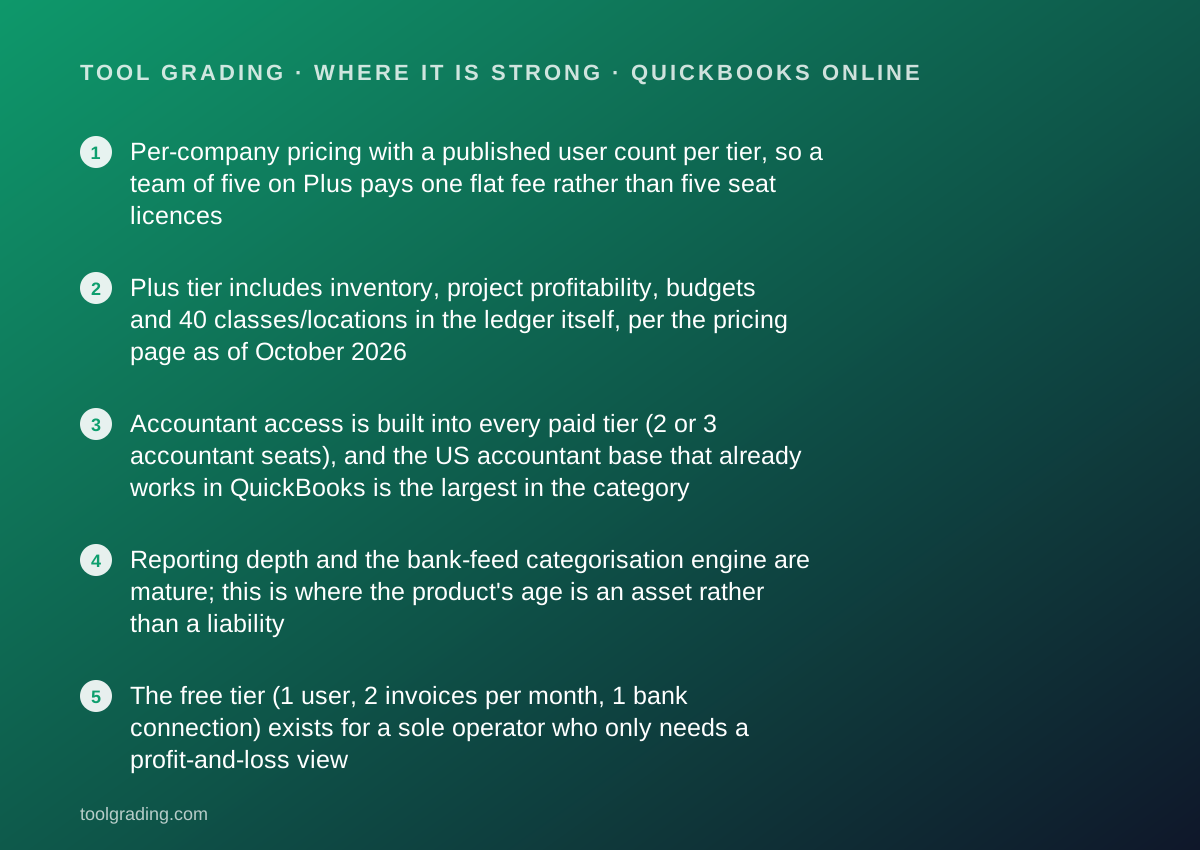
- Per-company pricing with a published user count per tier, so a team of five on Plus pays one flat fee rather than five seat licences
- Plus tier includes inventory, project profitability, budgets and 40 classes/locations in the ledger itself, per the pricing page as of October 2026
- Accountant access is built into every paid tier (2 or 3 accountant seats), and the US accountant base that already works in QuickBooks is the largest in the category
- Reporting depth and the bank-feed categorisation engine are mature; this is where the product's age is an asset rather than a liability
- The free tier (1 user, 2 invoices per month, 1 bank connection) exists for a sole operator who only needs a profit-and-loss view
Where it falls short
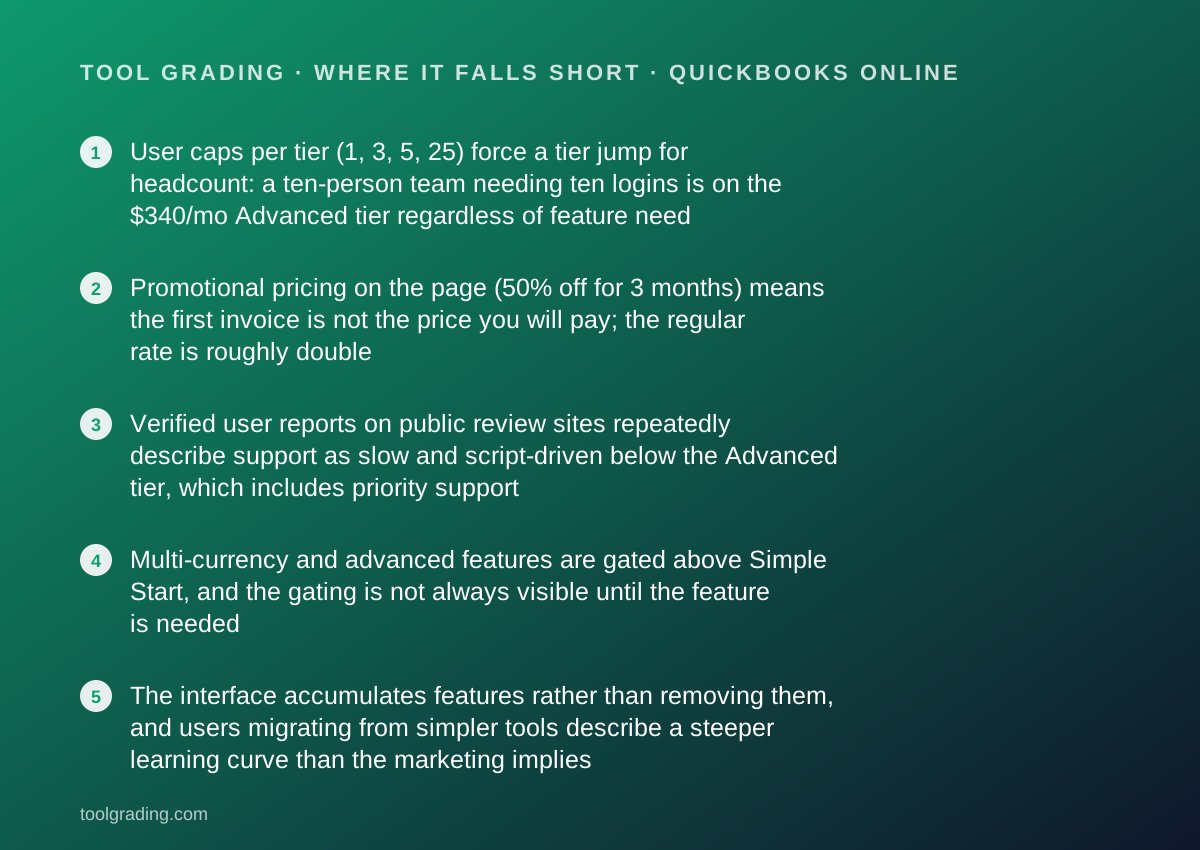
- User caps per tier (1, 3, 5, 25) force a tier jump for headcount: a ten-person team needing ten logins is on the $340/mo Advanced tier regardless of feature need
- Promotional pricing on the page (50% off for 3 months) means the first invoice is not the price you will pay; the regular rate is roughly double
- Verified user reports on public review sites repeatedly describe support as slow and script-driven below the Advanced tier, which includes priority support
- Multi-currency and advanced features are gated above Simple Start, and the gating is not always visible until the feature is needed
- The interface accumulates features rather than removing them, and users migrating from simpler tools describe a steeper learning curve than the marketing implies
What the product actually is
QuickBooks Online is a double-entry general ledger delivered as a web application, with a layer of small-business workflows (invoicing, bill pay, bank feeds, payroll as an add-on) built on top of it. That order matters. The product is a ledger first and a workflow tool second, which is the opposite of FreshBooks, where the invoice is the primary object and the ledger was added later.
The core data model is the chart of accounts. Every transaction, whether it arrives from a bank feed, an invoice, a bill or a manual journal entry, lands as a debit and a credit against accounts in that chart. Classes and locations are optional dimensions on a transaction that let the same chart be sliced by department, project or site, and they are the feature that separates a bookkeeping tool from a management-accounting tool. Per the pricing page checked October 7, 2026, class and location tracking is capped at 40 on Plus and unlimited on Advanced; it is not listed on the two lower tiers.
The second thing to understand is that the product is priced and built around the accountant relationship. Each paid tier includes accountant seats in addition to the user count, and the accountant has a separate toolset for closing periods, reclassifying transactions and reviewing the books. For a US small business, the practical consequence is that the accountant often picks the software, and the business inherits it.
So the right evaluation question is not whether QuickBooks Online has a feature. It is whether your business needs a ledger with management dimensions, and whether your accountant already works here. If both are yes, most of the comparison is already settled.
Who it is for, and who it is not
The best fit is a US business of roughly five to fifty people with real accounting complexity: inventory to count, projects whose margin matters, multiple departments or sites to report on, and an external accountant or bookkeeper who closes the books each month. Product businesses, construction and trades, agencies with project costing, and any business whose bank or lender asks for QuickBooks-format reports fall into this group.
It also fits businesses that expect to be acquired, audited or financed, because the format is what the rest of the US financial ecosystem expects to receive.
Three groups it fits less well. A sole operator or freelancer who mainly needs to send invoices and get paid will find FreshBooks or the lower Xero tier built around that job, and will pay for ledger depth here that they do not use. A team where many people need to log in but few of them touch accounting runs into the user caps, which is covered under pricing below; Xero is structured differently on that point. And a business outside the US should treat this as a US-first product; regional editions exist, but the ecosystem advantage is strongest in the US market.
How the pricing is structured
The figures below were read from the vendor's pricing page on October 7, 2026, and apply to the US edition. Prices change, promotions rotate, and the page should be checked before buying. The structure, which changes more slowly, is the useful part.
QuickBooks Online is priced per company per month, not per seat. Each tier includes a fixed number of users plus a separate allowance of accountant users. The page lists a free tier and four paid tiers; every paid tier was shown with a 50% discount for the first three months, so the first bill is roughly half the regular rate quoted here.
The variable that moves most bills is not features but headcount. Because users are capped per tier, a business that outgrows the cap moves up a tier even if it needs nothing else from it. Payroll is not included in any tier and is a separate add-on whose pricing was not read for this entry; the vendor publishes it separately. Payment processing fees for card and ACH also sit outside the subscription.
The three-month promotional pricing also deserves a plain statement: the regular rate is the rate. A team comparing the promotional figure against a competitor's regular figure is comparing the wrong numbers.
- Free: $0/mo, 1 user, 2 invoices per month, 1 bank connection, profit-and-loss report, chat support (as of October 2026)
- Simple Start: $38/mo regular, 1 user plus 2 accountant seats, invoicing, bill pay, expense categorisation
- Essentials: $85/mo regular, 3 users plus 2 accountant seats, adds enhanced reporting and employee time on invoices
- Plus: $140/mo regular, 5 users plus 2 accountant seats, adds inventory, project profitability, budgets and 40 classes/locations
- Advanced: $340/mo regular, 25 users plus 3 accountant seats, unlimited classes/locations, batch invoicing, Excel sync, priority support
Ease of use: what the score is built from
The ease sub-score of 3.8 reflects a product that is straightforward for its intended operator and heavier for everyone else.
The intended operator is a bookkeeper or an owner comfortable with basic accounting vocabulary. For that person the documentation describes a logical flow: connect the bank, categorise transactions as the feed delivers them, send invoices, record bills, and run reports. The categorisation engine, which the vendor now markets under its AI branding, learns from prior decisions and is the part of the product most often cited as a time-saver in verified user reports.
For an owner without accounting background, the same documentation reveals the friction. The product assumes you know what an account, a class and a journal entry are. Setting up the chart of accounts correctly at the start determines whether the reports are useful a year later, and the setup wizard cannot make that decision for you. This is the same structural point made in the Asana review on this site: the tool is easy to start and only useful after a configuration decision somebody has to own.
Two specific issues recur in public user reports and are consistent with the documentation. First, undoing mistakes in reconciliation is harder than making them, and the help centre has many articles on exactly that topic, which is evidence of how often it is needed. Second, the interface has grown by accretion, so related settings live in several places. Neither is disqualifying; both lower the score from where the core workflow alone would put it.
Feature depth: what the score is built from
The feature sub-score of 4.5 is the highest of the four, and it is carried by the ledger rather than by the workflow layer.
The general ledger, reporting and dimensions are the strongest in the small-business category. The combination of classes, locations, projects and budgets on the Plus tier means a ten-person business can produce a profit-and-loss by department, by project and against budget from one set of books, without exporting to a spreadsheet. The Advanced tier lifts the class cap and adds batch invoicing and a spreadsheet sync for businesses that model in Excel.
Inventory on Plus is real inventory: quantities, cost of goods sold, and reorder points, per the pricing page. It is not a warehouse system, and businesses with multiple locations or serialised stock will outgrow it, but for a product business under a few hundred SKUs it removes the need for a separate tool.
Bill pay, with a stated allowance of free ACH payments per month on the Plus tier, and contractor 1099 management are included rather than bolted on, which matters at year end.
What is thinner. Invoicing and client-facing features are functional rather than polished; FreshBooks and Xero both present a cleaner client experience. Time tracking is present from Essentials upward but is basic. Payroll is a separate product with separate pricing. And the free tier, at 2 invoices per month, is a demonstration rather than a working tool, in the same way the free tier of most tools in this category is.
Value at a realistic team size
Value is calculated on this site for a team of ten, and QuickBooks Online is the case where the calculation depends entirely on how many of the ten need a login.
If two or three people touch the books (the owner, an operations lead, and an external accountant who uses an accountant seat rather than a user seat), the Essentials tier at $85/mo regular, or Plus at $140/mo regular if inventory or projects matter, covers the whole business for a flat fee. Compared with per-seat tools, that is a strong position: the price does not rise when the business hires.
If all ten need to log in, because staff submit expenses, track time or raise invoices themselves, the five-user cap on Plus is binding and the business is on Advanced at $340/mo regular. At that point it is paying for unlimited classes, batch invoicing and priority support that it may not need, purely to get seats. Xero prices by organisation without a per-seat charge on the plans read for that review, and that difference alone can decide between the two for a team-wide deployment.
The value sub-score of 3.6 sits where it does because both outcomes are common. For a lean finance function the product is good value; for a company-wide tool it is not, and the vendor's own user caps are what create the difference. Add payroll and payment processing on top, both priced separately, and the all-in figure is well above the headline.
Support and documentation
The support sub-score of 3.7 reflects strong self-service and a weaker assisted channel, which is the pattern verified user reports describe most consistently about this product.
Self-service is extensive. The learn-and-support hub, read October 7, 2026, organises help into nine topic areas (account management, advanced accounting, banking, expenses and vendors, getting started, reports, taxes, year-end, invoices and payments), with step-by-step articles, video and webinars, plus a community forum and an AI answer tool. For a product with as many settings as this one, the volume of documentation is appropriate and the search works.
Assisted support is tiered. The free tier lists chat support; paid tiers list QuickBooks support without specifying channels on the pricing page; the Advanced tier lists priority support explicitly. The hub page shows a sales phone line with stated hours of Monday to Friday, 5 AM to 6 PM Pacific, but does not publish equivalent hours or response commitments for product support on the page as read. Paid expert services (live bookkeeping, cleanup, tax experts) are sold separately and are a different thing from support.
The gap between documentation and assisted support is the recurring theme in public user reports: good articles, long waits, and front-line agents who follow scripts. This site cannot measure response time and does not estimate it, but the pattern is consistent enough across sources to be treated as evidence.
What verified users report
Across the major public review sites and community forums, the pattern for QuickBooks Online is stable and has been for years, which makes it useful evidence.
The dominant positive is the ecosystem: the accountant already uses it, the bank exports to it, the payment processor connects to it, and the reports are accepted everywhere. Users who like the product rarely cite a single feature; they cite not having to explain their books to anyone.
The second positive is the bank feed and categorisation, which users describe as the part of monthly bookkeeping that the software genuinely does for them.
The dominant complaint is price increases over time and the gap between promotional and regular rates. This is a pricing objection rather than a product objection, and it recurs more than any other.
The second complaint is support quality below the top tier, described above.
The third is the interface and performance: pages that load slowly, settings scattered across menus, and features added without old ones being simplified. Users migrating from a simpler invoicing tool report a steeper curve than they expected.
These reports are weighed as pattern, not measurement, and they are not converted into a number. They explain why the value and support scores sit below the feature score.
Alternatives on this site
Xero is the closest direct competitor: a full double-entry ledger priced per organisation, with invoice and bill caps on the entry tier rather than user caps, and with payroll offered through a Gusto partnership. For a team where many people need to log in, it is the first alternative to price.
FreshBooks is the alternative for a service business whose primary job is invoicing and getting paid, with time tracking and project billing built around that, and a lighter ledger behind it. It charges per billable client on the lower tiers and per additional team member, which is a different pricing shape again.
For payroll, which QuickBooks sells as a separate add-on, Gusto is the standalone product most often paired with any of the three ledgers and is reviewed separately on this site.
Bottom line
QuickBooks Online earns its position as the default US small-business ledger on feature depth and ecosystem, and this review does not dispute either. The decision for a five-to-fifty-person business comes down to two questions that the vendor's own documentation answers.
First, does your accountant work in QuickBooks? If so, the switching cost of anything else is high and the ecosystem benefit is real.
Second, how many people need a login? Per the pricing page checked October 7, 2026, the answer determines whether you are on a $85 or $140 per month tier, or on the $340 tier for reasons that have nothing to do with features. Price the regular rate, not the promotional one, and add payroll and processing fees before comparing against a competitor.
If the answers are yes and few, buy it. If the answers are no and many, price Xero first. Check the current pricing page before deciding; the figures here are a snapshot.
Visit QuickBooks Online
We have no affiliate relationship with this vendor. Link goes to the official site.