 Tool
Tool
ClickUp
The widest feature surface in the category at the lowest entry rate - a bargain for teams willing to configure, a maze for those who are not.
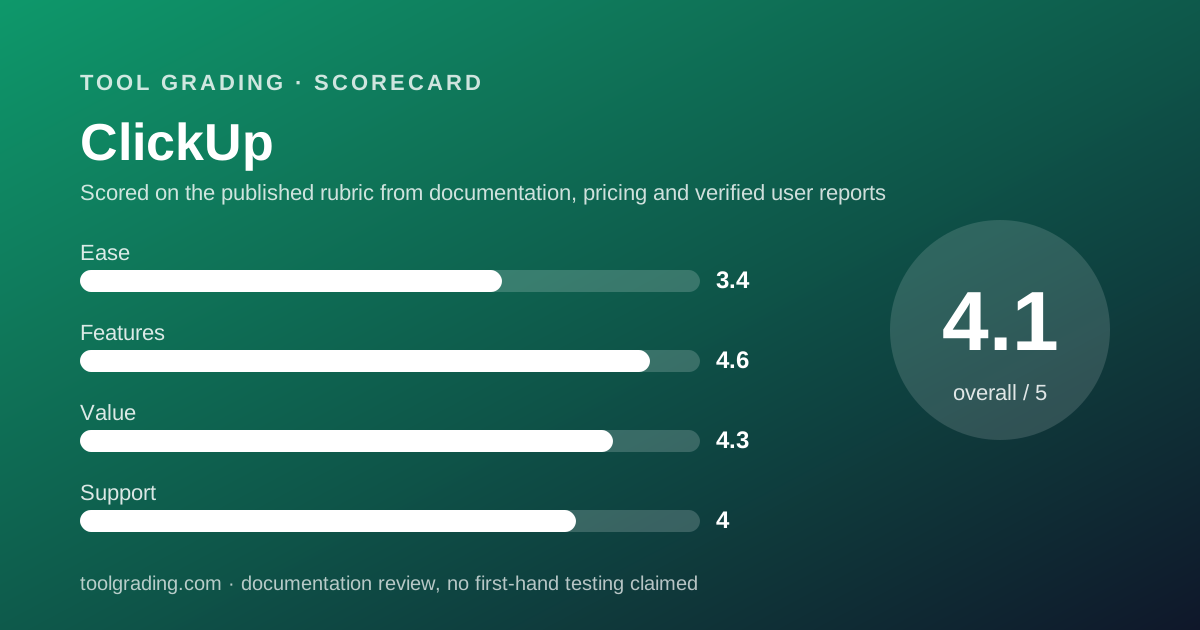
Scored on the published rubric, from documentation, pricing and verified user reports.
Best for: Teams of five to fifty with one person willing to own configuration, who want tasks, docs, goals, time tracking and dashboards in one account at a low per-seat rate.
Verdict
ClickUp's strategy is to ship everything: tasks with a deep hierarchy, documents, whiteboards, chat, goals, time tracking, dashboards, forms and an automation engine, all in one account and all at a per-user rate that the pricing page, checked October 7, 2026, lists at $7 per user per month billed annually for the Unlimited tier and $12 for Business. That combination of breadth and price is the product's case, and it is a strong one for a team that will invest the configuration time. The grade is held back on ease, not on features or value. A workspace that can be shaped into almost anything must be shaped by someone, and verified user reports are consistent that the surface is large, the settings are deep, and performance and interface density are the recurring complaints. The feature and value sub-scores are the highest in this category on this site; the ease sub-score is among the lowest. This grade comes from vendor documentation, pricing structure and verified user reports, against the published rubric; it is a documentation review, no first-hand testing was run and none is claimed.
Visit ClickUp
We have no affiliate relationship with this vendor. Link goes to the official site.
Where it is strong
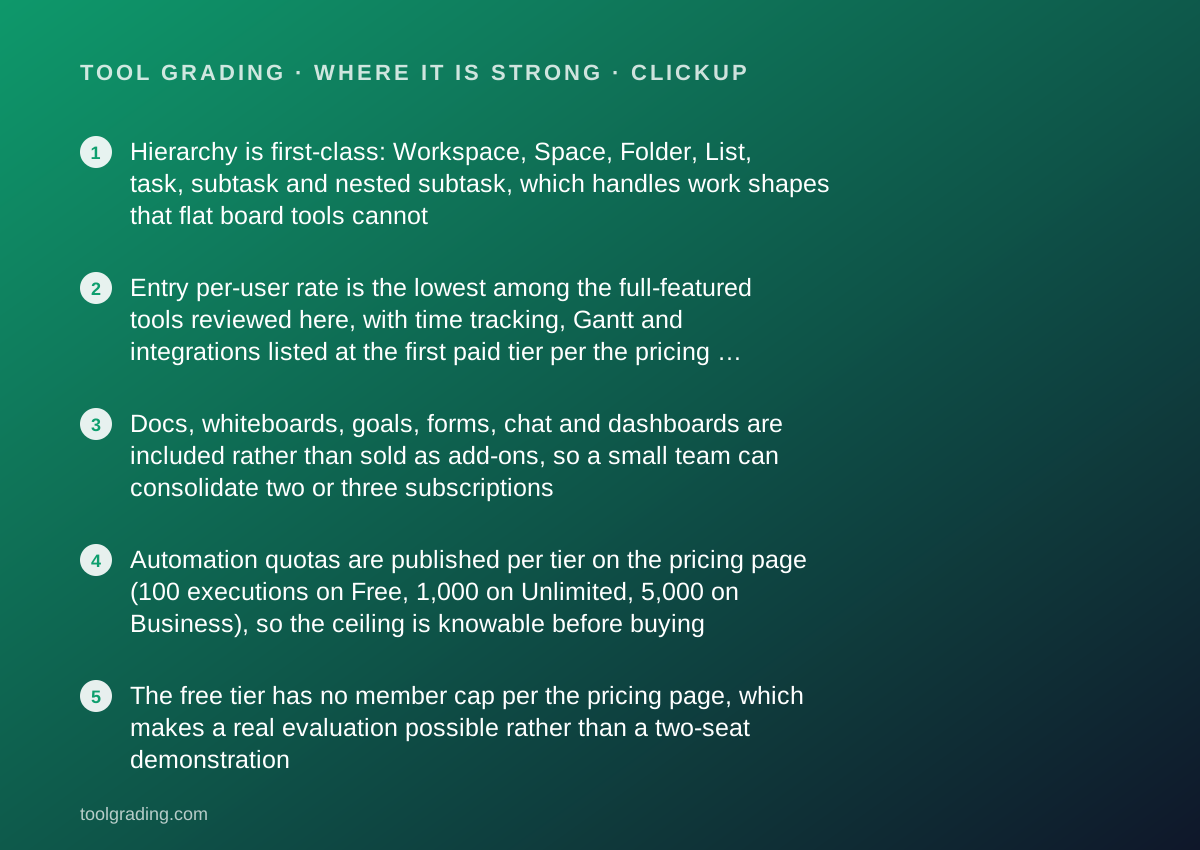
- Hierarchy is first-class: Workspace, Space, Folder, List, task, subtask and nested subtask, which handles work shapes that flat board tools cannot
- Entry per-user rate is the lowest among the full-featured tools reviewed here, with time tracking, Gantt and integrations listed at the first paid tier per the pricing page checked October 7, 2026
- Docs, whiteboards, goals, forms, chat and dashboards are included rather than sold as add-ons, so a small team can consolidate two or three subscriptions
- Automation quotas are published per tier on the pricing page (100 executions on Free, 1,000 on Unlimited, 5,000 on Business), so the ceiling is knowable before buying
- The free tier has no member cap per the pricing page, which makes a real evaluation possible rather than a two-seat demonstration
Where it falls short
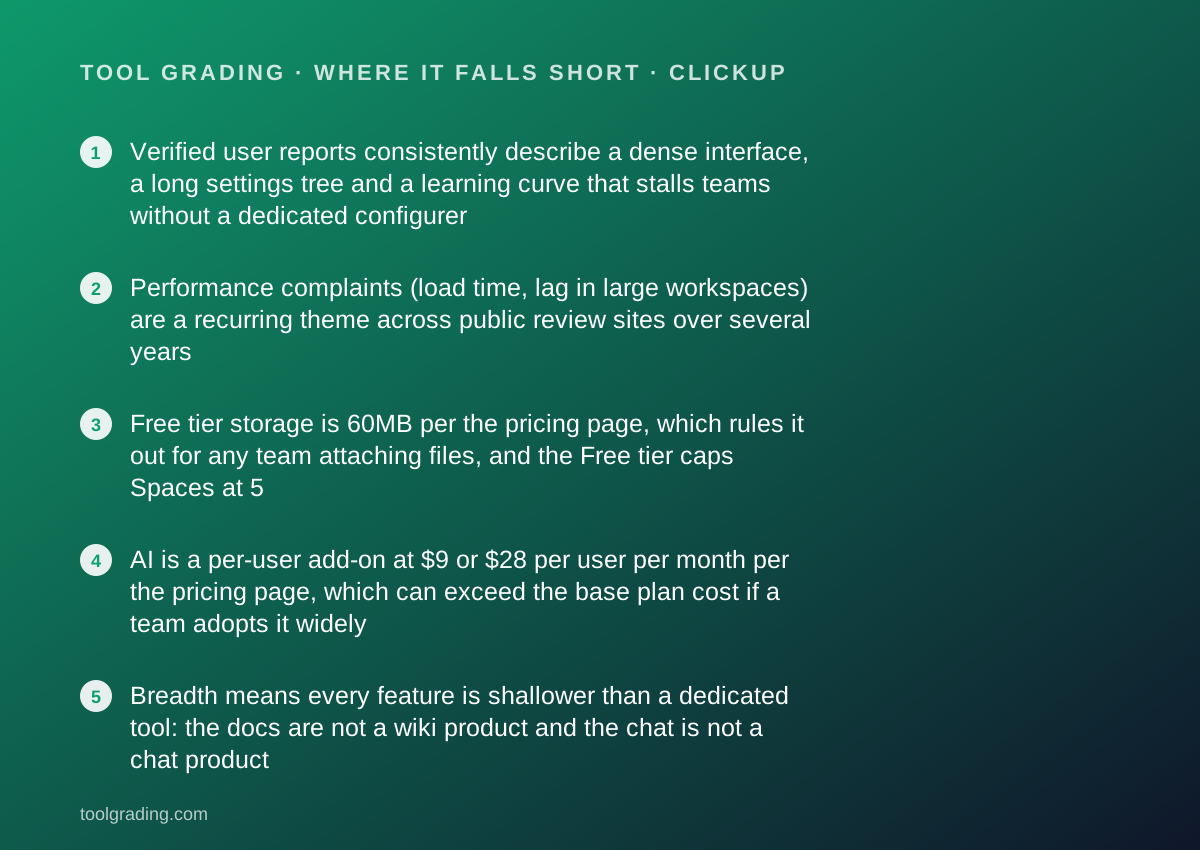
- Verified user reports consistently describe a dense interface, a long settings tree and a learning curve that stalls teams without a dedicated configurer
- Performance complaints (load time, lag in large workspaces) are a recurring theme across public review sites over several years
- Free tier storage is 60MB per the pricing page, which rules it out for any team attaching files, and the Free tier caps Spaces at 5
- AI is a per-user add-on at $9 or $28 per user per month per the pricing page, which can exceed the base plan cost if a team adopts it widely
- Breadth means every feature is shallower than a dedicated tool: the docs are not a wiki product and the chat is not a chat product
What the product actually is
ClickUp is a task hierarchy with a workspace wrapped around it. The spine, as documented by the vendor, is Workspace, Space, Folder, List, task, subtask, and nested subtask, with Lists holding tasks and every level above a List acting as a container with its own settings and permissions. Each task carries status, assignees, dates, priority, custom fields, dependencies, time estimates and tracked time, checklists, comments and attachments. Views - list, board, calendar, Gantt, timeline, table, workload, mind map, and more - are renderings of tasks at any level of that hierarchy.
Around the spine the vendor has attached a set of adjacent products that would be separate subscriptions elsewhere: Docs for written pages that can embed tasks, Whiteboards for visual planning, Goals for measurable targets tied to tasks, Forms for intake, Dashboards for reporting, and Chat. Each shares the account, the permissions and the search.
The design philosophy is explicit in the vendor's marketing: replace several tools with one. That philosophy explains both the feature score and the ease score. A product that can replace a project tracker, a wiki, a whiteboard and a goals tracker has to expose the settings of all four, and a new user meets them all at once.
The right way to evaluate ClickUp is therefore not against a single competitor but against the stack it proposes to replace, and against the time the team will spend making it fit.
Who it is for, and who it is not
ClickUp fits a team of five to fifty that has one person - an operations lead, a founder, a project manager - who enjoys configuring tools and will own the workspace for the first month. Under that condition it can be shaped into almost any process: agency delivery with client Spaces, software development with sprints and nested subtasks, marketing with content Lists and a Docs library, internal operations with recurring tasks and forms. The hierarchy absorbs structure that would break Trello and strain monday.com.
It also fits a team under cost pressure that is paying for two or three separate tools. The pricing page, checked October 7, 2026, lists time tracking, Gantt, integrations and unlimited storage at the Unlimited tier, which is the entry paid tier, and those are features that competitors frequently gate higher.
It fits poorly in two cases. The first is a team with no configurer. A ClickUp workspace left to grow organically becomes a sprawl of Spaces with inconsistent statuses and fields, and the reporting that justified the purchase stops reconciling. Verified user reports describe this outcome often enough to treat it as the main risk. The second is a team that wants a calm, minimal tool. ClickUp's interface is dense by design, with many panels, settings and toggles visible at once, and a team that values simplicity over capability will be happier with Trello or Basecamp.
How the pricing is structured
The figures below come from the ClickUp pricing page, checked October 7, 2026. Prices are per user per month; the page lists both annual and monthly rates. Open the live page before signing, because this vendor changes tier contents regularly.
The structure has three features worth understanding. First, the Free tier has no member cap but a 60MB storage cap and a limit of 5 Spaces, which makes it a genuine trial of the task model and an impractical home for a team attaching files. Second, the step from Unlimited to Business is where dashboards, unlimited message history, private whiteboards and the larger automation quota live; most teams of ten that use reporting end up on Business. Third, AI is sold as a per-user add-on with two price points, and the higher one exceeds the Business seat price, so a team planning to use AI features broadly should price the add-on in from the start.
Automation quotas are the governing operational limit: 100 executions on Free, 1,000 on Unlimited, 5,000 on Business, and 250,000 per month on Enterprise, per the page.
- Free Forever: $0, unlimited members, 60MB storage, 5 Spaces, 5 active automation rules and 100 executions (pricing page, October 2026)
- Unlimited: $7 per user per month billed annually or $10 billed monthly, unlimited storage, Spaces, Folders and Forms, Gantt, integrations, time tracking, 500 active rules and 1,000 executions
- Business: $12 per user per month billed annually or $19 billed monthly, dashboards, unlimited message history, mind maps, private whiteboards, unlimited active rules and 5,000 executions
- Enterprise: custom pricing, enterprise permissions, custom roles, SAML SSO and SCIM, audit logs, 250,000 automations per month, customer success manager
- AI add-ons: Brain AI at $9 per user per month; Everything AI at $28 per user per month
Ease of use: what the score is built from
The ease sub-score is the lowest of the four, and it is built from the documented size of the surface and the consistency of verified user reports about the learning curve.
The surface is the first input. The vendor documents seven levels of hierarchy, more than fifteen view types, a custom field library, a status system that can differ per Space, Folder or List, and a settings tree that controls which features (ClickApps, in the vendor's vocabulary) are switched on per Space. Each of those is a decision a new workspace owner must make or leave at a default. The vendor's own onboarding, university courses and template library exist precisely because the defaults are not enough for a team to be productive.
The second input is verified user reports, which are more uniform on this point than on any other: the learning curve is long, the interface is dense, and teams that succeed had someone who spent real time on setup. The vendor's 24/7 support listing on every tier, including Free, is partly a response to that.
The third input is performance. Reports of slow loading and lag in large workspaces recur across several years of public reviews, and while the vendor has shipped performance work repeatedly, the pattern has not disappeared from recent reviews.
The score does not penalise capability. It measures how fast a team of ten reaches a configuration they can rely on, and for ClickUp that is weeks rather than days unless someone owns it.
Feature depth: what the score is built from
The feature sub-score is the highest on this site in the category, and it is built from the documented depth of the task model, the breadth of included modules, and the published automation and integration capacity.
The task model is deeper than any direct competitor here. Nested subtasks, multiple assignees, dependencies with waiting-on and blocking relationships, time estimates and native time tracking, custom fields with formulas, and task relationships across Lists are all documented. That depth is what lets an engineering or agency team model real work without flattening it.
The included modules are the second input. Docs, Whiteboards, Goals, Forms, Dashboards and Chat are part of the account rather than paid add-ons, and the pricing page lists most of them at the Unlimited or Business tier. A team consolidating a wiki, a whiteboard tool and a time tracker can plausibly do so.
Automations and integrations are the third. The vendor's automation page describes a template library of 100+ recipes, an AI builder that turns a plain-language description into a rule, webhooks and integrations with mainstream systems. The per-tier execution quotas are published on the pricing page.
The discount is for depth per module. The Docs are capable but are not a wiki product with the page model of Notion; the Chat is adequate but is not a replacement for a dedicated messaging tool; the Whiteboards are useful for planning and not for design. Breadth was chosen over depth, and that choice is visible in every adjacent module.
Value at a realistic team size
Take a team of ten and apply the figures from the pricing page checked October 7, 2026.
On Unlimited, ten users at $7 per user per month billed annually is $70 per month, or $840 per year. On Business, which is where dashboards and the larger automation quota live, ten users at $12 per user per month billed annually is $120 per month, or $1,440 per year. On monthly billing the same tiers cost $100 and $190 per month.
For a team of ten, those figures are the lowest among the full-featured tools reviewed here on annual billing. Unlimited at $840 per year includes time tracking, Gantt and integrations, which Asana and monday.com gate at a higher rung, and Business at $1,440 per year matches monday.com Standard while including dashboards that monday.com lists higher. Trello is cheaper but does far less; Basecamp's flat pricing is competitive at ten users and better above twenty.
Two factors pull the value score down from the top. The first is the AI add-on, which at $9 or $28 per user per month can double or quadruple the per-seat cost for a team that adopts it. The second is the hidden cost of configuration time, which does not appear on a pricing page but is real and is the most common reason verified users give for abandoning the tool.
The honest summary: on a per-feature basis, ClickUp is the best price in the category. On a per-hour-of-setup basis, it is average, and the buyer should budget both.
Support and documentation
The support sub-score covers channels by tier, documented commitments and self-service quality, and this vendor is unusual in one respect: the pricing page lists 24/7 support on every tier including Free.
Self-service material is extensive. The vendor maintains a help centre, a university with structured courses, webinars, a template library and a community. For this review the help centre refused automated reading, so the assessment of its depth rests on the vendor's product and automation pages, the pricing page, and the way verified user reports describe it. Those reports are generally positive about coverage - a product with this many features generates a large documentation set - and mixed about currency, because the product changes quickly and articles sometimes describe a previous interface.
Channels by tier follow a familiar pattern above the 24/7 baseline: the Enterprise tier lists a customer success manager and live training, and the Business tier lists priority support in the vendor's materials. Response commitments are not published as hard numbers on the pricing page.
A public status page exists. Given the recurring performance complaints in user reports, it is worth bookmarking.
What cannot be graded from documentation is how a 24/7 chat channel behaves under load, and this page does not estimate it.
What verified users report
Public review platforms carry a large volume of ClickUp reviews, and the patterns are consistent enough to weigh as evidence.
The dominant positive is value: reviewers describe replacing several tools and paying less in total. The second positive is flexibility, with the hierarchy and custom fields cited as the reason the tool fit a process that others could not.
The dominant complaint is complexity, expressed as an overwhelming interface, too many settings, and a learning curve that caused part of the team to disengage. The second complaint is performance, specifically slow loading and lag in workspaces with many tasks or heavy dashboards. The third is a feeling of unfinished breadth, where a module adjacent to tasks - Docs, Chat, Whiteboards - works but lacks the polish of a dedicated product.
A smaller theme is release pace: the product changes often, which some reviewers welcome and others describe as destabilising.
These reports are weighed as pattern and not converted to a number. They explain why the ease sub-score is the lowest of the four while the feature and value sub-scores are the highest.
Alternatives on this site
Asana is the alternative for a team that wants a deep task model with a calmer interface and is willing to pay more per seat for it; its dependency and timeline handling is comparable and its surface is smaller. monday.com is the alternative for a team that wants a visual board non-technical staff will update, at the cost of a flatter model and a 10-seat minimum. Trello is the alternative for a team that wants almost none of ClickUp's breadth and is happy with a board. Notion is the alternative when documents matter more than tasks. Basecamp is the alternative for a team that wants a fixed set of simple tools and flat pricing. Airtable competes when the work is really a database with a task view on top.
The decision rule: if someone on the team will own configuration and the budget is tight, ClickUp is the strongest choice here. If nobody will, choose a tool with fewer decisions.
Bottom line
ClickUp earns the highest feature and value sub-scores in this category on this site and one of the lowest ease sub-scores, and that split is the review. The product does more per dollar than any direct competitor, and it asks more of the buyer than any direct competitor to get there.
Buy it if a named person will own the workspace, if the team's work is nested or varied enough to need the hierarchy, and if the per-seat budget matters. Do not buy it for a team that wants to open a tool and be productive in an hour, and do not buy it expecting the included Docs or Chat to replace a dedicated product without compromise.
What would move the grade up: a demonstrated end to the performance complaints in verified reports, or a simplified default configuration for small teams. What would move it down: AI features migrating from the add-on into required tiers, which would erode the value case. Prices and tier contents carry a checked date; open the live pricing page before you sign.
Visit ClickUp
We have no affiliate relationship with this vendor. Link goes to the official site.