 Tool
ToolThe best help desk software for small teams in 2026, ranked on the Tool Grading rubric
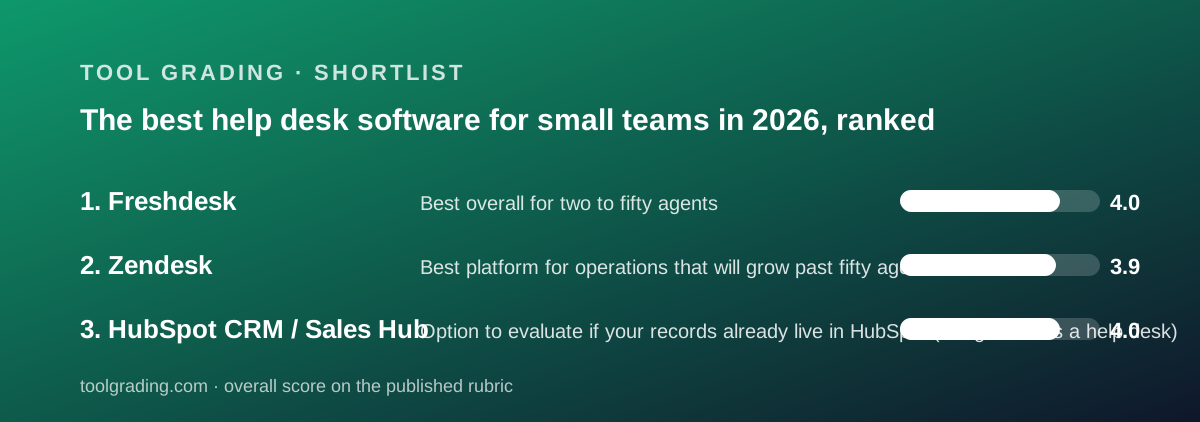
A short list, by design: this site has graded two dedicated ticketing products, Freshdesk and Zendesk, and one CRM whose free tools include a ticket object, HubSpot. Freshdesk ranks first on verified mid-tier pricing and a complete feature set under fifty agents; Zendesk is the deeper platform whose useful rungs sit higher; HubSpot is listed third as a documented option for teams that already keep their customer records there, with the caveat that its service product has not been graded separately.
Our picks
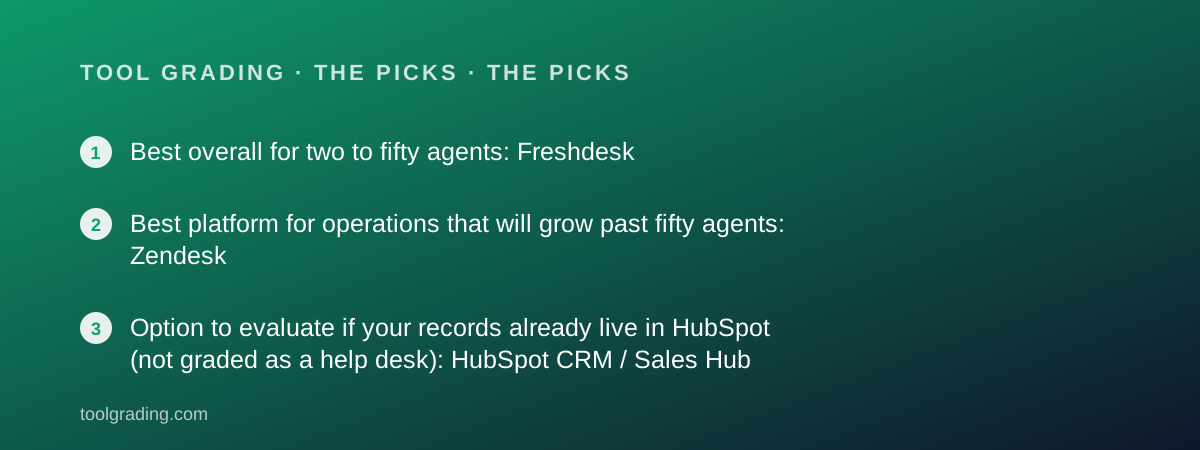
- Best overall for two to fifty agents: Freshdesk
- Best platform for operations that will grow past fifty agents: Zendesk
- Option to evaluate if your records already live in HubSpot (not graded as a help desk): HubSpot CRM / Sales Hub
This is a ranking from documentation and verified user reports, against the rubric described on the method page, and it is deliberately short. Two products on this site are ticketing systems graded as such: Freshdesk, which totals 16.1 across the four sub-scores, and Zendesk, which totals 15.7. A third, HubSpot CRM, totals 16.2 but was graded as a CRM and sales product; it appears here because its review documents a ticket object in the free CRM and a Service Hub sold on the same records, and because a team already on HubSpot will ask the question. It is placed third despite the higher total, for a reason stated plainly: the review did not grade the service product, so its sub-scores do not measure help-desk capability. No first-hand testing was run for any of the three and none is claimed, and where a review could not read a live pricing page, no price is printed here.
The two dedicated products share a shape, and the Zendesk review describes it as the category's default. A ticket is a conversation with a requester, a status, a priority, an assignee and a group, and a timeline of public replies and private notes. Rules act on tickets when they are created or updated, timers act on them later, saved views make up the agent's queue, and canned actions let an agent do the common thing in one click. A help centre handles self-service, and reporting sits on top. Every help desk graded here is some version of that model; the differences are in how deep the rules go, which tier the useful ones sit on, and what the vendor charges per agent. For a team of two to fifty agents, the tier question decides the bill more than the headline rate, and both reviews spend most of their pricing sections on exactly that. Both vendors maintain a public status page, and both reviews note that real-world response time on a bad day cannot be graded from documentation and is not estimated.
Freshdesk is first at 16.1: ease 4.2, features 4.1, value 3.9, support 3.9. The review's finding is that Freshdesk takes the structure of its larger rival and sells it at mid-market per-agent rates with the useful features one tier lower. Per the pricing page read October 7, 2026, Growth is $19 per agent per month billed annually with ticketing, a knowledge base and the Freddy AI agent with 500 sessions; Pro is $55 with a multilingual help desk, custom dashboards, intelligent routing and multiple SLA policies; Enterprise is $89 with Freddy AI Insights, skill-based routing, a sandbox, audit logs and IP allowlisting. The page did not display a free tier. Channel coverage across email, chat, WhatsApp and social into one queue is documented in the knowledge base, and automation runs on two axes: dispatch rules at ticket creation and event-triggered rules afterwards, plus round-robin assignment. The 14-day trial runs on Enterprise, so an evaluating team sees the whole product; the FAQ states no card is required, no cancellation fees, and pay-as-you-go billing.
The Freshdesk arithmetic for ten agents, from the review, is what earns the value sub-score. Growth costs $190 per month, or $2,280 per year, for a complete help desk with one SLA policy and pre-built reports. Pro costs $550 per month, or $6,600 per year, and is the realistic tier for a team with more than one customer class or a lead who builds reports. Enterprise costs $890 per month, or $10,680 per year, and a ten-agent team rarely needs it in year one. The review documents no free or light agent role, so all ten seats are paid. Three things discount the score: the absence of a free tier on the page read, the AI metering at $49 per 100 sessions above the included 500, which makes successful deflection a variable cost, and the Enterprise gating of skill routing and audit logs that mid-sized regulated teams need. Verified reports describe the vendor's own support as uneven, responsive on product questions and slow on billing and integration escalations, which the review notes as a specific irony. Phone is a separate Freshworks telephony product rather than a native channel, and field service is a separate module, so a team that needs either should price it alongside the seats.
Zendesk is second at 15.7: features 4.6, support 4.0, ease 3.9, value 3.2. The feature sub-score is the highest in this guide and the review earns it on depth, ceiling and ecosystem: the cleanest data model in the category exposed through a single REST API, triggers and automations expressive enough to route and escalate anything without scripting, multiple help centres on Growth, skills-based routing on Growth where Freshdesk places it at Enterprise, and the largest marketplace in the category. The plan documentation, which the review calls a model of how a vendor should publish tier contents, maps five Suite tiers: Team with a single help centre and up to 50 AI-powered automated answers; Growth with multiple help centres, up to 100 automated answers, skills routing and light agents; Professional with SLA management, custom reports and community forums; Enterprise with custom permissions, agent workspaces and a sandbox; Enterprise Plus with an enhanced sandbox and a high-volume API add-on. The vendor also sells a narrower Support-only product line, documented separately, for teams that want ticketing without the bundled messaging, voice and help centre; the review graded the Suite.
No Zendesk price is printed in this guide because the pricing page could not be read on October 7, 2026; every attempt ended in a connection error, and the review's value sub-score of 3.2 is a structural judgement to be revised when the page can be read. The structure itself explains the score. For a ten-person team, Growth is the realistic floor because of light agents, multiple help centres and skills routing, and light agents are the one lever in the buyer's favour: the lead and possibly the administrator need not be full seats. SLA management and custom reports arrive at Professional, which verified reports consistently describe as the step that hurts, because two features most support leads consider basic sit on the far side of it. Freshdesk delivers multiple SLA policies and custom dashboards at its verified $55 mid tier. The review's summary: for a team that needs what Team or Growth contains, Freshdesk is a close equivalent at a verified lower rate; for an operation that will grow into Professional and Enterprise, Zendesk is the safer long-term platform.
The two reviews agree on ease, with a shared shape worth stating. Both products are live in a day: connect a support address, invite agents, publish a portal. Both take weeks to configure properly, and both reward one person who owns the rules permanently. Zendesk's trigger and automation model is more expressive and therefore harder to reason about at scale, and the sandbox that makes experimenting safe is an Enterprise feature; Freshdesk's two-axis model produces the same maintenance burden once a team has dozens of dispatch and event rules, and verified reports describe interactions that are hard to debug. The agent experience is where Zendesk leads outright: the review states that nothing in the category beats its views, ticket screen and macros, and that users moving to other tools cite it as the thing they miss. Freshdesk's support portal is well organised and current enough that documentation lag does not appear as a recurring complaint, which is a better record than its rival's on that one point.
The verified reports the two reviews draw on are consistent, and they explain the sub-scores better than the feature lists do. For Freshdesk, the dominant positive is value: users describe getting a full help desk, channels, SLAs, automation and a portal, at a price that let them avoid the larger rival, followed by ease of setup, with small teams live in a day, and the two-axis automation model once learned. The dominant complaint is the vendor's own support, then the AI metering, which users describe as hard to forecast and a surprise on the first invoice after a successful deflection campaign, then tier gating of custom dashboards at Pro and audit logs at Enterprise. For Zendesk, the dominant positive is reliability and depth, a platform that scales from ten agents to hundreds without migration, followed by the agent experience and the ecosystem. The dominant complaint is cost trajectory rather than headline rate: the step to Professional, the AI add-ons, premium support plans sold separately and renewals negotiated upward, followed by trigger systems that have grown beyond anyone's understanding. Neither review converts these into a number; they are the pattern behind the value sub-scores of 3.9 and 3.2.
HubSpot is third, and the placement needs its reasoning stated. The HubSpot review graded the CRM and Sales Hub, and its sub-scores, ease 4.3, features 4.4, value 3.3, support 4.2, describe that product. What the review documents about support work is narrower: tickets are one of the four standard objects in the free CRM alongside contacts, companies and deals, every hub writes to the same contact timeline, and Service Hub is one of the product lines sold on top. That means a salesperson can see the tickets support closed, and a support agent can see the open deal, without an integration. What the review does not do is grade Service Hub's ticketing depth, SLA handling, routing or help centre against the rubric, and no Service Hub pricing was read. This guide therefore ranks HubSpot below both dedicated products regardless of its total and describes it as an option to evaluate, not a graded help desk.
The HubSpot path makes sense for a specific team: one that already keeps its customer records in the free CRM, handles a modest support volume, and values a single timeline more than SLA policy and routing depth. The review's warnings about HubSpot pricing carry over in full. Per-seat pricing stacks across hubs, so a person who sells and also handles support can need a seat in two products; the step from Starter to Professional is the largest in the category per the pricing page; and verified reports describe the pricing as hard to predict, with add-ons and contact-tier limits arriving after the initial decision. A team that expects to need multiple SLA policies, skill-based routing or a multilingual help centre should read the Freshdesk and Zendesk reviews first. A team of three that wants tickets beside its deals and does not want a second vendor should open HubSpot's Service Hub page, read the current tier contents, and decide with the caveat that this site has not graded them.
The practical order, then. A support team of five to twenty agents that needs real SLA handling across several channels and wants a verified price should start with Freshdesk, probably on Pro, and model the AI sessions before relying on deflection. A support operation that expects to reach fifty or a hundred agents, needs multiple brands or help centres, or will feed support data into other systems should start with Zendesk on Growth and budget for Professional, after reading the live pricing page this site could not. A small team already on HubSpot with low ticket volume should evaluate Service Hub with the understanding that it has not been graded here. In every case, confirm in writing which support channels the intended tier includes, since neither dedicated vendor maps them per plan on the pages read, and treat every figure in this guide as true on October 7, 2026 and subject to the live page.
Best overall for two to fifty agents: Freshdesk
Total 16.1: ease 4.2, features 4.1, value 3.9, support 3.9. A multichannel ticket desk with SLA policies, two-axis automation and round-robin routing at verified mid-market rates: Growth $19, Pro $55 and Enterprise $89 per agent per month billed annually per the pricing page read October 7, 2026, so ten agents cost $2,280, $6,600 or $10,680 per year. Multiple SLA policies and custom dashboards arrive at Pro, one rung lower than the equivalents at Zendesk. No free tier was displayed, the Freddy AI agent is metered at $49 per 100 sessions above the included 500, and verified reports describe the vendor's own support as uneven on billing and integration escalations.
Visit Freshdesk
We have no affiliate relationship with this vendor. Link goes to the official site.
Best platform for operations that will grow past fifty agents: Zendesk
Total 15.7: ease 3.9, features 4.6, value 3.2, support 4.0. The reference ticketing platform, with the cleanest data model in the category, the most expressive trigger and automation engine, multiple help centres and skills-based routing on Growth, light agents on Growth, and the largest marketplace. SLA management and custom reports arrive at Professional per the plan documentation, which verified reports describe as the step that hurts. No price is printed because the pricing page could not be read on October 7, 2026; the value sub-score is a structural judgement. For a team that only needs Team or Growth, Freshdesk is a close equivalent at a verified lower rate.
Visit Zendesk
We have no affiliate relationship with this vendor. Link goes to the official site.
Option to evaluate if your records already live in HubSpot (not graded as a help desk): HubSpot CRM / Sales Hub
Total 16.2 as a CRM and Sales Hub: ease 4.3, features 4.4, value 3.3, support 4.2. The review documents tickets as one of four standard objects in the free CRM, and Service Hub as a product line on the same contact timeline, so sales and support see one record without an integration. The review did not grade Service Hub's ticketing, SLA or routing depth and read no Service Hub pricing, which is why it sits third despite the higher total. Per-seat pricing stacks across hubs, and the Starter-to-Professional step is the largest in the category per the pricing page read October 7, 2026. Suitable for low-volume support beside an existing HubSpot CRM; read the dedicated reviews for anything more.
Visit HubSpot CRM / Sales Hub
We have no affiliate relationship with this vendor. Link goes to the official site.
How we chose
The two dedicated ticketing products with full reviews on this site, Freshdesk and Zendesk, were ranked by the sum of their four rubric sub-scores, ease, features, value and support, as defined on the method page. HubSpot CRM is added as a third entry because its review documents a ticket object in the free CRM and a Service Hub on the same records; it is placed last regardless of its higher total because the review graded the CRM, not the service product. Sub-scores come from vendor documentation, pricing pages read on October 7, 2026 where readable, and patterns in verified user reports. The Zendesk pricing page could not be read, so no Zendesk price is printed. No first-hand testing was run and none is claimed.
Frequently asked
Why only three entries?
Because this site has graded only two dedicated ticketing products, and this guide does not rank what it has not graded. HubSpot is added because its review documents a ticket object and a Service Hub on the same records, with a clear note that the service product itself was not graded. More help desks will be added to this list as reviews are published.
Why is HubSpot third when its total score is highest?
Its sub-scores describe the CRM and Sales Hub, which is what the review graded. The review did not assess Service Hub's ticketing depth, SLA handling or routing, and read no Service Hub pricing, so the total does not measure help-desk capability. Ranking it above two products that were graded as help desks would misuse the number.
Why is there no Zendesk price?
The Zendesk pricing page could not be read on October 7, 2026; every attempt ended in a connection error. This site does not print a price it has not checked, so the review and this guide describe the tier structure from the vendor's plan documentation only, and the value sub-score is a structural judgement to be revised when the page can be read.
Did this site test any of these products?
No. Every grade is a documentation review built from vendor documentation, pricing pages and patterns in verified user reports, against the published rubric. No first-hand testing was run and none is claimed. The method page explains how each sub-score is built.