 Tool
Tool
Freshdesk
A multichannel ticket desk that puts automation and SLA policy at mid-tier prices - the practical choice under fifty agents.
Scored on the published rubric, from documentation, pricing and verified user reports.
Best for: Support teams of two to fifty agents handling email, chat and social in one queue, who want SLA policy and routing without paying enterprise rates.
Verdict
Freshdesk is the mid-market ticketing product that takes the structure of its larger rival - tickets, agents, groups, SLA policies, automations, a knowledge base - and sells it at per-agent rates that, per the pricing page checked October 7, 2026, run from $19 on Growth to $89 on Enterprise billed annually. The product is coherent, the channel coverage is broad, and automation by business rule and by event is documented at every paid tier. The honest limits are three: the pricing page read did not list a free tier, so the lowest paid rung is the floor; the AI assistant is metered by session beyond an included allowance, which is a variable cost on top of seats; and verified user reports describe support for the support product as uneven, which is a specific kind of irony. For a team of five to twenty agents that needs real SLA handling and multiple channels, it is the most sensible value in the category. This grade comes from vendor documentation, pricing structure and verified user reports, against the published rubric; it is a documentation review, no first-hand testing was run and none is claimed.
Visit Freshdesk
We have no affiliate relationship with this vendor. Link goes to the official site.
Where it is strong
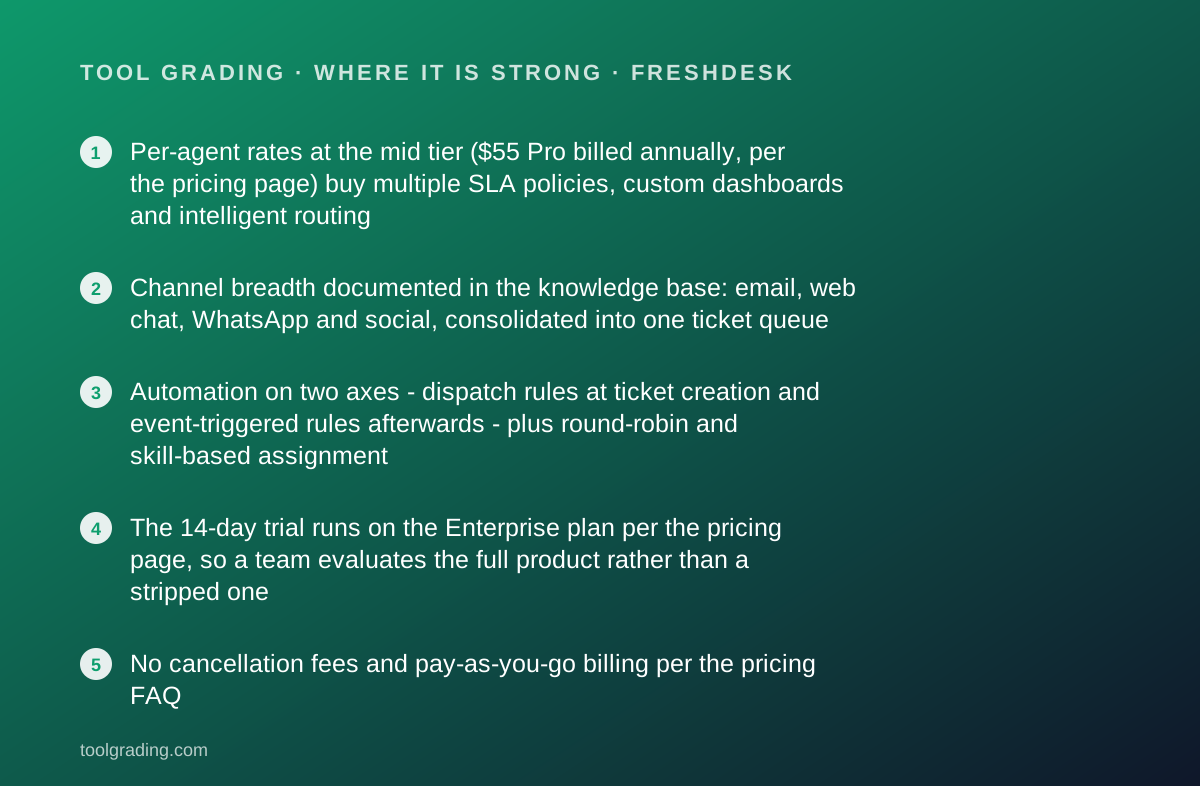
- Per-agent rates at the mid tier ($55 Pro billed annually, per the pricing page) buy multiple SLA policies, custom dashboards and intelligent routing
- Channel breadth documented in the knowledge base: email, web chat, WhatsApp and social, consolidated into one ticket queue
- Automation on two axes - dispatch rules at ticket creation and event-triggered rules afterwards - plus round-robin and skill-based assignment
- The 14-day trial runs on the Enterprise plan per the pricing page, so a team evaluates the full product rather than a stripped one
- No cancellation fees and pay-as-you-go billing per the pricing FAQ
Where it falls short
- The pricing page read on October 7, 2026 did not display a free tier, so a two-person team pays from the first agent
- The Freddy AI agent is metered: 500 sessions included on paid plans and $49 per 100 sessions above that per the pricing page, which makes self-service deflection a variable cost
- Skill-based routing, sandbox, audit logs and IP allowlisting are Enterprise features per the pricing page, at $89 per agent per month
- Verified user reports describe vendor support as inconsistent, with slow escalation on billing and integration problems
- Reporting below Pro is pre-built only; custom dashboards arrive at Pro
What the product actually is
Freshdesk is a ticketing system. A ticket is a conversation with a customer that carries a status, a priority, a requester, an assigned agent and group, a set of properties, and a timeline of replies and internal notes. Every channel the product supports - email, a web portal, chat, WhatsApp, social platforms, phone through the Freshworks telephony product - produces the same ticket object, and the agent works one queue regardless of where a conversation started. That consolidation is the product's first promise and the knowledge base, read on October 7, 2026, is organised around it.
The second layer is policy. Service level agreements define how fast a ticket of a given priority must be responded to and resolved, with escalation when a deadline is at risk. Business hours, holiday calendars and multiple SLA policies for different customer groups are documented at the higher tiers.
The third layer is automation, on two axes that the documentation separates: dispatch rules that act when a ticket is created (assign, categorise, prioritise, route) and event-based rules that act when something changes (a reply arrives, a status flips, a timer expires). Round-robin assignment distributes load; skill-based routing, at Enterprise, matches tickets to agent capabilities.
Around those sit a knowledge base with a customer-facing portal, community forums, customer satisfaction surveys, reporting dashboards, and the Freddy AI layer: a customer-facing agent for self-service, a copilot for the human agent, and an insights tool.
Who it is for, and who it is not
The team this fits best is a support function of two to fifty agents that has outgrown a shared inbox. The symptoms are familiar: two agents answering the same email, nobody knowing which conversations are overdue, no way to report on volume or resolution time, and customers asking the same questions that a help article would answer. Freshdesk answers each of those directly and at a price a small company can carry.
It fits particularly well where channels are mixed. A business that gets email, WhatsApp and a web form, and wants one queue, gets that at every paid tier per the pricing page. It also fits teams that need SLA policy without an enterprise contract; multiple SLA policies are a Pro feature at a mid-tier rate.
Two kinds of team it fits less well. The first is a very small team, one or two people, who would have used a free tier. The pricing page read for this entry listed Growth as the lowest plan with no free tier displayed; whether a free offering exists elsewhere was not verified, and a two-person team should check before assuming. The second is an enterprise support operation with heavy custom workflow, complex permission needs and a large integration estate; Zendesk's higher tiers are deeper there, at a price that reflects it.
How the pricing is structured
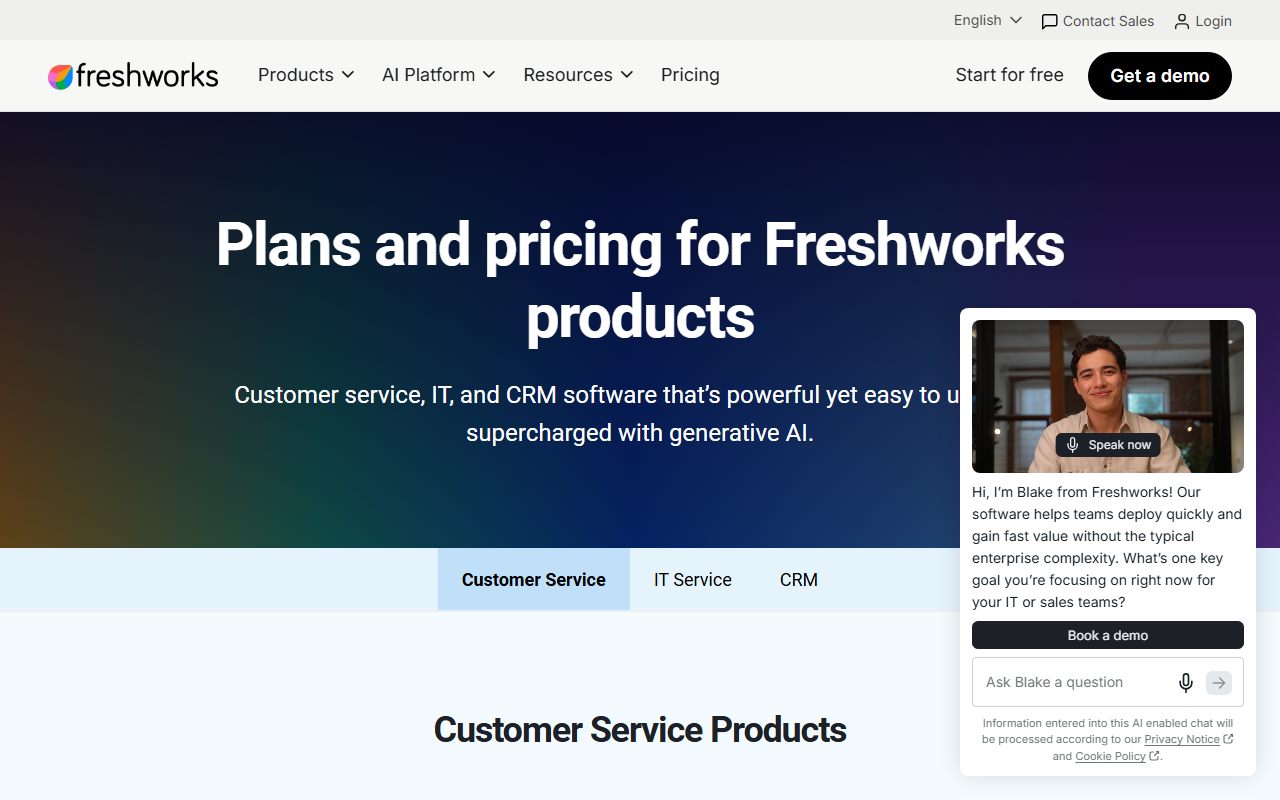
The official pricing page was read on October 7, 2026, and the figures below are what it displayed. All are per agent per month billed annually; monthly billing rates were not shown in the sections read and should be taken from the live page.
Three plans were listed. Growth at $19 per agent per month, which the page describes as including ticketing, a knowledge base and the Freddy AI agent with 500 sessions. Pro at $55, marked as the most popular, adding a multilingual help desk, custom dashboards, intelligent routing and multiple SLA policies. Enterprise at $89, adding Freddy AI Insights, skill-based routing, a sandbox, audit logs and IP allowlisting. The page did not display a free plan.
The trial is 14 days on the Enterprise plan, per the page, with no card required stated in the FAQ. The page also states that there are no cancellation fees and that the service is pay-as-you-go.
The AI component is metered separately from seats: 500 Freddy AI agent sessions are included on each paid plan, and additional sessions are priced at $49 per 100 per the page. A session is a customer conversation with the AI agent, so a team that successfully deflects tickets to self-service pays for the deflection above the included allowance.
- Growth: $19 per agent per month billed annually; ticketing, knowledge base, Freddy AI agent with 500 sessions
- Pro: $55 per agent per month billed annually; multilingual help desk, custom dashboards, intelligent routing, multiple SLA policies
- Enterprise: $89 per agent per month billed annually; Freddy AI Insights, skill-based routing, sandbox, audit logs, IP allowlisting
- AI sessions beyond the included 500: $49 per 100 sessions
- 14-day trial on Enterprise; no cancellation fees; no free tier displayed (pricing page, October 7, 2026)
Ease of use: what the score is built from
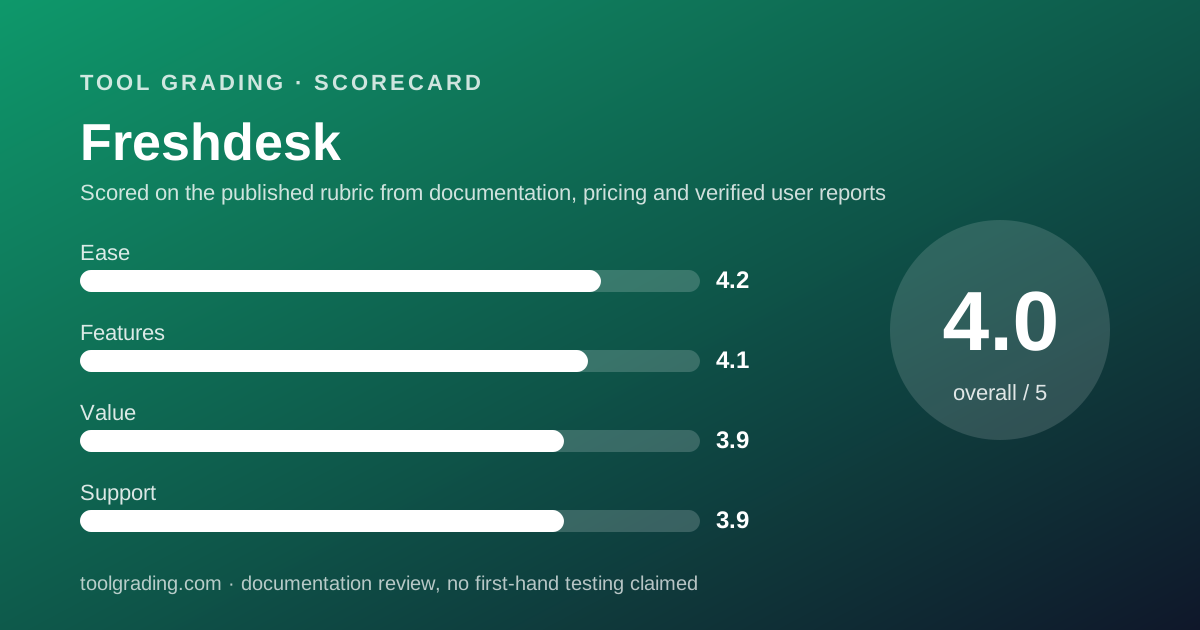
The ease sub-score of 4.2 rests on the fact that a ticketing system has a well-understood shape and Freshdesk follows it. An agent who has used any help desk understands the queue, the ticket view, the reply box and the internal note within an hour. The knowledge base has an onboarding and setup section that covers connecting a support email address, inviting agents, setting business hours and publishing a portal, in that order, and a small team can be live in a day.
What costs points is the administrative layer at scale. The two-axis automation model is powerful and, once a team has thirty dispatch rules and forty event rules, it is also a maintenance burden; verified user reports describe rule interactions that are hard to debug. The portal customisation beyond templates requires someone comfortable with markup. And the Freddy AI setup, while documented, is a separate configuration effort with its own metering to understand.
The realistic picture for a team of five to twenty agents: a day to be answering tickets, a week to have SLAs, groups and the first dozen rules in place, no consultant required. That is good for the category, and it is roughly equal to Zendesk at the comparable tier.
Feature depth: what the score is built from
The feature score of 4.1 is a score for a complete mid-market help desk with a ceiling below the enterprise products.
What carries the score. Channel consolidation across email, chat, WhatsApp and social into one queue, documented in the knowledge base under ticketing channels. SLA management with multiple policies at Pro and escalation on breach. Automation on both axes described above, plus round-robin and, at Enterprise, skill-based routing. Collaboration features the features page names: shared inboxes, internal threads, linking tickets to tasks, and tools to avoid two agents answering one ticket. A multilingual knowledge base with versioning, portals and community forums. Reporting with pre-defined dashboards at every tier and custom dashboards at Pro. Security controls at Enterprise: single sign-on, audit logs, IP allowlisting, role-based access.
The AI layer is real and metered. The customer-facing agent handles self-service conversations against the knowledge base; the copilot summarises, suggests replies and surfaces articles for the human agent; insights analyses trends. The pricing page places the agent on every paid plan with the 500-session allowance and the insights tool at Enterprise.
What is thinner. Custom objects exist, and the features page mentions custom-object analytics, but the data model is less extensible than Zendesk's at its higher tiers. Phone is a separate Freshworks product rather than a native channel. Field service is a separate module. Reporting below Pro is pre-built only. The integration marketplace is broad and the usual caution applies: read the integration's documentation for direction and field coverage, not the marketplace card.
Value at a realistic team size
Take a ten-agent support team: eight agents working the queue, one lead who needs reporting, one administrator who configures rules and the portal. All ten need agent seats; the pages read did not document a free or light agent role, so no assumption is made that the lead or administrator can be unpaid.
On Growth at $19 per agent per month billed annually, ten agents cost $190 per month, or $2,280 per year, with ticketing, the knowledge base, pre-built reports and the AI agent's included sessions. For a team that needs one SLA policy and standard routing, this is a complete help desk at a low price.
On Pro at $55, ten agents cost $550 per month, or $6,600 per year, and the team gets multiple SLA policies, custom dashboards, intelligent routing and the multilingual help desk. This is the realistic tier for a team with more than one customer class or a lead who needs to build reports, and the price sits meaningfully below the comparable rung at Zendesk as that vendor has historically structured it.
On Enterprise at $89, ten agents cost $890 per month, or $10,680 per year, which buys skill routing, sandbox, audit logs and AI insights. A ten-agent team rarely needs that in year one.
The value score of 3.9 reflects a strong seat price at every tier, discounted for the absence of a free tier on the page read, the AI metering, and the Enterprise gating of routing and audit features that mid-sized regulated teams need.
Support and documentation
The support sub-score of 3.9 is carried by self-service material and discounted for direct-channel reports.
Self-service is well organised. The support portal, read on October 7, 2026, is divided into ticket management, ticketing channels, Freddy AI, onboarding and setup, workflows and automations (including SLA configuration and satisfaction surveys), portal setup, knowledge base management, reporting, mobile, integrations, field service, and security. Articles are task-oriented and current enough that verified reports do not list documentation lag as a recurring complaint, which is a better record than some rivals on this page.
Direct channels are tiered in the familiar way, with email and chat support generally available and phone support and priority handling at higher tiers; the pricing page sections read did not state the mapping per plan, so a buyer should confirm what Growth and Pro include rather than assume phone support is present. The vendor does not publish response-time commitments on the pages read and this page will not estimate them.
The discount in the score comes from verified user reports, which are consistent that the vendor's own support is uneven: responsive for product questions, slow for billing disputes and for integration problems that need escalation. For a company selling support software, that pattern is reported often enough to count.
What verified users report
Across public review platforms and forums the reports about Freshdesk are consistent and moderately positive.
The dominant positive is value: users describe getting a full help desk - channels, SLAs, automation, a portal - at a price that let them avoid the larger rival. The second positive is ease of setup, with small teams describing being live in a day. The third is the automation model, which process-minded administrators like once they have learned the two-axis structure.
The dominant complaint is vendor support, as described above. The second complaint is the AI metering, which users describe as hard to forecast and as a surprise on the first invoice after a successful deflection campaign. The third is tier gating of specific features, with custom dashboards at Pro and audit logs at Enterprise being the frequently cited examples. A smaller theme is the removal or restructuring of a free offering over time, which long-standing users mention; the pricing page read for this entry displayed no free plan.
These reports are weighed as evidence of pattern, not as measurements, and they are not converted into a number. They are why the support score sits below the ease score for a product whose own documentation is good.
Alternatives on this site
Three alternatives graded here answer the common objections to Freshdesk.
Zendesk is the answer when the objection is depth or scale. Its higher tiers are deeper on custom workflow, permissions, data model and the integration estate, and large support operations are its home ground. The cost is a per-agent rate that has historically run above Freshdesk's at every comparable rung, and no price could be verified for that entry.
HubSpot CRM is the answer when the objection is that support should share a record with sales and marketing. Its Service Hub sits on the same contact timeline as the sales and marketing products. The trade is ticketing depth: it is a competent help desk inside a CRM rather than a dedicated one, and the per-seat rate at the useful tier is high.
Bottom line
Freshdesk earns a balanced grade: good ease, solid features, strong seat price, uneven vendor support. It is the mid-market ticketing product for a team that has outgrown a shared inbox and does not need enterprise workflow depth, and at the Pro tier it is the most sensible value in the category for that team.
Buy it if your support team is two to fifty agents, your channels are mixed, you need SLA policy and routing without an enterprise contract, and you can forecast AI usage or leave the AI agent off. Start the evaluation on the Enterprise trial, decide which Pro or Enterprise feature you actually need, and buy that rung.
Do not buy it if you are a one- or two-person team expecting a free tier (confirm whether one exists before assuming), if your workflow needs custom objects and permissions at enterprise depth, or if you need vendor support with a response commitment in writing and have not obtained one.
Prices and tier contents are the parts of this page most likely to go stale. They carry a checked date for that reason; open the live pricing page before you sign anything.
Visit Freshdesk
We have no affiliate relationship with this vendor. Link goes to the official site.