 Tool
ToolThe best accounting software for small business in 2026, ranked on the Tool Grading rubric
Three ledgers graded on this site, ranked by total rubric score: Xero first for a team where several people need to be in the books, QuickBooks Online second as the deepest US ledger with user caps that decide the tier, and FreshBooks third as the invoicing-first choice for service firms of one to ten. The spread is under half a point and the right answer depends on how many people need a login and whether an accountant has already chosen. All figures are regular US rates from the vendors' pricing pages as read on October 7, 2026.
Our picks
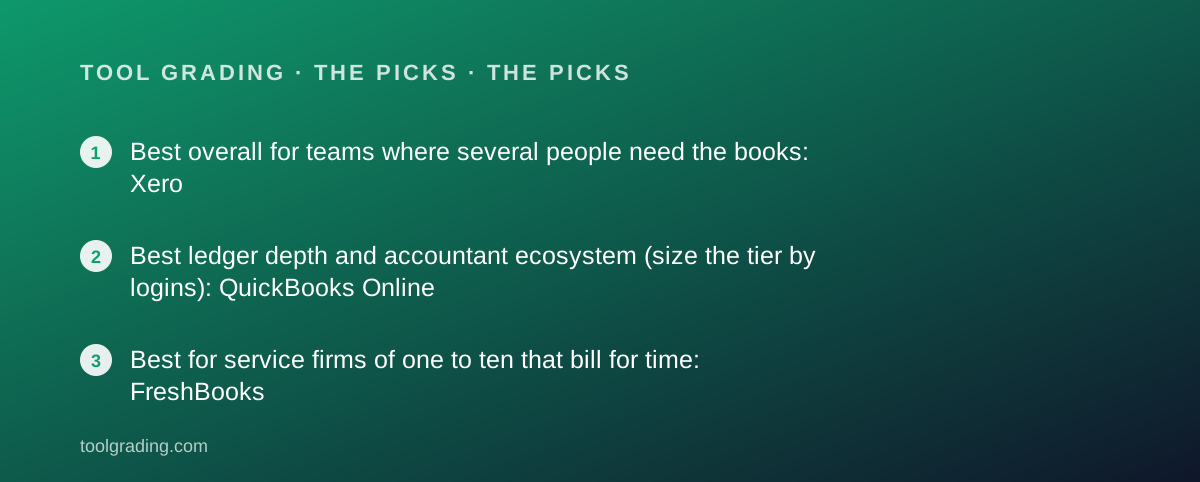
- Best overall for teams where several people need the books: Xero
- Best ledger depth and accountant ecosystem (size the tier by logins): QuickBooks Online
- Best for service firms of one to ten that bill for time: FreshBooks
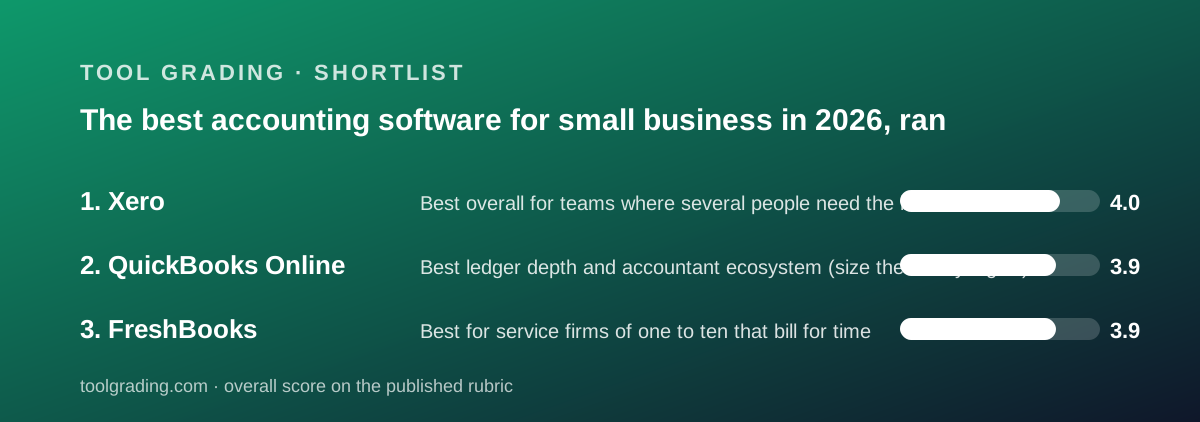
This is a ranking from documentation and verified user reports, against the rubric on the method page: ease for a small team, feature depth against real need, value at ten people, and documented support. No first-hand testing was run for any of the three products and none is claimed. The order is by the sum of the four sub-scores: Xero at 15.9, QuickBooks Online at 15.6 and FreshBooks at 15.5. That is a spread of four tenths of a point across three products that are built on three different ideas, and the sub-scores matter more than the totals. The single most useful fact in all three reviews is how each product counts: QuickBooks Online by company with a user cap per tier, Xero by organisation with no per-user charge listed, and FreshBooks by billable clients plus a fee per team member. For a ten-person business, those three counting rules produce three very different bills for the same headcount. All three are double-entry ledgers or grow one; what differs is which object sits at the centre, the chart of accounts, the bank feed or the invoice.
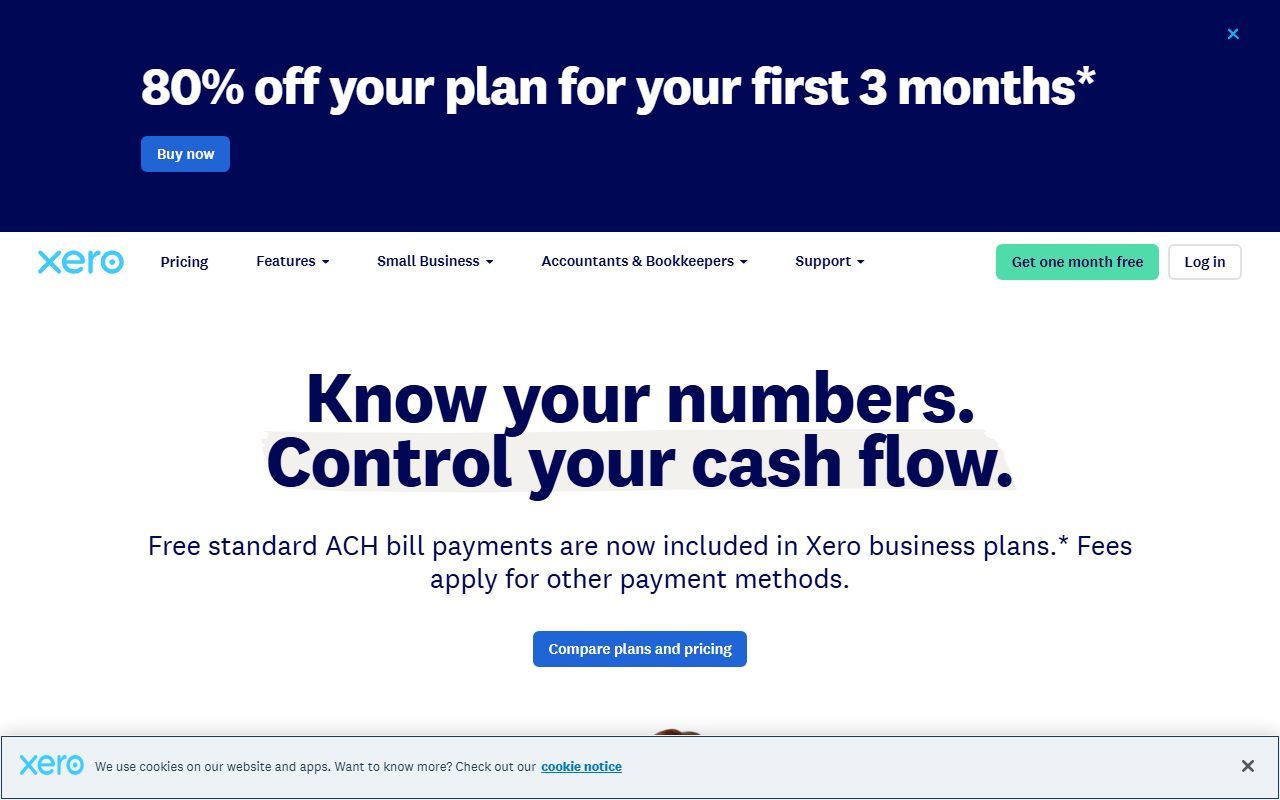
All three reviews read the US pricing pages on October 7, 2026 and all three found promotional rates displayed next to regular rates: 50 percent off for three months at QuickBooks Online, discounted first-three-month figures at Xero, and 80 percent off for three months on two FreshBooks tiers. Every figure in this guide is the regular rate, because the regular rate is the rate, and a buyer comparing one vendor's promotion against another's regular price is comparing the wrong numbers. Payroll is outside all three subscriptions: QuickBooks Online sells it as an add-on whose price the review did not read, Xero delivers it through a Gusto partnership at $36 per month plus $6 per person, and FreshBooks lists it at $40 per month plus $6 per user. Payment processing fees sit outside every figure as well, and the FreshBooks review notes them as the cost verified users most often say they underestimated.
Xero is first at 15.9: value 4.2, ease 4.1, features 4.1, support 3.5. The review found the cleanest-designed full ledger in the small-business tier and the pricing shape that most favours a team. Three per-organisation tiers were listed: Early at $27 per month, capped at 20 invoices and quotes and 5 bills per month; Growing at $59 with those caps removed, a 60-day cash-flow forecast, bill automation and 3 budgets; Established at $97 adding multi-currency, projects, employee expense claims and KPI analysis. No per-user charge or user cap appears on any plan as published, so a ten-person deployment costs the same as a one-person one. Bank reconciliation is the product's core strength, built into the daily loop rather than added to it, and verified reports describe the interface with unusual consistency as the ledger a non-accountant can be handed. The vendor cites 1000-plus connected apps and delivers depth such as advanced inventory and US payroll through partners. Budgets, 3 on Growing, and cash-flow forecasting are built in, and the top tier's multi-currency includes revaluation rather than a display convenience.
Two things hold Xero's grade. The Early tier is capped so tightly that the review calls it rarely the tier anyone stays on, so the practical entry price is $59 rather than $27, and multi-currency, projects and expense claims are confined to the top tier, so one needed feature costs $38 per month more for the whole bundle. The larger issue is support, at 3.5 the lowest sub-score in this guide, and the vendor states the reason itself: per the US support page, Xero offers free and unlimited online support through Xero Central and will call a customer who asks, but does not offer inbound phone support, and publishes no hours or response commitment. Verified reports describe routine questions handled well and urgent ones, a stopped bank feed or a failed payroll run, as slow when the only route is a ticket and a callback. The review states that a business for which inbound phone support is a requirement should treat that as disqualifying rather than minor.
QuickBooks Online is second at 15.6: features 4.5, ease 3.8, support 3.7, value 3.6. The feature sub-score is the highest in this guide and the review earns it on the ledger: classes, locations, projects and budgets on the Plus tier mean a ten-person business can report profit and loss by department, by project and against budget from one set of books, and inventory on Plus is real inventory with quantities, cost of goods and reorder points. The accountant ecosystem is the largest in the category, every paid tier includes accountant seats, and the review's practical observation is that the accountant often picks the software and the business inherits it. Per the pricing page, the regular rates are Simple Start $38 per month for 1 user, Essentials $85 for 3 users, Plus $140 for 5 users and Advanced $340 for 25 users, with a free tier for one user capped at 2 invoices per month. The user caps, not the features, are what decide the tier. Bill pay, with a stated allowance of free ACH payments per month on Plus, and contractor 1099 management are included rather than bolted on, which matters at year end.
The value arithmetic for QuickBooks Online depends entirely on how many of the ten need a login, and the review runs both cases. If two or three people touch the books, with the external accountant on an accountant seat, Essentials at $85 or Plus at $140 covers the whole business for a flat fee that does not rise when it hires, which is a strong position against per-seat tools. If all ten need to log in, because staff submit expenses, track time or raise invoices, the five-user cap on Plus binds and the business is on Advanced at $340 per month, paying for unlimited classes, batch invoicing and priority support it may not need purely to get seats. That is the comparison that puts Xero ahead for team-wide deployment. Verified reports name price increases and the gap between promotional and regular rates as the dominant complaint, support below Advanced as script-driven and slow, and an interface that accumulates features without simplifying old ones.
FreshBooks is third at 15.5: ease 4.5, support 4.0, features 3.6, value 3.4. The review's one-sentence summary is that FreshBooks is an invoicing and client-billing system that grew a general ledger behind it, which is the opposite of how the other two are built. The invoice is the primary object; time entries, expenses, estimates, proposals and retainers exist to become lines on it; and the double-entry ledger with bank reconciliation and accountant access appears from the Plus tier. For a consultant, agency or trades business whose finance function is sending bills and chasing payment, that design is exactly right, and the ease sub-score is the highest in the accounting category on this site because the product assumes no accounting vocabulary. Verified reports rate the invoices, the client payment experience and the automated reminders as the best-designed in the category, and, unusually, are more positive about support than for either rival. The mobile apps carry the same workflow, including receipt capture and time tracking, which matters for people who invoice from the field.
The FreshBooks pricing structure is what pushes it to third for a ten-person team. Per the pricing page, Lite is $23 per month for 5 billable clients, Plus is $43 for 50, Premium is $70 for unlimited, and Select is custom. None of the three self-serve tiers includes additional team members; each one added is $11 per month. The review's arithmetic: a ten-person agency billing more than 50 clients is on Premium at $70 plus nine team members at $99, for $169 per month, or $142 on Plus with fewer clients, before payroll or payment fees. Against Xero Growing at $59 carrying the whole team, that is the more expensive product for a less capable ledger. The calculation reverses at small sizes: a solo consultant on Plus at $43 gets a better invoicing and time-tracking experience than either full ledger offers. Inventory, classes, locations, budgets and multi-entity reporting are absent by design, so a product business or a finance team is out of scope. The Lite tier omits double-entry accounting and bank reconciliation, so it is an invoicing tool rather than accounting software, and the review places the real entry point at Plus.
Ease and support separate the three more sharply than the totals suggest. QuickBooks Online assumes its operator knows what an account, a class and a journal entry are; the review notes that undoing reconciliation mistakes is harder than making them, with a help centre full of articles on exactly that, and that related settings live in several places because the interface has grown by accretion. Xero's documented daily loop, bank lines on the left and proposed matches on the right, is learnable in an afternoon by a non-accountant, which is the main reason it works for team-wide deployment. FreshBooks requires no accounting vocabulary at all until the Plus-tier ledger comes into play. On support, QuickBooks Online has the most extensive self-service material, nine topic areas with articles, video and a community, and the weakest verified-report pattern below Advanced, which is the only tier listing priority support. Xero's documentation through Xero Central is detailed and current, and its single disqualifying fact is the absence of inbound phone. FreshBooks publishes no hours or response commitment on the page read, reserves dedicated phone support for Select, and displays a vendor rating of 4.8 across 120,000-plus reviews, which the review records as a claim rather than a verified figure.
The counting rules deserve a direct comparison for the ten-person case, because they decide more than the features do. Xero: $59 or $97 per month depending on whether multi-currency, projects or expense claims are needed, with all ten logged in, and roughly $155 to $193 with payroll for ten through the Gusto partnership. QuickBooks Online: $85 or $140 per month if only three to five people need access, $340 if all ten do, plus payroll at an unread price. FreshBooks: $142 or $169 per month with all ten as team members, plus payroll at $40 plus $6 per user. For a lean finance function where the owner and a bookkeeper do everything, QuickBooks Online Plus is competitive and brings the deepest ledger. For a business that wants everyone submitting expenses and raising invoices in the system, Xero is clearly the cheapest and FreshBooks the dearest. All three bills exclude payment processing fees. Verified reports for all three name price increases over time as a recurring complaint, which mirrors the pricing complaint against every vendor in the category.
The practical order is by the shape of the business. A US business whose accountant already works in QuickBooks, or that needs inventory, class tracking or project profitability inside the ledger, should stay with QuickBooks Online and size the tier by logins. A business of five to fifty where several people need to be in the books, that is comfortable with online-only support and whose accountant has no strong preference, should choose Xero Growing or Established. A service firm of one to ten that bills clients for time and projects and does not want to learn a ledger should choose FreshBooks Plus or Premium and count the team-member fees honestly. In every case, check the live pricing page on the day of purchase, compare regular rates only, and add payroll and processing fees before comparing the all-in figure, because the figures here were true on October 7, 2026 and every vendor in this category revises them.
Best overall for teams where several people need the books: Xero
Total 15.9: ease 4.1, features 4.1, value 4.2, support 3.5. A clean cloud ledger built around bank reconciliation, priced per organisation with no per-user charge listed on any plan as of October 2026: Early $27 per month capped at 20 invoices and 5 bills, Growing $59 with the caps removed, Established $97 with multi-currency, projects and expense claims. Ten people can all log in at no extra cost, and payroll through the Gusto partnership adds $36 plus $6 per person. The Early caps make $59 the practical entry price. Support is online-only with callback rather than inbound phone, which verified reports name as the product's most consistent frustration.
Visit Xero
We have no affiliate relationship with this vendor. Link goes to the official site.
Best ledger depth and accountant ecosystem (size the tier by logins): QuickBooks Online
Total 15.6: ease 3.8, features 4.5, value 3.6, support 3.7. The deepest general ledger in the small-business tier, with inventory, project profitability, budgets and 40 classes and locations on Plus, and the largest US accountant base. Priced per company with user caps per tier: regular rates of $38 Simple Start for 1 user, $85 Essentials for 3, $140 Plus for 5 and $340 Advanced for 25, as of October 2026, each shown with 50 percent off for three months. A ten-person team needing ten logins is on Advanced for seats alone. Verified reports cite price increases, promotional-to-regular jumps and script-driven support below Advanced.
Visit QuickBooks Online
We have no affiliate relationship with this vendor. Link goes to the official site.
Best for service firms of one to ten that bill for time: FreshBooks
Total 15.5: ease 4.5, features 3.6, value 3.4, support 4.0. Invoicing, estimates, proposals, retainers, time tracking and online payment are the core, with a real double-entry ledger from Plus. Priced by billable clients: Lite $23 per month for 5, Plus $43 for 50, Premium $70 for unlimited, as of October 2026, with every additional team member $11 per month. A ten-person firm on Premium pays $169 per month before payroll at $40 plus $6 per user and processing fees, which is why it ranks third at that size and would rank first for a solo consultant. No inventory, classes or multi-entity reporting by design. Support reports are more positive than for either rival.
Visit FreshBooks
We have no affiliate relationship with this vendor. Link goes to the official site.
How we chose
Three accounting products with full reviews on this site were ranked by the sum of their four rubric sub-scores, ease, features, value and support, as defined on the method page. Sub-scores were built from vendor documentation, US pricing pages read on October 7, 2026, and patterns in verified user reports on public review platforms and vendor communities. All figures are regular rates; promotional first-three-month pricing displayed by every vendor is excluded deliberately. Payroll and payment processing sit outside every figure. No first-hand testing was run and none is claimed.
Frequently asked
Why does Xero rank above QuickBooks Online when QuickBooks has the deeper ledger?
The rubric scores value at a ten-person team, and the two counting rules diverge sharply there. Xero lists no per-user charge, so ten people on Growing cost $59 per month; QuickBooks Online caps Plus at 5 users, so ten logins require Advanced at $340. QuickBooks Online keeps the higher feature sub-score, 4.5 against 4.1, and a business that needs inventory or class tracking, or whose accountant works in QuickBooks, should weight that over the rank.
Which is cheapest for a ten-person business?
With all ten logging in, Xero Growing at $59 per month regular is the cheapest, FreshBooks is $142 to $169 once nine team members are added at $11 each, and QuickBooks Online is $340 on Advanced. If only two or three people touch the books, QuickBooks Online Essentials at $85 or Plus at $140 becomes competitive. All three exclude payroll and payment processing fees.
Are the promotional rates included?
No. All three vendors displayed introductory discounts on October 7, 2026, and this guide uses regular rates only, because the regular rate is what the business pays after the first three months. Comparing one vendor's promotion against another's regular price is comparing the wrong numbers.
Did this site test any of these products?
No. Every grade is a documentation review built from vendor documentation, pricing pages and patterns in verified user reports, against the published rubric. No first-hand testing was run and none is claimed. The method page explains how each sub-score is built.