 Tool
ToolZoho CRM
The most customisable CRM at small-business prices - custom modules, blueprints and workflows at tiers where rivals sell templates.
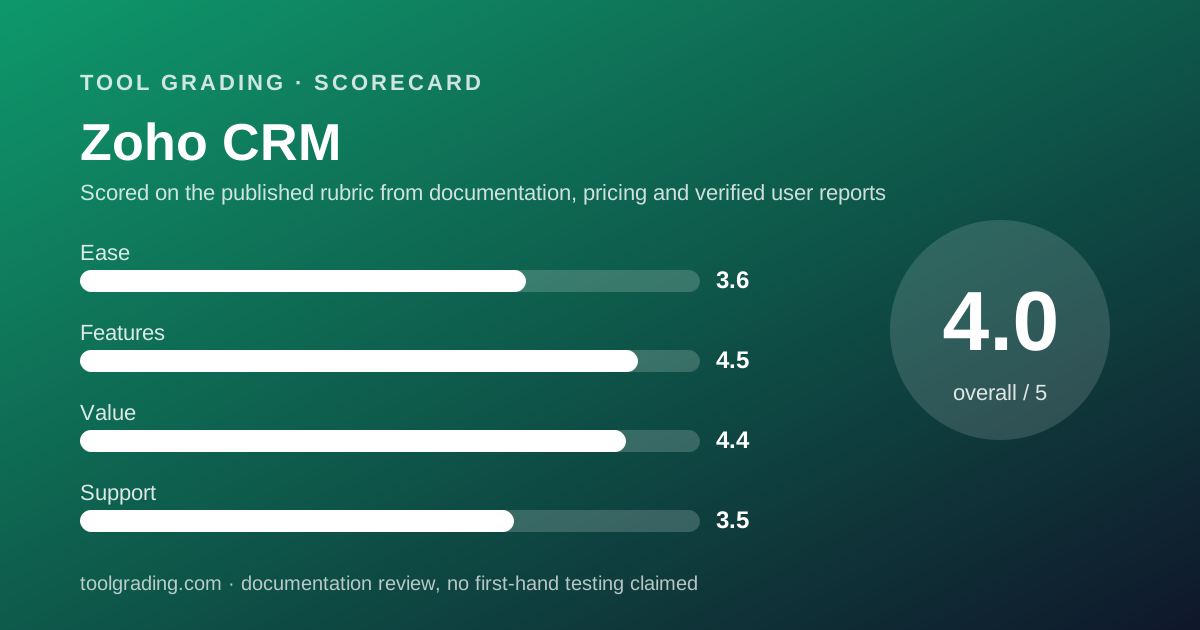
Scored on the published rubric, from documentation, pricing and verified user reports.
Best for: Teams of five to fifty with a process that does not fit a standard pipeline, who have one person willing to configure modules, fields and blueprints properly.
Verdict
Zoho CRM is the product in this category that treats configuration as the point rather than a premium feature. Custom modules, field-level rules, workflow automation and blueprint process enforcement are documented at editions that cost less per user than the entry tiers of its larger rivals, and the edition comparison page publishes the caps - fields per module, storage, API credits - rather than hiding them. The cost is density: the interface and the administrative model assume someone will learn them, and verified user reports are consistent that the team which skips that step gets a cluttered tool and blames it. Support is the weakest axis, with direct channels and response commitments that vary by region and paid support plan, and documentation that is broad but uneven. For a team with an unusual process and a modest budget, it is the strongest value graded here. This grade comes from vendor documentation, pricing structure and verified user reports, against the published rubric; it is a documentation review, no first-hand testing was run and none is claimed.
Visit Zoho CRM
We have no affiliate relationship with this vendor. Link goes to the official site.
Where it is strong
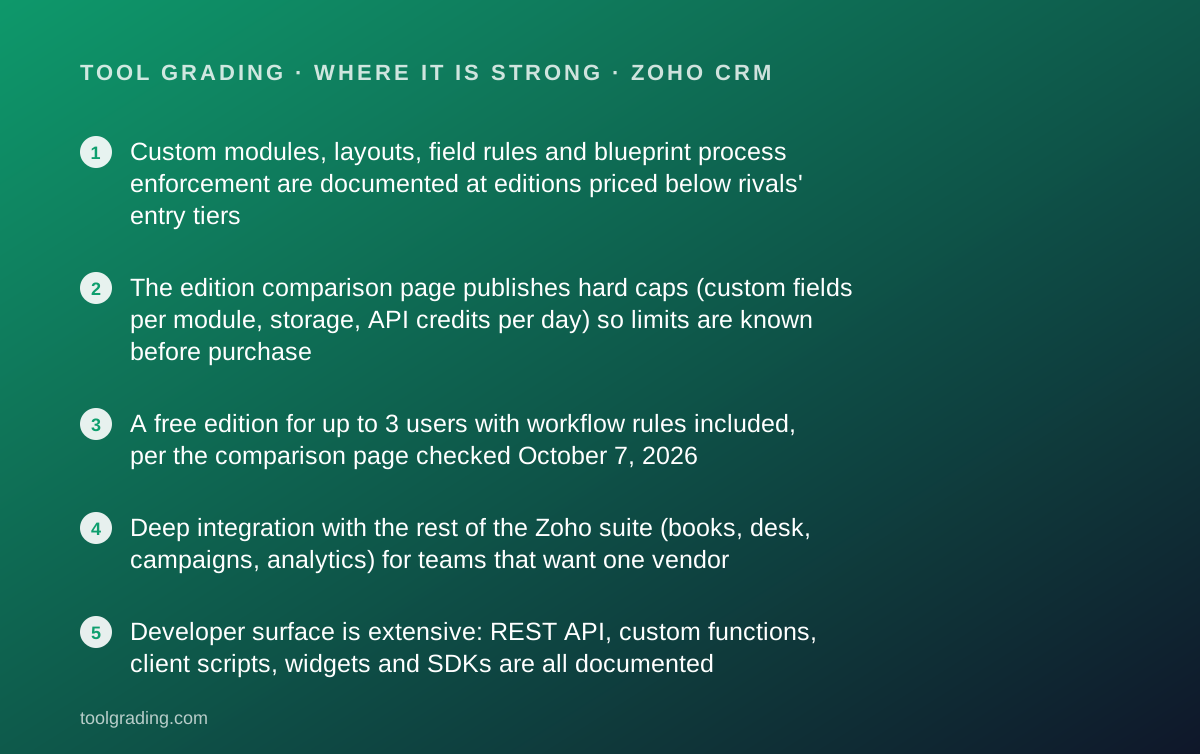
- Custom modules, layouts, field rules and blueprint process enforcement are documented at editions priced below rivals' entry tiers
- The edition comparison page publishes hard caps (custom fields per module, storage, API credits per day) so limits are known before purchase
- A free edition for up to 3 users with workflow rules included, per the comparison page checked October 7, 2026
- Deep integration with the rest of the Zoho suite (books, desk, campaigns, analytics) for teams that want one vendor
- Developer surface is extensive: REST API, custom functions, client scripts, widgets and SDKs are all documented
Where it falls short
- The interface is dense and the administrative model has a real learning curve; verified user reports consistently cite clutter when configuration is neglected
- Custom fields are capped at 10 per module on Starter and Standard per the comparison page, which pushes any genuinely custom process to Professional or above
- Direct support channels and response commitments depend on region and on paid support plans; the documentation home page emphasises self-service
- Regional pricing differs: the pricing page served to one region displayed a different edition ladder and currency than the comparison page, so the figure a buyer sees depends on where they are
- Documentation is broad but uneven in depth, and verified reports describe gaps between the help centre and current interface behaviour
What the product actually is
Zoho CRM is a configurable record system with sales defaults. Out of the box it has the standard modules - leads, contacts, accounts, deals, activities, products - and the sales process most CRMs assume. What distinguishes it is that those modules are instances of a general mechanism: a module is a table with a layout, fields, validation rules, and relationships to other modules, and an administrator can create new ones. A CRM for a clinic can have a Patients module; a CRM for a franchise can have a Locations module related to Owners and Leases.
Around the data model sit three process layers that the documentation home page, read on October 7, 2026, names directly: workflow rules (if a record changes, do something), blueprints (a record of this type must move through these states, and these fields must be filled at each transition), and approval processes. Blueprint is the feature that most separates Zoho CRM from the pipeline-first tools graded here: it enforces process rather than displaying it.
Who it is for, and who it is not
The team this fits best is one with a non-standard process and someone who will own the configuration. A company selling to multiple entity types, a business with a compliance-driven sequence of steps, a firm whose deal needs to carry a dozen fields that a template CRM does not have, or a team that wants the CRM to enforce its process rather than describe it. Verified user reports place manufacturing, professional services, education and real estate among the common users, and the shared property is process variation.
It also fits budget-constrained teams that need more than a board. The edition comparison page documents workflow rules on the free edition and paid editions at per-user rates that undercut the entry tiers of larger rivals, which makes it the practical choice for a team that needs real automation on a small budget.
The product fits less well in two cases. A pure sales team that wants sellers to keep the pipeline current with minimal friction will adopt Pipedrive faster and resent Zoho's density. And a team without a configuration owner will end up with the default layout, every field visible, and a tool that feels like it was built for someone else, which is the most consistent negative in verified reports.
How the pricing is structured
Two official pages were read on October 7, 2026. The pricing page, served in Indian rupees because of request location, showed Free, Standard, Professional, Enterprise and Ultimate with a note that annual billing saves up to 34 percent and that local taxes are added. The edition comparison page, which displayed US dollar figures, listed six editions: Free, Starter, Standard, Professional, Enterprise and Ultimate. The dollar figures below come from the comparison page and are annual-billing rates; the Ultimate rate was not shown on the page as read.
Free covers 3 users, with workflow rules, 5,000 records, 1 GB of storage and 5,000 API credits per day. Starter is $14 per user per month, Standard $23, Professional $40 and Enterprise $52, all billed annually. The comparison page also publishes per-edition caps: 10 custom fields per module on Starter and Standard, 155 on Professional, 300 on Enterprise and 500 on Ultimate; organisational storage of 1 GB plus a per-licence allowance at the lower editions, rising to 10 GB at Professional and Enterprise; API credits of 100,000 per day on Starter and Standard, 500,000 on Professional and 1,000,000 on Enterprise.
The variables that push a bill up: the custom-field cap, which is the single most likely reason a small team moves from Standard to Professional; the feature forcing Enterprise (sandbox, territory management, advanced customisation are the usual ones); monthly billing, which removes the discount; and add-on products from the wider suite. The regional pricing difference is real and a buyer should read the page served to their own location.
- Free: up to 3 users, workflow rules, 5,000 records, 1 GB storage (comparison page, October 7, 2026)
- Starter: $14 per user per month billed annually, 10 custom fields per module
- Standard: $23 per user per month billed annually, 10 custom fields per module
- Professional: $40 per user per month billed annually, 155 custom fields per module, 10 GB storage
- Enterprise: $52 per user per month billed annually, 300 custom fields per module; Ultimate rate not displayed on the page read
Ease of use: what the score is built from
The ease sub-score of 3.6 is the lowest on this page, and it is a score for a product that is easy to start and genuinely hard to configure well.
What carries it: a short path to the default sales setup. The getting-started section of the documentation walks through importing data, inviting users and working the default lead-to-deal flow, and a team willing to live with the defaults is operational quickly. The mobile applications are documented as full clients rather than companions.
What costs points, in order. First, density: the interface exposes every module and most settings by default, and the administrative panel is large. Verified user reports are consistent that the product feels cluttered until someone hides what the team does not use. Second, the configuration model is powerful and therefore not simple: layouts, field rules, validation, blueprints, workflow rules and assignment rules are separate concepts with separate screens, and the documentation treats them separately. Third, the documentation itself is broad but uneven, with reports of articles lagging interface changes, which lengthens the configuration phase.
The practical picture for a team of five to fifty: a fortnight of one capable person's attention to configure modules, hide fields and build the first blueprint, after which the tool is as easy as any CRM for the end user, because the configuration has removed what the team does not need. The teams that report Zoho CRM as hard to use are, in the pattern of the reports, the teams that skipped that fortnight. That is a real cost and it is why the score is where it is; it is not a defect in the product so much as a requirement of it.
Feature depth: what the score is built from
The feature score of 4.5 ties the highest on this page and is earned on configurability rather than polish.
The capabilities that carry it. Custom modules and layouts, available at editions where rivals offer custom fields only. Blueprint, which enforces a state sequence with required fields at each transition, and which no other product graded here matches at a comparable price. Workflow rules, present even on the free edition per the comparison page, with the automated responses and sales activity triggers the documentation describes. Approval processes. Territory and assignment rules at the higher editions. A developer surface - custom functions, client scripts, widgets, SDKs - that lets a team without a vendor-specific consultant build what the product lacks. Reporting and analytics are documented as a core area, with the dedicated analytics product in the suite as the escalation path.
Email and activity handling are competent and not the product's distinction. Verified reports describe the email integration as adequate and the seller's daily surface as less focused than Pipedrive's; a team whose entire problem is seller adoption should weight that.
What is thin: polish and consistency across the breadth. A product with this many surfaces has more edges, and reports describe some features as feeling less finished than others. Integration with non-Zoho products is documented for Google and Microsoft and through a marketplace, and the usual caution applies about reading an integration's own documentation for sync direction and field coverage.
Value at a realistic team size
Take a ten-person team: six salespeople, two managers, one operations person who owns configuration, one person who reads.
On Standard at $23 per user per month billed annually, ten users cost $230 per month, or $2,760 per year, with workflow rules, the standard modules and 10 custom fields per module. For a team whose process fits the standard modules with a handful of extra fields, that is the cheapest working CRM graded on this site for that headcount, by a wide margin against HubSpot Professional and a comfortable one against most of the category.
On Professional at $40 per user per month, ten users cost $400 per month, or $4,800 per year, and the custom-field cap rises to 155 per module, with 10 GB of storage and 500,000 API credits per day. This is the realistic edition for the team the product fits best - the one with a non-standard process - and it still sits below the starting rate of HubSpot Sales Hub Professional for a single seat multiplied out.
The value score of 4.4 reflects that arithmetic. It is not 4.8 because the real cost includes the configuration fortnight, because the regional pricing variance makes the figures above a US statement rather than a universal one, and because support beyond self-service may cost extra. Against the category, however, the ratio of configurability to price is the best on this page, and verified user reports agree on that point even when they complain about everything else.
Support and documentation
The support sub-score of 3.5 is the lowest on this page and reflects the parts of the rubric that documentation cannot fully answer.
Self-service is broad. The documentation home page, read on October 7, 2026, organises material into getting started, administration, marketing and sales automation, analytics and collaboration, mobile, integrations and a developer section covering APIs, custom functions, client scripting, widgets and SDKs. Breadth is not the issue. Depth and currency are: verified user reports describe help articles that lag the interface, and screenshots that do not match the current layout, which matters more for a product whose value depends on configuration being done correctly.
Direct channels are where the score is lost. The documentation home page emphasises self-service and does not map channels to editions. The vendor's published practice has been email and community support as standard with phone and chat availability depending on region and on paid support plans sold separately from the CRM editions. Because the pages read did not state the current entitlement per edition, a buyer should get the support terms for their region in writing before relying on a response commitment. This page will not estimate response times.
A public status page is maintained across the Zoho services. The recurring pattern in verified reports is that support is responsive for straightforward questions and slow or inconsistent for anything that needs escalation, with regional variation noted more often than for most vendors.
What verified users report
Across public review platforms and forums the reports about Zoho CRM are polarised in a specific and consistent way.
The dominant positive is value: users describe getting enterprise-grade customisation at a small-business price, and the free edition is frequently cited as the reason a team tried the product at all. The second positive is blueprint and workflow automation, which users with process-heavy businesses describe as the feature that made the CRM enforce their process rather than record it. The third is the suite: teams on multiple Zoho products describe the integration as the reason they stay.
The dominant complaint is the interface, described as cluttered, dated in places, and inconsistent across modules. The pattern in these reports is instructive: they come disproportionately from teams that used the default configuration. Users who configured the product describe the same interface as fine.
The second complaint is support, with recurring reports of slow responses, regional variation and difficulty reaching a person without a paid support plan.
These reports are weighed as evidence of pattern, not as measurements, and they are not converted into a number. They explain the shape of the grade: features and value high, ease and support lower.
Alternatives on this site
Three alternatives graded here answer the three common objections to Zoho CRM.
Pipedrive is the answer when the objection is seller adoption. It has almost nothing to configure, its pipeline surface is the best in the category, and salespeople keep it current. It cannot model a custom process and it is narrower in every other direction.
HubSpot CRM is the answer when the objection is cross-functional scope and documentation quality. Its shared customer record spans marketing, sales and support, and its self-service material is the strongest in business software. The trade is a tier ladder that places the sales automation most teams need at a per-seat rate several times Zoho's Professional edition, and custom objects at Enterprise.
Bottom line
Zoho CRM earns a high feature score and the best value score on this page, and lower scores for ease and support, and the whole grade is the tension between those pairs. It is the product for a team that has a process the standard pipeline does not fit and a person willing to make the tool fit it. It is a poor choice for a team that wants the defaults to be right.
Buy it if your process needs custom modules, enforced state transitions or workflow automation at a price that leaves budget for everything else; if someone on the team will own a fortnight of configuration; and if the free or Standard edition genuinely covers your first year, which for many ten-person teams it will.
Do not buy it if your single problem is sellers not using the CRM, if nobody will own configuration, or if you need a named support contact with a response commitment and have not confirmed that your region's support plan provides one.
Prices and caps are the parts of this page most likely to go stale, and the regional variance means the figures above are a US statement. Open the pricing page served to your location before you sign anything.
Visit Zoho CRM
We have no affiliate relationship with this vendor. Link goes to the official site.