 Tool
Tool
Pipedrive
A pipeline-first sales CRM where the deal and its next activity are the whole model - fast for sellers, thin for everyone else.
Scored on the published rubric, from documentation, pricing and verified user reports.
Best for: Sales teams of three to thirty whose work is a sequence of deals moving through stages, and who want sellers to maintain the CRM without being told to.
Verdict
Pipedrive is the most disciplined product in its category about what it is for: a deal moves through a pipeline, every deal has a next scheduled activity, and the interface is built to make a seller do the next activity rather than look at a dashboard. That focus is why adoption by salespeople is the product's consistent strength in verified reports, and it is also the boundary of the product. There is no marketing automation worth the name, no support ticketing, and the reporting is adequate for a sales manager rather than a finance team. The 2025 repackaging into Lite, Growth, Premium and Ultimate moved email sync and automations to the second rung and the meaningful limits - open deals, active automations, reports - are documented per plan, which is more transparent than most. The pricing page itself could not be read for this entry and no prices are printed here. This grade comes from vendor documentation, pricing structure and verified user reports, against the published rubric; it is a documentation review, no first-hand testing was run and none is claimed.
Visit Pipedrive
We have no affiliate relationship with this vendor. Link goes to the official site.
Where it is strong
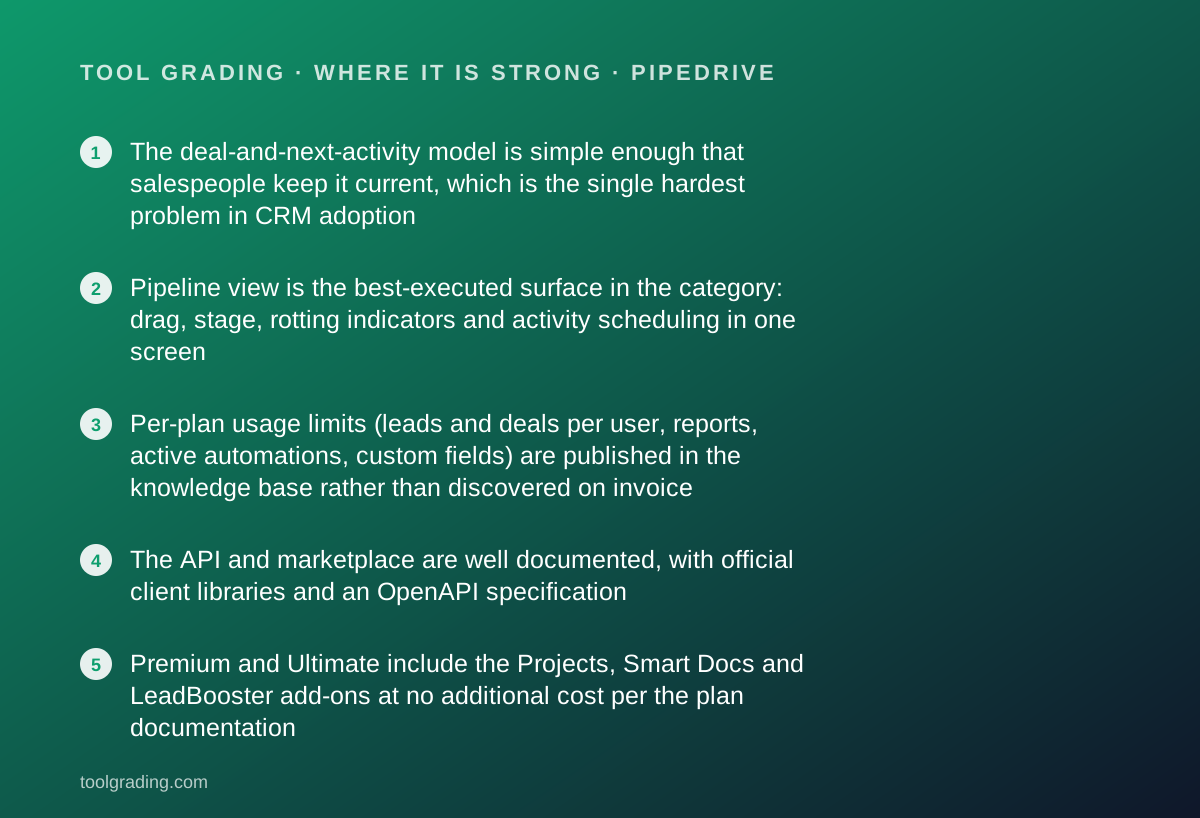
- The deal-and-next-activity model is simple enough that salespeople keep it current, which is the single hardest problem in CRM adoption
- Pipeline view is the best-executed surface in the category: drag, stage, rotting indicators and activity scheduling in one screen
- Per-plan usage limits (leads and deals per user, reports, active automations, custom fields) are published in the knowledge base rather than discovered on invoice
- The API and marketplace are well documented, with official client libraries and an OpenAPI specification
- Premium and Ultimate include the Projects, Smart Docs and LeadBooster add-ons at no additional cost per the plan documentation
Where it falls short
- Email sync, templates, open tracking and automations are absent from Lite per the plan documentation - the bottom tier is a pipeline board, not a working sales tool
- Live chat support begins at Growth and phone support at Premium, per the knowledge base; Lite customers get a chatbot
- Reporting is capped per plan (50 reports on Growth, 250 per user on Premium per the plan-change article) and is oriented to pipeline metrics rather than general business reporting
- Marketing (Campaigns) and website visitor identification are paid add-ons on every plan, so the all-in cost is higher than the seat price
- The pricing page returned an access error on the day this entry was written, so no prices are printed and the value score is a structural judgement only
What the product actually is
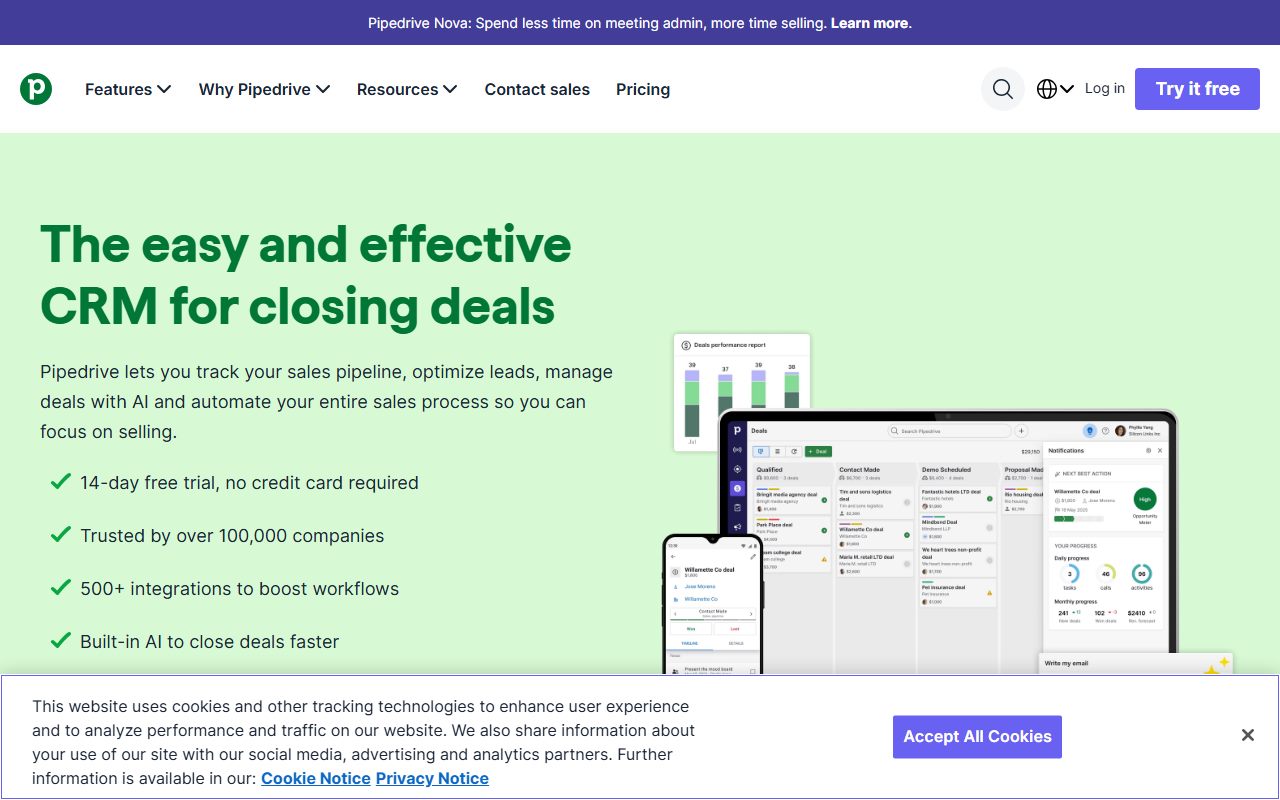
Pipedrive is a sales CRM built around one object and one rule. The object is the deal: a record with a value, a stage in a pipeline, a linked person and organisation, and a history of activities. The rule, visible throughout the knowledge base, is that every open deal should have a next activity scheduled. The interface enforces that rule softly: a deal with no next activity is flagged, a deal that has sat too long in a stage is marked as rotting, and the home screen for a seller is the list of activities due today rather than a dashboard.
Around the deal sit the supporting objects documented in the API reference read for this entry: persons, organisations, activities, leads (with their own inbox, separate from deals, so unqualified contacts do not clutter the pipeline), products, and projects as an add-on. Custom fields attach to deals, persons and organisations, with caps that vary by plan.
That is the whole model, and its narrowness is the design. A marketing team will not find campaigns in the core product; they are a paid add-on. A support team will not find tickets at all. A finance manager will find pipeline reports and forecasting, not a general reporting engine. Where HubSpot CRM is a shared customer record with products on top, Pipedrive is a sales team's working surface, and it is judged here as that.
Who it is for, and who it is not
The team this fits is a sales team of roughly three to thirty, selling a product or service with a definable stage sequence, where the manager's main need is to know what is in the pipeline, what is stuck and what each seller is doing today. Agencies, B2B services, recruitment, real estate and wholesale distribution are typical in verified user reports. The common property is that the unit of work is a deal and the deal has a shape.
It also fits teams whose last CRM failed because nobody used it. The deal-first interface and the activity discipline are the product's answer to that failure, and the answer is credible: the most consistent positive in verified reports is that salespeople actually keep Pipedrive current.
Two kinds of team it does not fit. The first is any team that needs the CRM to be the customer record for marketing and support as well as sales. Pipedrive's marketing capability is an add-on called Campaigns, and there is no ticketing. A company that wants one record shared across functions is describing HubSpot, not Pipedrive. The second is a team with complex data relationships or a need for custom modules: there are custom fields, and on Ultimate the knowledge base documents a cap of 500 of them, but there is no custom object model in the sense that Zoho CRM or an enterprise CRM provides.
How the pricing is structured
The official pricing page returned an access error on every attempt on October 7, 2026, so no prices are printed in this entry. That is a standing rule on this site rather than a hedge. What follows is the structure, taken from three knowledge base articles read the same day: the pricing explainer, the plan feature comparison and the article describing the 2025 plan changes.
There are four plans: Lite, Growth, Premium and Ultimate. The 2025 article states that Lite replaces Essential, Growth replaces Advanced, Premium replaces both Professional and Power, and Ultimate replaces Enterprise. Each is priced per seat; the pricing explainer states that a seat is charged whether or not a user is assigned to it, which matters for teams that leave seats open between hires. Billing is monthly or annual, with the annual cycle paid upfront at a discount. The explainer also states that billing currency and rates vary by location, so a reader in one region should not assume another region's figure.
Add-ons sit on top: LeadBooster, Projects and Smart Docs are included on Premium and Ultimate and sold separately below that; Campaigns and Web Visitors are paid add-ons on every plan. Usage top-ups exist for Growth and Premium in fixed increments, for example API tokens and leads-plus-deals capacity.
- Lite: pipeline, custom fields, leads inbox, import and export, products; no email sync or automations per the plan documentation
- Growth: adds email sync, templates, tracking, automations, sequences, meeting scheduler and live chat support
- Premium: adds required and formula fields, AI email tools, multiple dashboards, custom permissions, phone support; includes Projects, Smart Docs and LeadBooster
- Ultimate: adds contact data enrichment, security rules and alerts; documented caps of 500 custom fields and 500 reports
- All plans per seat, monthly or annual; prices vary by region and were not verified
Ease of use: what the score is built from
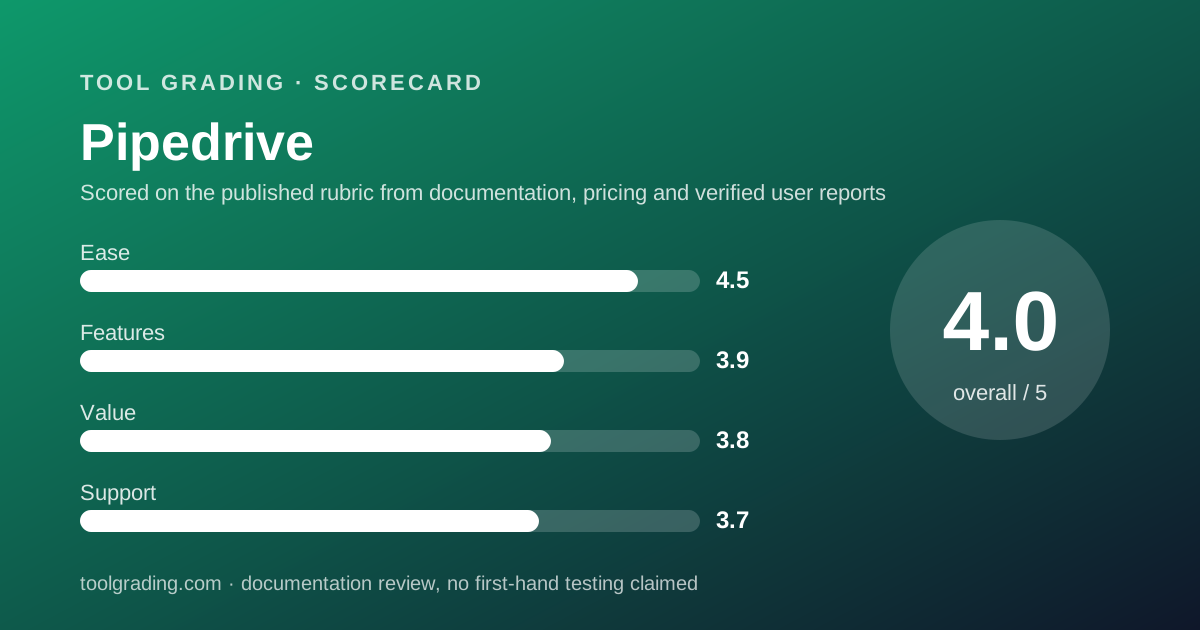
The ease sub-score of 4.5 is the highest on this page and is built from the model described above. A product with one primary object and one rule has very little to learn. The knowledge base organises itself around that: setting up pipelines, importing data, scheduling activities, connecting email. There is no administrative phase comparable to configuring properties across four objects in a hub-based CRM.
Three documented properties carry the score. First, pipeline setup is a matter of naming stages, and the documentation describes multiple pipelines per account for teams selling different things. Second, the activity model means the seller's daily view is generated from the data rather than configured as a dashboard. Third, the mobile application is treated as a first-class surface in the documentation, which matters for field sales.
What costs points is the second rung. On Lite, per the plan comparison, there is no email sync and no automation, so the product is a well-designed board with manual data entry. The ease of the product as most teams experience it is the ease of Growth and above, where email flows in without effort. A team evaluating on Lite is evaluating a different product, and the score assumes Growth.
For a team of five to thirty, the realistic rollout is days rather than weeks, and the knowledge base is sufficient without a consultant.
Feature depth: what the score is built from
The feature score of 3.9 is a score for depth within a deliberately narrow scope, and it should be read that way. Judged as a sales pipeline tool, Pipedrive is close to the top of the category; judged as a customer platform, it is not competing.
What carries the score. The pipeline surface itself, with stage probabilities, rotting indicators and drag-based stage changes, is the best-executed in the category. Automations, from Growth upward, trigger on deal and activity events, with the 2025 article documenting an increase in if-else branching per automation (three steps on Growth, ten on Premium) and a cap of 150 active automations on Premium. Sequences for multi-step outreach arrive at Growth with a cap of 25 on Premium. Custom and formula fields, required fields and pipeline-specific fields arrive at Premium, which is where the product becomes configurable enough for a team with process variation. The AI features - email creation and summarisation - are documented at Premium.
Reporting is competent and bounded. The plan-change article documents report caps of 50 on Growth and 250 per user on Premium, and the knowledge base describes reports and goals in terms of pipeline metrics: conversion by stage, activity counts, revenue forecast. Teams wanting general business reporting will export.
Value at a realistic team size
Because no price could be verified, this section reasons from structure, and the value score of 3.8 is a structural judgement that will be revised when the pricing page can be read.
Take a ten-person sales team: eight sellers, one manager, one operations person. All ten need seats, because a seat is charged whether or not assigned and because the activity model only works if every seller is in the system. There is no documented view-only or free seat in the plan material read, so the operations person counts.
Lite will not do: without email sync and automations, the team is back to manual logging, which is the failure the product exists to prevent. Growth is the realistic floor, and for a team that does not need formula fields, custom permissions or the included add-ons, it is likely the ceiling for a year or two. The caps that could force a move to Premium are reports (50 on Growth) and leads-plus-deals per user (5,000 on Growth per the plan-change article), neither of which a ten-person team typically reaches early.
Premium becomes necessary when the team wants required and formula fields, custom permission sets, phone support, or the included Projects, Smart Docs and LeadBooster. For a team that would otherwise buy two of those add-ons, Premium can be the cheaper line.
Support and documentation
The support sub-score of 3.7 is lower than the ease score because the direct channels are tiered steeply and the self-service material, while good, is narrower than the best in the category.
Self-service first. The knowledge base read on October 7, 2026 is organised by task (organising data, lead generation, progress and reporting, features, integrations, email, mobile, billing) and includes a glossary, an academy and a developer documentation set with an API reference, OpenAPI specification and official client libraries. For a product of this scope, that is adequate and current. It is less deep than HubSpot's material, which reflects the product's narrower surface as much as any lack of effort.
Direct channels are mapped to plans in the feature comparison article: chatbot support on all plans, live chat from Growth, phone support from Premium. That means a Lite customer with a billing or sync problem is talking to a bot first, which verified user reports mention as a frustration. The vendor does not publish response-time commitments per plan on the pages read, and this page will not estimate them.
A public status page is maintained. Verified user reports on support quality are mixed, with the recurring pattern being that chat support resolves product questions quickly and billing or data-migration issues take longer.
What verified users report
Across public review platforms and forums the reports about Pipedrive are unusually consistent in both directions, which makes them useful.
The dominant positive is adoption. Users describe sales teams that kept the CRM current for the first time, and attribute it to the pipeline view and the activity reminders. This is the product's thesis and the reports support it.
The dominant complaint is the tiering of basics. Email sync on the second rung rather than the first is the most frequently cited example, followed by phone support being a Premium feature. The 2025 repackaging drew comment, some positive about higher limits and some negative about plans being renamed under existing customers.
The second complaint is reporting depth, which users describe as good for pipeline questions and limited for anything cross-cutting; teams with a finance or operations reporting need export to a spreadsheet or a BI tool.
These reports are weighed as evidence of pattern, not as measurements, and they are not converted into a number.
Alternatives on this site
Three alternatives graded here answer the three common objections to Pipedrive.
HubSpot CRM is the answer when the objection is scope: a team that needs marketing automation and support ticketing on the same customer record is describing HubSpot's model. The cost is a steeper tier ladder for the sales features, and a less focused seller interface.
Zoho CRM is the answer when the objection is customisation or price per user. Its edition comparison page, read for that entry, documents custom fields, workflow rules and process automation at per-user rates that were verifiable and low, and it models custom modules. The trade is a denser product that salespeople adopt less eagerly.
The decision rule: choose Pipedrive when the problem is sellers not using the CRM. Choose something else when the problem is other teams not seeing what sellers do.
Bottom line
Pipedrive earns the highest ease score on this page and a feature score that is honest about scope. It is the best sales pipeline surface graded here, it is built to be kept current by the people who are worst at keeping CRMs current, and it stops at the edge of the sales team.
Buy it if your work is deals moving through stages, if your last CRM failed for lack of use, and if marketing and support either do not exist yet or are content on separate tools. Start at Growth, not Lite, because the product without email sync is not the product people recommend.
Do not buy it if you need one customer record across marketing, sales and support, if your data needs custom objects rather than custom fields, or if general business reporting is a requirement rather than an export.
Prices were not verified for this entry and none are printed; that is the largest gap on this page and it will be closed when the pricing page can be read. Open the live pricing page for your region before you sign anything.
Visit Pipedrive
We have no affiliate relationship with this vendor. Link goes to the official site.