 Tool
ToolHubSpot CRM vs Pipedrive: shared customer record, or a pipeline sellers actually use
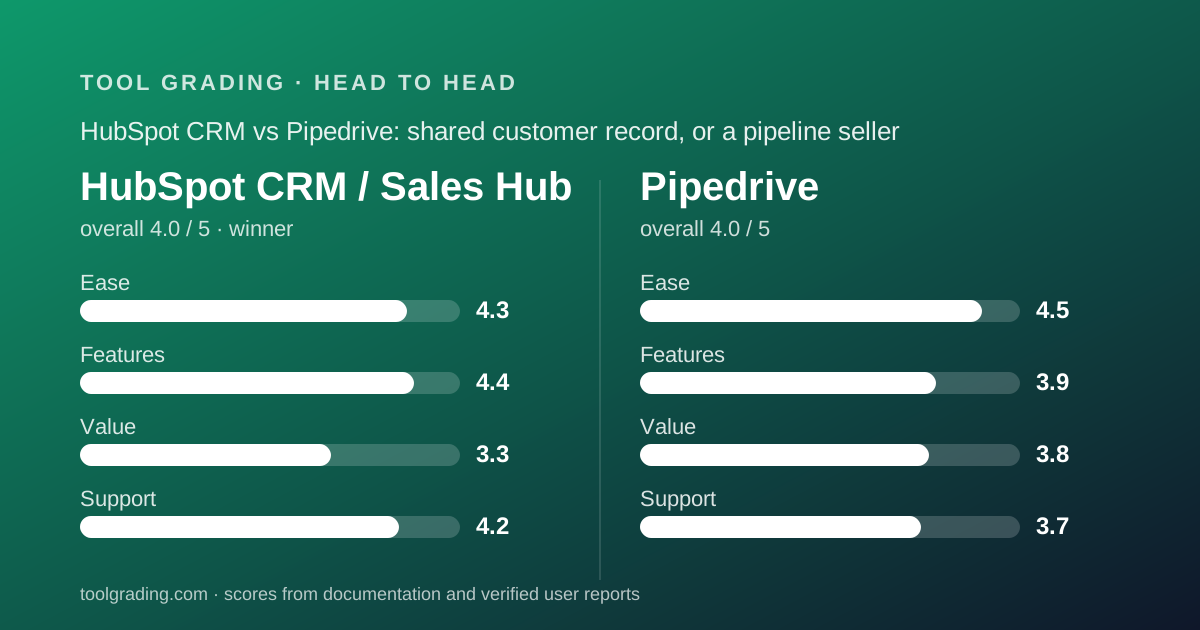
HubSpot CRM and Pipedrive both display 4.0 overall on this site, with HubSpot ahead on the sum of sub-scores by 16.2 to 15.9. HubSpot wins on feature ceiling and documentation; Pipedrive wins on ease and on value, the latter as a structural judgement because its pricing page could not be read and no Pipedrive prices are printed here. HubSpot is the better choice when marketing, sales and support share a customer. Pipedrive is the better choice when the only problem is sellers not using the CRM.
 4.0HubSpot CRM / Sales Hub
 4.0Pipedrive
The short answer
This is a documentation comparison built from the two underlying grades on this site, HubSpot CRM and Pipedrive, and from the vendors' pricing pages as of October 2026; no first-hand testing was run. One caveat governs this whole page: Pipedrive's official pricing page returned an access error on every attempt on October 7, 2026, so no Pipedrive prices are printed, and its value score is a structural judgement that will be revised when the page can be read.
HubSpot scores 4.3 on ease, 4.4 on features, 3.3 on value and 4.2 on support, a sum of 16.2 rounding to 4.0. Pipedrive scores 4.5, 3.9, 3.8 and 3.7, a sum of 15.9, also rounding to 4.0. HubSpot is the winner on the unrounded sum and on the argument that it has the higher ceiling, while Pipedrive wins the two axes a small sales team feels first: ease and the structure of its pricing.
The argument is about scope. HubSpot is a single customer database with product lines sold on top: contacts, companies, deals and tickets, shared by Marketing Hub, Sales Hub and Service Hub, so a salesperson sees the emails marketing sent and the tickets support closed. Pipedrive is a sales team's working surface: a deal moves through a pipeline, every open deal should have a next activity, and the interface is built to make a seller do that activity rather than look at a dashboard.
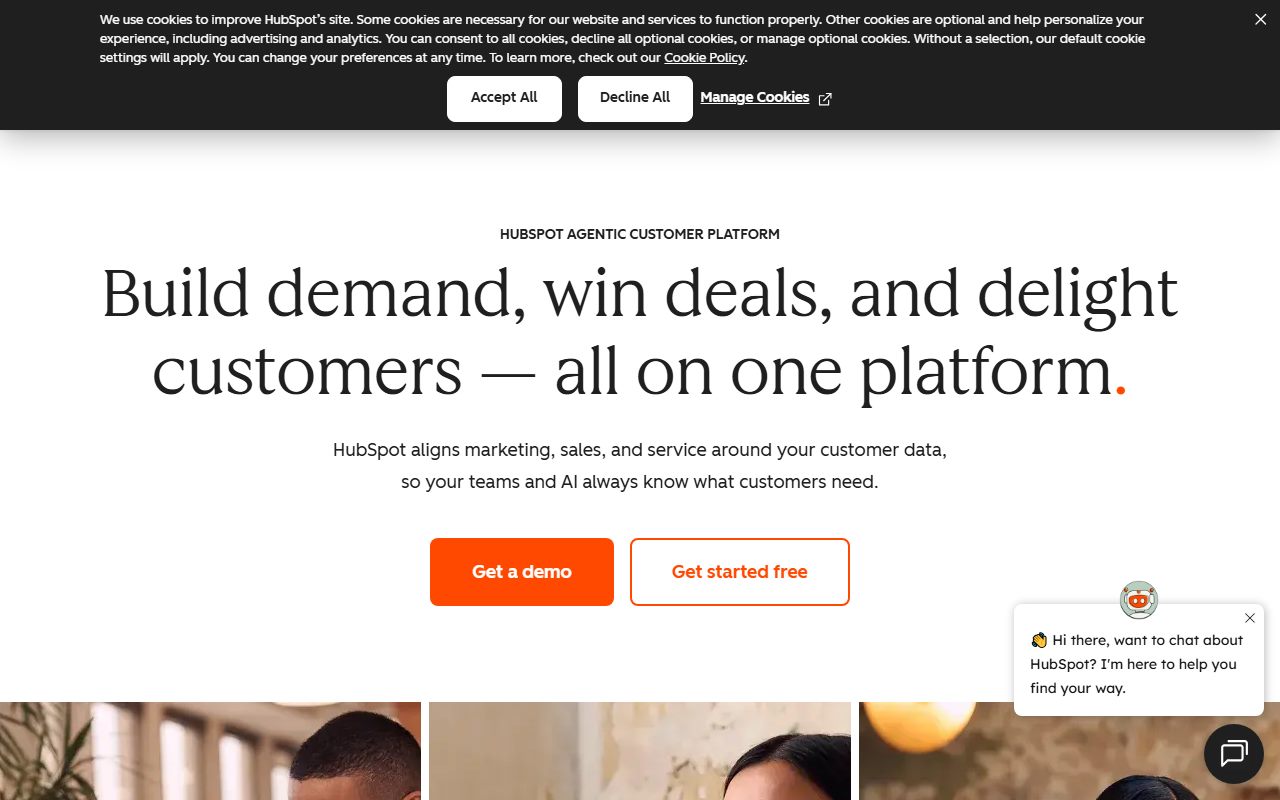
For a ten-person company where more than one function touches the customer, HubSpot's shared timeline replaces real reconciliation work and wins. For a ten-person sales team whose last CRM failed because nobody used it, Pipedrive's discipline is the product's thesis and verified reports support it. The rest of this page is the evidence for both halves.
How the two products are structured
HubSpot's data model has four standard objects, contacts, companies, deals and tickets, and every product the company sells reads and writes those same objects. A marketing email, a sales call, a support ticket and a form submission all land on the same contact record as a dated timeline entry. The HubSpot review describes the CRM layer itself as free with no time limit, and is explicit that this is a commercial strategy: a team that keeps its records in the free CRM for a year will not migrate when it needs automation. Each hub is licensed separately, mostly per seat, so a person who needs both sales and service functionality can require a seat in both.
Pipedrive's model is one object and one rule. The object is the deal, with a value, a stage, a linked person and organisation, and a history of activities. The rule, visible throughout the knowledge base, is that every open deal should have a next activity scheduled; a deal without one is flagged, a deal that has sat too long is marked as rotting, and the seller's home screen is the list of activities due today. Around the deal sit persons, organisations, activities, a separate leads inbox, products, and projects as an add-on.
The structural consequence is what each product refuses to do. Pipedrive has no support ticketing and sells marketing as a paid add-on called Campaigns; the Pipedrive review says plainly that a company wanting one record across functions is describing HubSpot. HubSpot's weakness runs the other way: custom objects are listed as Enterprise on the product page, and the navigation carries every product HubSpot sells whether or not you have bought it. Neither product has a custom object model at the tier a ten-person team buys; Pipedrive documents a cap of 500 custom fields on Ultimate, and HubSpot offers custom properties early and custom objects late.
Pricing for a 10-person team (as of October 2026)
Only HubSpot carries printed figures on this page. Two official HubSpot pages were read on October 7, 2026, the CRM pricing page and the Sales Hub product page, and the figures below are what they displayed. HubSpot publishes promotional rates alongside list rates, and the two pages showed different promotional figures on the same day, which the review treats as a data point about how the pricing is presented.
HubSpot Sales Hub has four rungs: Free tools at $0 with caps on users and contacts; Starter at a $20 per seat per month list rate; Professional from $100 per seat per month; Enterprise from $150 per seat per month. Annual commitment is the basis for the lower figures. The review's ten-person model is six salespeople, two managers who need reporting and two readers. On Starter at the $20 list rate, eight working seats cost $160 per month. On Professional at the stated starting rate, eight seats cost $800 per month or $9,600 per year, before any onboarding fee and before monthly billing premiums, and that is the rung where sequences, custom reporting and call transcription live. The vendor does not publish a minimum seat count on the pages checked.
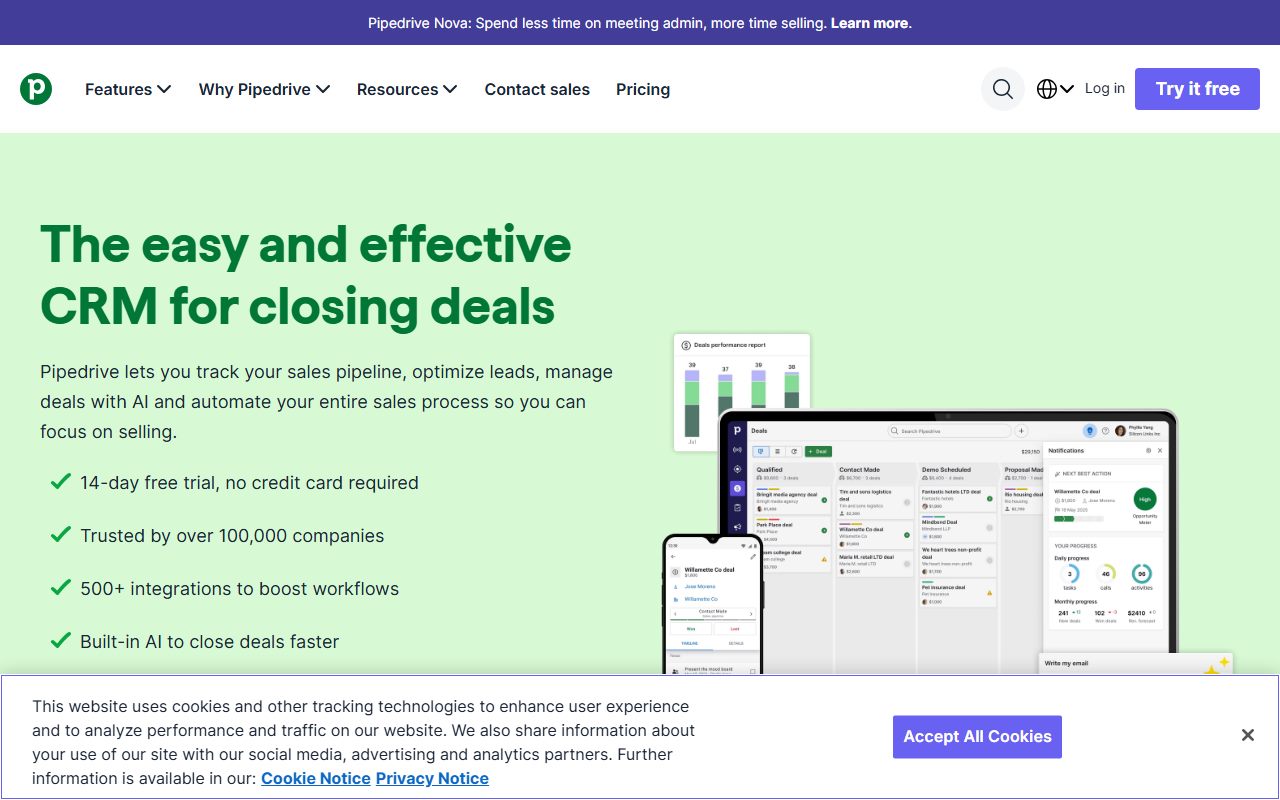
Pipedrive's pricing page could not be read, and this site does not print a figure it has not checked. What is known from three knowledge base articles read the same day: four plans, Lite, Growth, Premium and Ultimate, each priced per seat, with a seat charged whether or not a user is assigned to it; monthly or annual billing with the annual cycle paid upfront at a discount; and rates that vary by region, so a reader in one country should not assume another's figure. LeadBooster, Projects and Smart Docs are included on Premium and Ultimate and sold separately below; Campaigns and Web Visitors are paid add-ons on every plan.
For a ten-person Pipedrive team, all ten need seats because there is no documented view-only or free seat, and Growth is the realistic floor because Lite lacks email sync and automations. Whether that floor costs more or less than HubSpot Starter is exactly the question this page cannot answer.
- HubSpot Free: $0, capped users and contacts, no time limit (pricing page, October 7, 2026)
- HubSpot Starter: $20 per seat per month list rate, promotional new-customer rate shown alongside; $160 per month for eight working seats
- HubSpot Professional: from $100 per seat per month; $9,600 per year for eight seats before onboarding fees
- HubSpot Enterprise: from $150 per seat per month
- Pipedrive: Lite, Growth, Premium, Ultimate, all per seat, monthly or annual; prices vary by region and were not verified, so none are printed
Ease of use
Pipedrive leads, 4.5 against 4.3, and both scores are high for the category.
Pipedrive's 4.5 is the highest score on its own page and follows from the model: a product with one primary object and one rule has very little to learn. Three documented properties carry it. Pipeline setup is a matter of naming stages, with multiple pipelines per account for teams selling different things. The activity model means the seller's daily view is generated from the data rather than configured as a dashboard. And the mobile application is treated as a first-class surface in the documentation, which matters for field sales. The discount is the second rung: on Lite there is no email sync and no automation, so the product is a well-designed board with manual data entry, and the score assumes Growth. The review puts rollout for a team of five to thirty at days rather than weeks.
HubSpot's 4.3 rests on three properties too. The setup path is short: the knowledge base guides walk a new account through importing contacts, connecting an inbox and building a first pipeline in an order a non-technical owner can follow. The interface uses the same record layout for every object, so learning the contact screen is learning the deal screen. And email and calendar integration is a first-class feature, which removes the most common early failure in CRM rollouts: salespeople not logging activity because logging is a separate step. What costs points is breadth: the navigation carries every product HubSpot sells, features appear with upgrade prompts, and telling the free feature from the gated one is a recurring friction that verified reports mention often. The review puts rollout at a week of one person's attention.
The 0.2 difference is the difference between a tool that has one thing to learn and a tool that has one thing to learn surrounded by things to ignore. For a pure sales team the Pipedrive surface is cleaner. For a team that will use the marketing or service hubs, HubSpot's breadth is the point rather than the friction.
Feature depth
HubSpot leads, 4.4 against 3.9, and the review of each product is explicit that the score measures different things.
HubSpot's 4.4 is high because the ceiling is high, and is not higher because much of that ceiling sits above the tier most small teams buy. The capabilities that carry it: the unified timeline across objects and hubs, which no narrower CRM replicates; sequences at Professional, automating multi-step outreach with branching; call recording and transcription at Professional; workflows that are counted at Starter and become the real automation engine at Professional; and reporting that builds custom reports on any property at Professional and above. Pipelines are solid rather than exceptional, with a pipeline count limit shown at Starter, and the review says directly that teams wanting the pipeline itself to be the product will find Pipedrive stronger on that surface. Customisation is the weak axis at lower tiers.
Pipedrive's 3.9 is a score for depth within a deliberately narrow scope. Judged as a sales pipeline tool it is close to the top of the category; judged as a customer platform it is not competing. What carries it: the pipeline surface itself, with stage probabilities, rotting indicators and drag-based stage changes, which the review calls the best-executed in the category; automations from Growth upward, with the 2025 plan-change article documenting three if-else steps per automation on Growth and ten on Premium, and a cap of 150 active automations on Premium; sequences from Growth with a cap of 25 on Premium; custom, formula and required fields at Premium; and AI email tools at Premium. Reporting is competent and bounded, with caps of 50 reports on Growth and 250 per user on Premium, oriented to pipeline metrics rather than general business reporting.
The practical reading for a ten-person team: the features most sales teams want arrive at Pipedrive's second rung and at HubSpot's third. Pipedrive's caps are published per plan so the ceiling is knowable before purchase; HubSpot's ceiling is higher but a seat at Professional, from $100 per seat per month per the product page, is what it costs to reach it. The 0.5 gap is the price of HubSpot's marketing and service capability existing at all, which is worth nothing to a team that will never use it.
Support and documentation
HubSpot leads by its widest margin on this page, 4.2 against 3.7, and the gap is self-service material.
HubSpot's score is carried by documentation the review describes as among the most complete in business software: a knowledge base organised by hub and by task, developer documentation, Academy courses with certifications, and a community forum with named expert contributors, all free at every tier. Direct support follows the familiar ladder; HubSpot's published practice has been community and email for free and Starter users, with chat and phone at Professional and Enterprise, and the review advises confirming the current mapping because the pages read did not state it. A public status page exists with incident history.
Pipedrive's self-service is adequate and current for a product of its scope, organised by task with a glossary, an academy and a developer set with an API reference, OpenAPI specification and official client libraries; it is less deep than HubSpot's, which reflects the narrower surface. Direct channels are mapped to plans in the feature comparison article, and the mapping is steep: chatbot on all plans, live chat from Growth, phone from Premium. A Lite customer with a sync problem is talking to a bot first, and verified reports mention that as a frustration. A public status page is maintained.
For a ten-person team on a mid tier, HubSpot's documentation carries a self-service rollout further, and Pipedrive's live chat on Growth is a documented human channel at the rung the team will actually buy. Neither entry estimates response time.
What verified users report
Both reviews weigh public reports as evidence of pattern rather than measurement, and the two patterns mirror the two designs.
For HubSpot, the dominant positive is the free tier as a starting point combined with the single customer record across functions; users describe it as the first CRM their salespeople kept up to date. The dominant complaint is price trajectory, and it is specific: a feature two tiers up, a seat needed in a second hub, contact-tier limits in Marketing Hub, an onboarding fee at purchase, and a renewal that does not carry the first-year promotion. The review calls it a packaging objection more than a product objection and the most cited reason for leaving.
For Pipedrive, the dominant positive is adoption: sales teams that kept the CRM current for the first time, attributed to the pipeline view and the activity reminders. The dominant complaint is the tiering of basics, with email sync on the second rung the most cited example, followed by phone support at Premium. The second complaint is reporting depth, good for pipeline questions and limited for anything cross-cutting.
Both products are praised for the same outcome, salespeople actually using the CRM. The divergence is in what users complain about paying for: HubSpot's users object to costs discovered after the decision, Pipedrive's to basics sitting one rung up. The second complaint is fully documented in the plan comparison and the first is not, which is one reason Pipedrive's value score is higher despite no price being verified.
Choose HubSpot if / choose Pipedrive if
Choose HubSpot if more than one function in the business touches the customer and the shared timeline would replace real reconciliation work. Choose it if you are starting from nothing and want a free system of record that will never need migrating, or if the Starter feature set at the $20 list rate, per the pricing page checked October 7, 2026, is genuinely enough for the next year. Budget for the tier you will actually need rather than the tier you start on, and price the regular rate, because the step from Starter to Professional is the largest single price step in the category. Do not choose it on the assumption that the free tier contains sales automation, and do not choose it if your data does not fit contacts, companies, deals and tickets.
Choose Pipedrive if the work is deals moving through stages, if the last CRM failed for lack of use, and if marketing and support either do not exist yet or are content on separate tools. Start at Growth, not Lite, because the product without email sync is not the product people recommend. Choose it if knowing the ceiling before buying matters, since the per-plan limits are published in the knowledge base rather than discovered on invoice. Do not choose it if you need one customer record across marketing, sales and support, if your data needs custom objects, or if general business reporting is a requirement rather than an export. And do not choose it without opening the live pricing page for your region, because no Pipedrive figure on this site has been verified.
The honest middle case is a sales-led company that expects to add marketing within a year. The Pipedrive review's rule applies: choose Pipedrive when the problem is sellers not using the CRM, and something else when the problem is other teams not seeing what sellers do.
Bottom line
HubSpot wins this comparison by 16.2 to 15.9 on the sum of sub-scores, with both products displaying 4.0 overall, and the winner is chosen on that sum and on ceiling rather than on any single axis. HubSpot wins features (4.4 against 3.9) and support (4.2 against 3.7); Pipedrive wins ease (4.5 against 4.3) and value (3.8 against 3.3). The axes Pipedrive wins are the ones a ten-person sales team feels in the first month; the axes HubSpot wins are the ones a growing company feels in the second year.
The largest caveat is the one stated at the top. Pipedrive's pricing page could not be read on October 7, 2026, no Pipedrive price is printed, and its value score is a structural judgement about a product whose basics arrive at the second rung and whose caps are published. HubSpot's value score is built from verified figures: Starter at a $20 list rate is the best value in the category at the bottom of the ladder, and Professional from $100 per seat per month, $9,600 per year for eight seats, is one of the more expensive rungs where a growing sales team usually lands. If the Pipedrive page can be read and its Growth rate sits well below HubSpot Professional, the value comparison sharpens in Pipedrive's favour without changing the winner here.
The decision is about scope, not quality. Buy HubSpot for the shared record and budget honestly for Professional. Buy Pipedrive for the pipeline and start on Growth. Open both live pricing pages before signing. This is a documentation comparison, and no first-hand testing was run or is claimed.
Visit HubSpot CRM / Sales Hub
We have no affiliate relationship with this vendor. Link goes to the official site.
Visit Pipedrive
We have no affiliate relationship with this vendor. Link goes to the official site.